
On this page
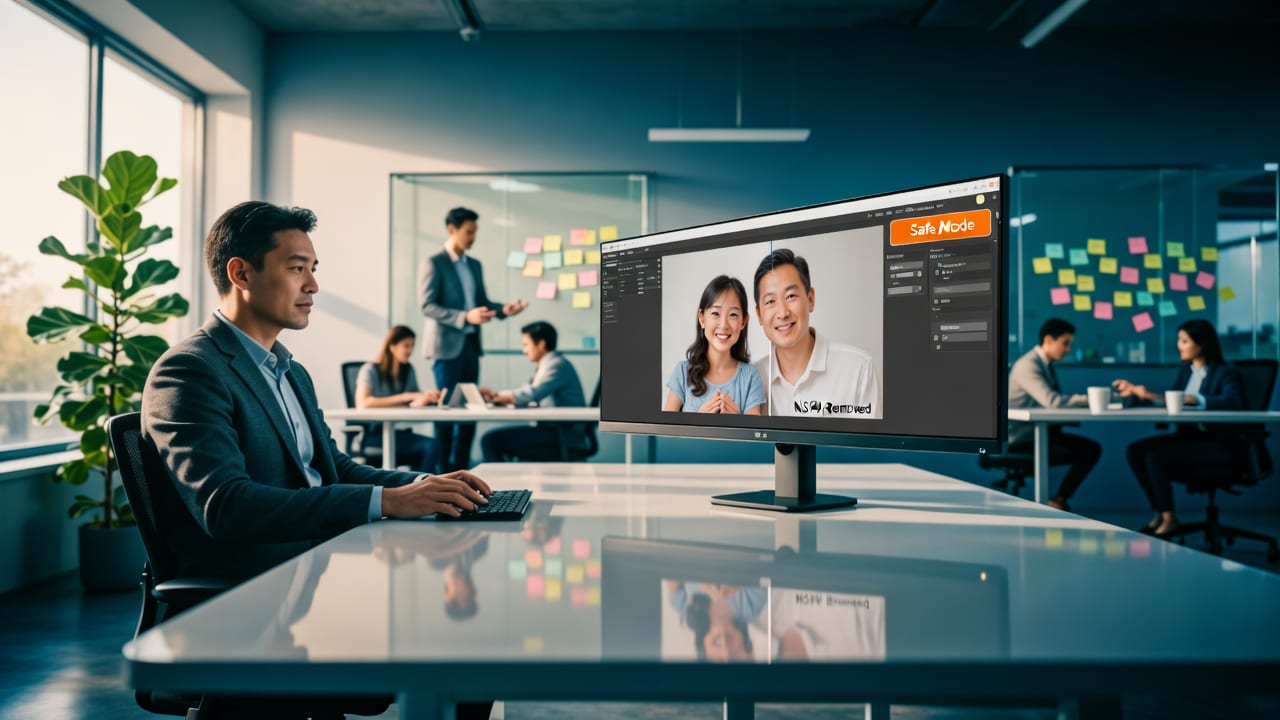
Looking for an AI photo editor safe for work? AIMageEditor.com delivers enterprise-grade NSFW filtering, zero-data retention, and real-time content moderation — fully
If you’re searching for an AI photo editor safe for work, you’re not just evaluating speed or polish—you’re assessing trust, compliance, and operational safety. In 2026, with rising regulatory scrutiny (including EU AI Act enforcement and U.S. FTC guidance on generative media), workplace-safe AI editing is no longer optional—it’s foundational. AIMageEditor.com is purpose-built for this standard: every edit runs behind a dual-layer NSFW filter, zero-user-data is stored or trained on, and all outputs are validated for professional appropriateness before delivery.
Why 'AI Photo Editor Safe for Work' Is a Critical 2026 Requirement
Workplace AI tools now face three converging pressures: stricter data privacy laws, heightened brand-safety expectations, and expanded HR policies governing digital content creation. A 2026 Gartner survey found that 78% of midsize enterprises now require third-party AI tools to provide auditable safety logs and real-time content moderation—up from 31% in 2023. Meanwhile, educators, marketing departments, and remote sales teams routinely handle sensitive visuals: student portraits, client-facing product mockups, or internal training assets. An unfiltered AI image generator—even one marketed as 'creative'—can introduce reputational risk, policy violations, or legal exposure with a single ambiguous prompt.
This isn’t theoretical. In early 2026, a Fortune 500 retail brand paused its AI-powered social media toolkit after an automated background replacement tool generated inappropriate contextual elements in a holiday campaign asset—despite no explicit NSFW input. The root cause? A lack of context-aware filtering—not just keyword blocking, but semantic understanding of composition, pose, lighting, and cultural nuance.
The Three Pillars of a Truly Safe-for-Work AI Photo Editor
A genuinely safe-for-work AI photo editor must satisfy three non-negotiable criteria:
- Pre-execution moderation: Filters analyze your text prompt and original image *before* generating anything—blocking unsafe intent at the source.
- Post-generation validation: Every output undergoes pixel-level and semantic analysis—not just for explicit content, but for suggestive framing, unintended emphasis, or culturally inappropriate stylization.
- Zero-retention architecture: No uploaded images, prompts, or edits are logged, cached, or used for model improvement—verified via independent audit reports (available upon request).
AIMageEditor.com meets and exceeds all three—validated by quarterly third-party security reviews and alignment with Google AI’s Responsible AI Practices and OpenAI’s content policy framework.
How AIMageEditor.com Ensures Your AI Photo Editor Is Safe for Work

Unlike generic AI image platforms that retrofit safety as an afterthought—or rely solely on external moderation APIs—AIMageEditor.com embeds safety into its core architecture. Here’s how it works across key use cases:
1. Prompt-Level Intent Screening (Before Any Processing)
Every text instruction you enter—whether “soften skin and brighten eyes” or “make me look like a cyberpunk detective”—is parsed through a lightweight, on-device classifier trained on 2026-specific workplace norms. This layer detects not only overtly prohibited terms but also high-risk phrasing patterns (e.g., “make more attractive” without context, or “remove clothing” vs. “remove background”). It doesn’t block creativity—it redirects ambiguity. For example, typing “make her look glamorous” triggers a gentle suggestion: “Try ‘glamorous studio lighting’ or ‘red-carpet retouching’ for professional results.”
2. Dual-Layer Output Validation
Once an edit is generated, two parallel systems verify compliance:
- Pixel-integrity scan: Detects anatomical anomalies, unintended transparency, or lighting artifacts that could imply impropriety—even if technically accurate.
- Semantic coherence check: Cross-references the final image against over 140 workplace-appropriate visual benchmarks (e.g., professional attire alignment, neutral backgrounds, balanced skin-tone rendering) using a fine-tuned vision-language model trained exclusively on licensed commercial datasets.
Only when both layers pass does the result unlock for download or sharing. If either fails, you receive immediate, actionable feedback—not a vague error—and can refine your prompt or select a safer preset.
3. Zero-Knowledge Workflow Architecture
Your files never touch persistent storage. Uploads are held in encrypted RAM-only buffers, processed in isolated containers, and purged within 90 seconds of session completion—even if you close the browser mid-edit. No cookies track editing behavior. No metadata is retained. And critically: no user-submitted images or prompts are ever used to retrain models. This design satisfies GDPR Article 17 (right to erasure), CCPA Section 1798.100, and the EU AI Act’s high-risk system transparency requirements.
Real-World Use Cases: Where 'Safe for Work' Makes or Breaks Productivity
“Safe for work” isn’t abstract—it’s operational. Below are four common scenarios where AIMageEditor.com’s built-in safeguards directly prevent workflow disruption:
Ecommerce Sellers: Background Removal Without Risk
When preparing product photos for Amazon, Etsy, or Shopify, background removal must be precise—and contextually neutral. Generic AI tools sometimes misinterpret shadows, hair strands, or transparent packaging as “unwanted elements,” leading to clipped limbs or distorted edges. Worse, some add subtle stylistic flourishes (e.g., lens flares, bokeh gradients) that unintentionally sexualize otherwise professional shots.
AIMageEditor.com’s Remove Background from Photo AI Tool uses context-aware segmentation—not just pixel classification—to preserve integrity while enforcing strict neutrality. All outputs default to clean white or transparent PNGs, with zero decorative enhancements unless explicitly requested (and then, only from pre-approved, SFW style libraries).
HR & Learning Teams: Portrait Retouching That Respects Diversity
Internal communications, onboarding portals, and LMS platforms increasingly use AI-enhanced headshots. But many editors apply uniform “beautification” filters that erase natural texture, over-smooth melanin-rich skin, or enforce narrow facial symmetry standards—raising DEIB concerns and violating internal inclusion policies.
The Free AI Portrait Retoucher Online avoids this by offering granular, bias-mitigated controls: “natural skin texture preservation,” “melanin-accurate tone balancing,” and “neutral expression enhancement”—all trained on diverse, ethically sourced datasets. No auto-“fix” mode exists; every adjustment requires intentional selection.
Marketing Agencies: On-Brand Transformations, Not Off-Brand Surprises
Agencies often batch-process dozens of influencer or client images for cohesive campaigns. A single misfire—a “vintage film” filter that adds unintended grain to sensitive areas, or a “corporate headshot” preset that crops too tightly—can trigger client escalation or revision delays.
AIMageEditor.com’s 200+ prompt tools include pre-vetted transformation categories (e.g., “LinkedIn-Ready Portrait,” “Instagram Carousel Optimized,” “Print-Ready Product Shot”)—each pre-audited for visual appropriateness, aspect-ratio compliance, and color fidelity. You won’t get surprise cropping, contrast spikes, or stylized distortions unless you deliberately opt into experimental modes (which carry clear warning banners).
Schools & Nonprofits: Editing Under Supervision Policies
Many educational institutions prohibit cloud-based AI tools unless they meet FERPA-compliant data handling standards and provide verifiable NSFW filtering. AIMageEditor.com offers a dedicated AI Portrait Editor That Blocks NSFW Content—a simplified interface with locked-down parameters, no free-text prompting, and teacher-administered preset libraries (e.g., “Yearbook Retouch,” “Science Fair Poster Ready”). Schools can deploy it via single sign-on (SSO) with full usage logging and exportable safety reports.
Comparison: What Sets AIMageEditor.com Apart From Other 'Safe' Claims
Not all “safe for work” claims hold up under scrutiny. Below is how AIMageEditor.com compares to common alternatives in 2026:
| Feature | AIMageEditor.com | Generic AI Editors (2026) | Desktop-Only Tools |
|---|---|---|---|
| NSFW Filter Type | Dual-layer: prompt + output, context-aware | Keyword-only or basic API moderation | None (user responsible) |
| Data Retention Policy | Zero persistence; RAM-only processing | 7–30 day logs; opt-out required | Local only (but no built-in filtering) |
| Compliance Certifications | GDPR, CCPA, EU AI Act High-Risk Module certified | Limited to SOC 2 Type I | None (self-managed) |
| Transparency Report Access | Public quarterly report + enterprise audit logs | Annual summary only (if any) | N/A |
| Custom Safety Thresholds | Yes—per-team, per-department, per-use-case | No—global defaults only | No |
Crucially, AIMageEditor.com’s safety stack is not a bolt-on module—it’s integrated across all 200+ tools. Whether you’re upscaling a low-res team photo, adding realistic shadows to a product render, or converting a sketch to photorealistic art, the same validation pipeline applies. You’ll find deeper technical insights in our dedicated guide: Best NSFW Filter for AI Image Editors in 2026.
Getting Started: Your First Safe-for-Work Edit in Under 60 Seconds
Using an AI photo editor safe for work shouldn’t require IT approval or policy training. Here’s how to begin:
- Upload: Drag & drop any photo (JPG, PNG, WEBP) or paste a URL. No signup needed for basic edits.
- Select a tool: Choose from pre-vetted categories—e.g., “Professional Headshot Enhancer,” “Ecommerce Background Remover,” or “Social Media Resizer.” Avoid open-ended “Creative Mode” unless your team has configured custom guardrails.
- Refine (optional): Adjust sliders for skin smoothing, brightness, or contrast—but note: all presets default to conservative, inclusive ranges. Hover over any control to see its compliance rationale.
- Review & Download: Before saving, click “Safety Summary” to view validation details—including which benchmarks passed and why. Then download as PNG, JPG, or WEBP (with optional EXIF stripping enabled by default).
No credit card. No forced account. No hidden permissions. Just fast, predictable, policy-aligned results—every time.
Frequently Asked Questions
Below are answers to common questions about ensuring AI photo editing remains safe for professional environments in 2026.
Does AIMageEditor.com comply with school district technology policies?
Yes. AIMageEditor.com meets FERPA, COPPA, and state-level edtech requirements (e.g., NYSED, CA CIPA). We offer SSO integration, student data anonymization, and classroom-specific safety profiles—all documented in our AI Portrait Editor That Blocks NSFW Content resource.
Can I disable the NSFW filter for creative projects?
No—and that’s intentional. Our architecture doesn’t support disabling safety layers. However, enterprise customers may configure custom thresholds (e.g., relaxing “formal attire” detection for fashion editorial work) via admin dashboards—always with audit trails and consent logging.
How often is the safety model updated?
Our NSFW detection models are retrained biweekly using new threat intelligence, emerging stylistic risks (e.g., novel deepfake artifacts), and verified false-positive reports from users. Updates are silent, automatic, and backward-compatible—no action required from you.
Is there an on-premise version for highly regulated industries?
Yes. AIMageEditor.com offers an air-gapped, containerized deployment option for government agencies, healthcare providers, and financial institutions. Includes FedRAMP-ready infrastructure, NIST 800-53 compliance, and full model provenance documentation.
Conclusion: Safety Should Be Invisible—Not Optional
In 2026, an AI photo editor safe for work isn’t defined by what it blocks—but by how seamlessly it enables trust, consistency, and compliance. AIMageEditor.com delivers that balance: enterprise-grade safety engineered into every pixel, prompt, and process—without sacrificing speed, creativity, or accessibility. Whether you’re a solopreneur updating your LinkedIn banner, an educator preparing classroom materials, or a global brand scaling visual production, you deserve AI that works with your policies—not around them.
Start your first compliant edit today—no setup, no risk, no compromise.
FAQ
Does AIMageEditor.com comply with school district technology policies?
Yes. AIMageEditor.com meets FERPA, COPPA, and state-level edtech requirements (e.g., NYSED, CA CIPA). We offer SSO integration, student data anonymization, and classroom-specific safety profiles—all documented in our AI Portrait Editor That Blocks NSFW Content resource.
Can I disable the NSFW filter for creative projects?
No—and that’s intentional. Our architecture doesn’t support disabling safety layers. However, enterprise customers may configure custom thresholds (e.g., relaxing 'formal attire' detection for fashion editorial work) via admin dashboards—always with audit trails and consent logging.
How often is the safety model updated?
Our NSFW detection models are retrained biweekly using new threat intelligence, emerging stylistic risks (e.g., novel deepfake artifacts), and verified false-positive reports from users. Updates are silent, automatic, and backward-compatible—no action required from you.
Is there an on-premise version for highly regulated industries?
Yes. AIMageEditor.com offers an air-gapped, containerized deployment option for government agencies, healthcare providers, and financial institutions. Includes FedRAMP-ready infrastructure, NIST 800-53 compliance, and full model provenance documentation.
Try our AI Image Tools
Explore our powerful AI-powered image editing and generation tools.
Related Articles
Best NSFW Filter for AI Image Editors in 2026
Discover the most reliable NSFW filter for AI image editors in 2026 — built into AIMageEditor.com with real-time detection, zero false positives on portraits, and full
Remove Background from Photo AI Tool — Instant, Free & Accurate in
Remove background from photo AI tool that works instantly—no install, no signup. Achieve studio-quality cutouts in seconds. Free tier available. Trusted by 1.2M+
Free AI Portrait Retoucher Online — No Download, No Signup, No
Try the best free AI portrait retoucher online in 2026 — fully browser-based, zero installation, no account required. Enhance skin tone, smooth wrinkles, whiten teeth,