
Prompt-based skin tone control
Write detailed descriptions like 'warm golden brown skin tone' or 'cool neutral complexion' and AI applies realistic transformations that match the photo's lighting, shadows, and skin texture detail.
Change skin tone realistically in any portrait photo. Use AI prompts for precise control or select a preset tone. Preserves facial identity, expression, lighting, and skin texture. Perfect for portrait photographers, fashion teams, and content creators.
AI Portrait Retouching
AI Skin Color Changer is a free online portrait retouching tool that uses AI to transform skin tone and complexion in photos. You can use text prompts for precise control or select from curated skin tone presets. The AI preserves facial identity, expression, lighting, and skin texture while only changing the complexion—the person remains unmistakably recognizable.
AI Skin Color Changer is a free online portrait editor that uses AI to apply realistic skin tone and complexion transformations through text prompts or preset selection. Preserves facial identity, expression, lighting, and skin detail.
Write detailed descriptions like 'warm golden brown skin tone' or 'cool neutral complexion' and AI applies realistic transformations that match the photo's lighting, shadows, and skin texture detail.
Select from curated skin tone presets and apply instant transformations across the entire face and exposed skin areas—perfect for quick edits without manual prompting.
Gradually lighten or dramatically darken complexion while preserving skin texture, pore detail, and natural shadow placement. Full control over tone depth and intensity.
AI Portrait Retouching
Upload any portrait photo, then either write a detailed prompt describing your desired skin tone adjustment—lighter, darker, warmer, cooler—or select a skin tone preset for instant application. AI generates realistic complexion transformations that preserve facial identity and skin texture. Need more credits? Visit thepricing & credit plans page to choose the perfect plan for your portrait editing volume.
AI Portrait Editing Features
From subtle complexion adjustments to full skin tone transformations, AI Skin Color Changer handles realistic portrait retouching using prompts or presets while maintaining natural-looking results and facial identity.
Write detailed descriptions like 'warm golden brown skin tone' or 'cool neutral complexion' and AI applies realistic transformations that match the photo's lighting, shadows, and skin texture detail.
View portrait editing guidesSelect from curated skin tone presets and apply instant transformations across the entire face and exposed skin areas—perfect for quick edits without manual prompting.
See all portrait featuresGradually lighten or dramatically darken complexion while preserving skin texture, pore detail, and natural shadow placement. Full control over tone depth and intensity.
Learn lightening & darkening techniquesShift undertones from warm golden and olive tones to cool neutral and ashy complexions. Adjust undertone warmth independently from overall brightness.
View creative portrait examplesAI preserves facial identity, natural expression, skin texture, micro-details, and original lighting while only modifying skin color and tone—the person remains unmistakably recognizable.
Explore preservation featuresChange skin tone across multiple portrait, headshot, fashion, and catalog images—ideal for consistent styling across ecommerce listings, lookbooks, and photography series.
See ecommerce use casesReal-World Portrait Transformations
Explore realistic portrait skin tone transformations—from subtle shade adjustments to dramatic complexion changes. Each example demonstrates AI Skin Color Changer's precision in preserving facial identity.
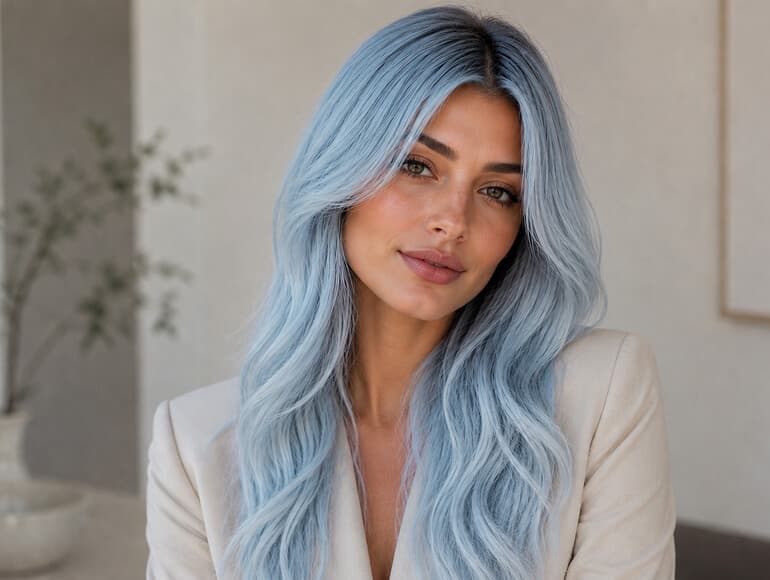
Lighter complexion
Shift to lighter complexions while maintaining natural expression, facial identity, skin texture, original lighting, and shadow placement.
Read portrait editing guide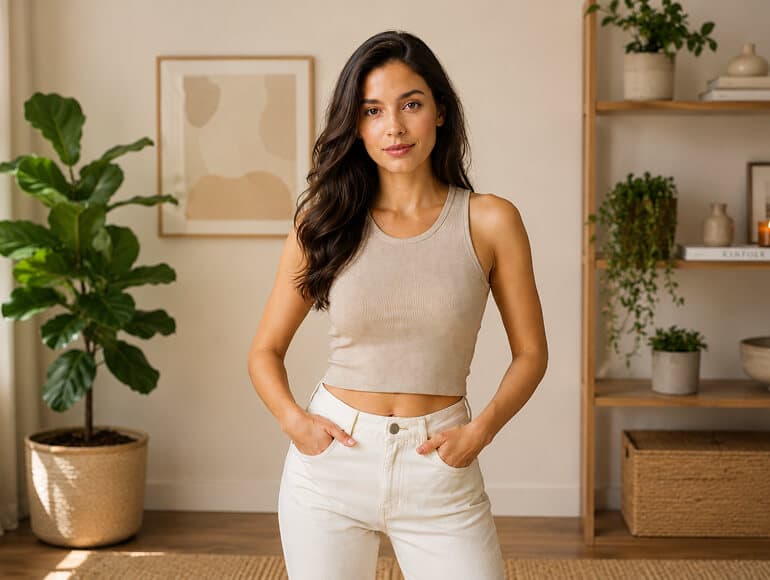
Darker complexion
Apply darker, richer complexions while AI intelligently adjusts shadows, highlights, and undertones for natural-looking depth and tone variation.
Learn darkening techniques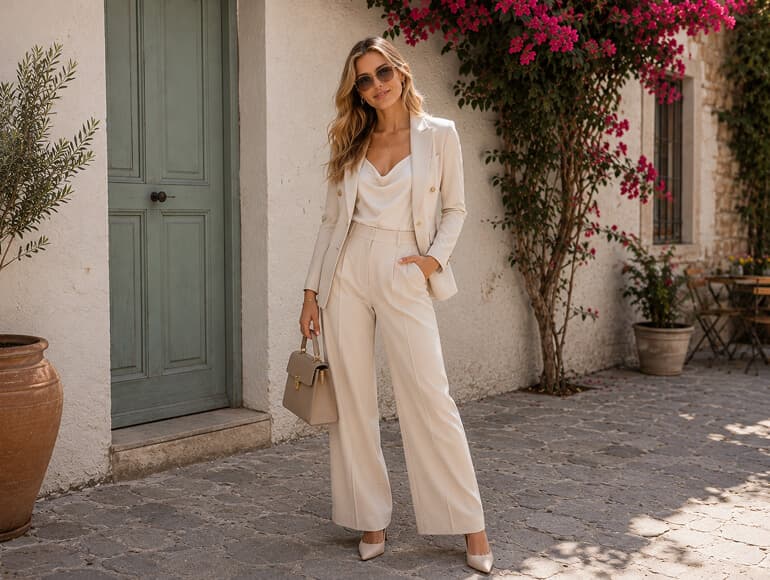
Warm undertones
Add warmth with golden, olive, bronze, or sun-kissed undertones. AI adjusts undertone color independently while maintaining brightness and shadow detail.
Explore undertone adjustments
Cool undertones
Transform warm tones to cool neutral or ashy complexions for editorial styling, creative concepts, or artistic effects—perfect for fashion and creative work.
See fashion use cases
Preset application
Select curated skin tone presets and AI applies realistic transformations instantly—no prompting required. Perfect for quick batch edits and consistent styling.
View all preset options
Fashion & editorial
Create fashion lookbook styles, editorial campaign visuals, and artistic portrait concepts with stylized or exaggerated skin tones from simple text descriptions.
Browse fashion examplesTwo Powerful Ways to Change Skin Tone
Choose between detailed prompt-based editing for precision control, or use instant presets for quick transformations. Both methods deliver realistic complexion changes while preserving facial identity.
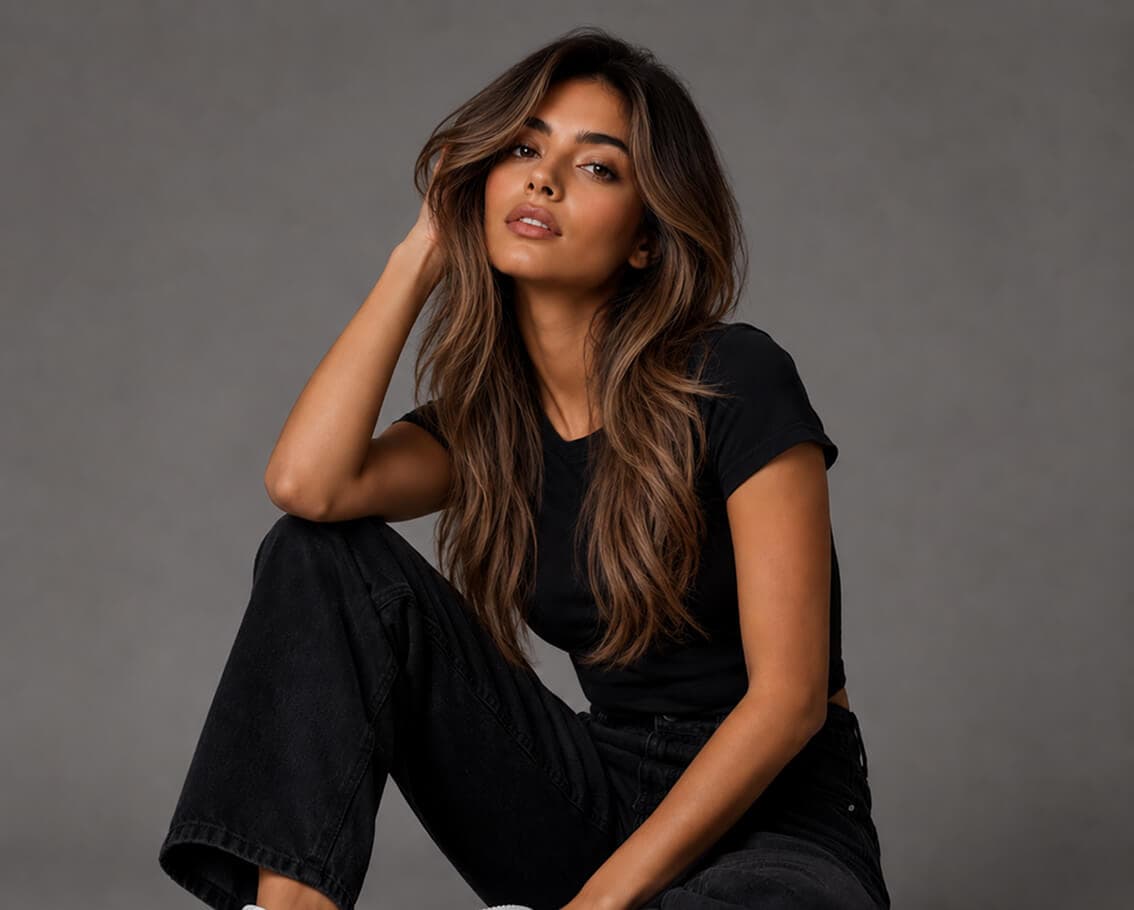
01 / Prompt-Based Editing
Describe exactly what you want: 'warm golden-bronze complexion,' 'cool neutral undertone,' or 'lighter with preserved shadow depth.' AI applies intelligent transformations that honor the photo's original lighting, shadows, and skin texture characteristics.
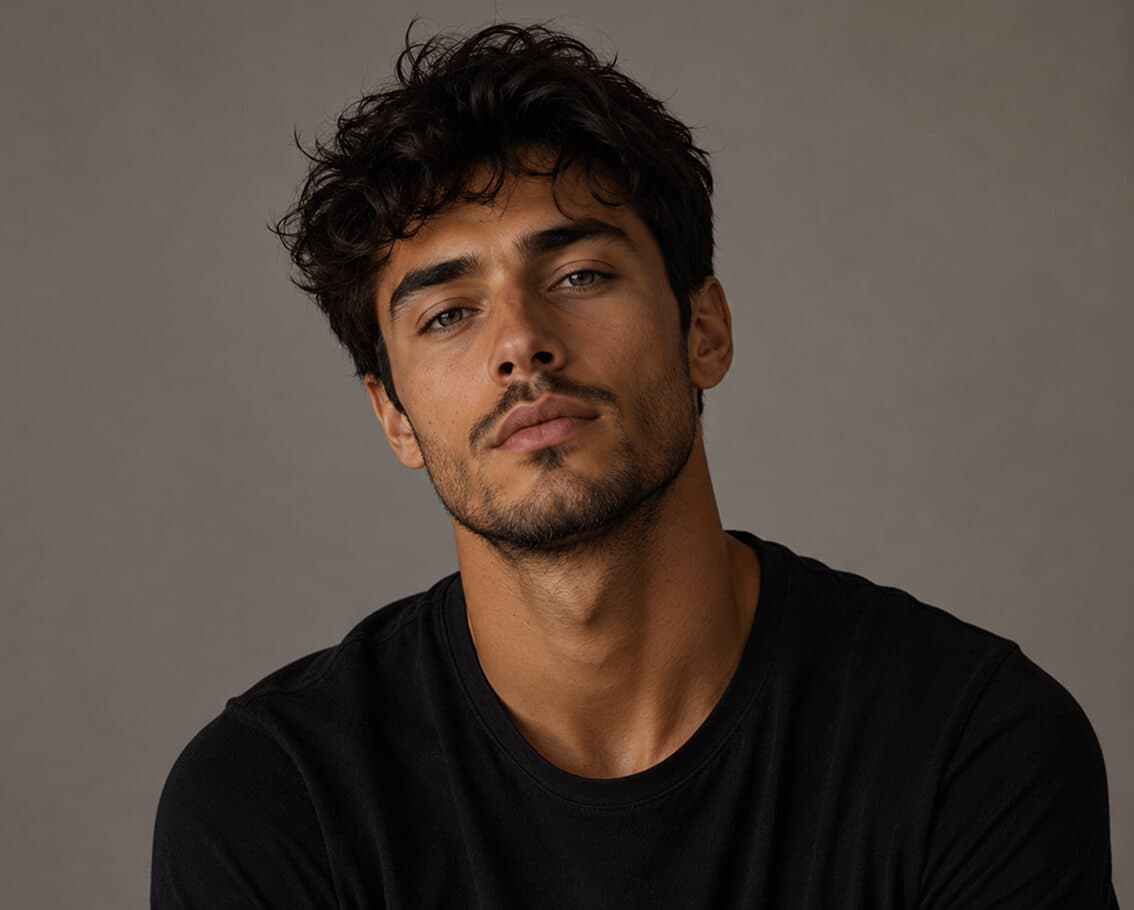
02 / Instant Presets
Browse curated skin tone presets and apply with a single click. No manual prompting needed—AI handles the transformation instantly while maintaining realistic color variation, texture, and lighting consistency across the entire face.
03 / Professional Headshots
Perfect for professional headshots, LinkedIn portraits, and agency photography. AI Skin Color Changer maintains facial identity, expression, and professional lighting while transforming complexion—essential for casting variations or brand consistency.
04 / Fashion & Creative Visuals
Create editorial fashion portfolios, campaign visuals, and artistic concepts with stylized or exaggerated skin tones. From lookbook styling to creative campaigns, apply unlimited complexion variations from simple text descriptions.
Professional Use Cases
Portrait photographers, fashion brands, ecommerce teams, content creators, and agencies use AI Skin Color Changer to transform portraits efficiently. Ideal for professional headshots, fashion lookbooks, casting variations, and creative content.
Start changing skin tone nowEdit client portraits, headshots, and profile photos with precise skin tone control—preserving identity while offering stylization options.
Read photographer guidesApply consistent or varied skin tones across model photos, lookbooks, catalogs, and fashion listings for cohesive visual branding.
See fashion industry use casesCreate stylized skin tones for editorial campaigns, creative concepts, artistic portraits, and multi-variation content from single photoshoots.
Browse creative studio guidesPerfect skin tone variations for personal branding, social media content, portfolio updates, and creative self-expression without professional photography retouching.
Explore creator use casesSimple 4-Step Workflow
From upload to download, change skin tone in minutes. Choose between prompt-based editing for precision control or presets for instant results.
Select any portrait, headshot, fashion photo, or personal image (JPG, PNG, WEBP, or GIF up to 8MB) and upload it to AI Skin Color Changer.
Write a detailed prompt describing your desired skin tone for full control, or select a preset from curated skin tone options for instant application.
In prompt mode: describe the tone, undertone, and intensity (e.g., 'warm golden brown with depth'). In preset mode: simply select your preferred skin tone.
Review the AI-generated skin tone transformation and download your result. If needed, try variations with different prompts or presets for perfect results.
Related Resources
Explore guides, features, and related tools to master skin tone editing and portrait retouching.
In-depth tutorials on portrait retouching, skin tone adjustments, and professional editing workflows.
Explore all portrait editing tools, including background removal, face enhancement, and skin tone editing.
See how photographers, fashion teams, and agencies use AI tools for efficient portrait workflows.
Complement skin tone changes with AI-powered face enhancement for polished, professional results.
Choose the perfect credit plan for your portrait editing volume and skin tone adjustment needs.
Upscale low-resolution portraits before skin tone editing for sharper, more detailed results.
Frequently Asked Questions
Answers to common questions about changing skin tone in portraits, how the AI works, and how to get started.
AI Skin Color Changer is a free online portrait retouching tool that uses AI to transform skin tone and complexion in photos. You can use text prompts for precise control or select from curated skin tone presets. The AI preserves facial identity, expression, lighting, and skin texture while only changing the complexion—the person remains unmistakably recognizable.
Yes, AI Skin Color Changer is free to start. New accounts receive 15 signup credits with no credit card required. Each image generation uses 10 credits. You can purchase additional credits in our flexible pricing plans when you need to edit more portraits.
Prompt mode gives you full creative control—describe any skin tone, undertone, and intensity to achieve precise results. Preset mode offers instant one-click transformations from curated skin tone options. Choose prompts for detailed control, or presets for quick edits. You can try both methods and compare results.
Yes. You can shift skin tone up or down the brightness spectrum—from significantly lighter to notably darker complexions. AI intelligently adjusts shadows, highlights, and undertones to maintain natural-looking depth and skin texture regardless of how extreme the brightness change.
Yes. You can shift undertones from warm golden and olive to cool neutral and ashy, independent of overall brightness. This means you can make skin tone lighter while keeping warm undertones, or darker with cool undertones—full flexibility for creative control.
AI Skin Color Changer changes only skin color and tone. It preserves all facial features, identity, natural expression, skin texture, micro-details, and original lighting. The transformation is a complexion change only—the person remains completely recognizable.
No. AI Skin Color Changer is specifically designed for skin tone editing. It does not modify background, clothing, hair, or any other non-skin elements. For those edits, explore our AI Face Enhancer, background remover, or hair styling tools.
AI Skin Color Changer accepts JPG, PNG, WEBP, and animated GIF files up to 8MB. Larger files should be compressed or resized before upload. This size supports high-quality portrait and headshot images.
Absolutely. Fashion brands, ecommerce teams, and photography studios use AI Skin Color Changer for consistent skin tone styling across model photos, lookbooks, catalogs, and product listings. Apply uniform or varied skin tones across entire photo collections efficiently.
Yes. All prompts are screened by our content moderation system before generation. Prompts that violate our Acceptable Use Policy—including NSFW, sexually explicit, deepfake, or other prohibited content—are automatically blocked.
Unlimited. Once you upload a portrait, generate as many variations as you want using different prompts or presets. Each generation consumes 10 credits, so test multiple skin tones to find the perfect result.
Yes. Images you generate with AI Skin Color Changer can be used for commercial purposes, including fashion portfolios, ecommerce listings, client deliverables, and professional work—with appropriate model releases where required.
Ready to Transform Your Portraits?
Get 15 free credits—no credit card required. Try prompt-based editing or presets. Professional-quality skin tone transformations in seconds.