
Manual Text Prompt Clothing Edits
Write exactly what you want—'change the jacket to a red leather biker jacket' or 'swap pants to black jeans'—and AI generates photorealistic clothing edits that match pose and lighting perfectly.
Upload any portrait or fashion photo and instantly swap tops, bottoms, or full outfits with AI. Change fabric colors, try new styles, and preview outfit variations instantly. No photo editing skills needed. Perfect for fashion, ecommerce, and personal styling.
AI Clothes Changer
AI Clothes Changer is a free, online tool that lets you swap outfits, change clothing colors and fabrics, and create outfit variations on any photo using AI. Simply upload a portrait or fashion photo, describe the clothing change you want, and AI generates photorealistic results instantly.
AI Clothes Changer is a free, web-based AI photo tool for swapping outfits, changing clothing colors and fabrics, and creating realistic outfit variations. No editing experience required. Change clothes instantly with text prompts or automatic clothing detection.
Write exactly what you want—'change the jacket to a red leather biker jacket' or 'swap pants to black jeans'—and AI generates photorealistic clothing edits that match pose and lighting perfectly.
Select auto top, bottom, or full outfit mode and describe the new clothing. AI automatically detects the clothing area and applies realistic changes without manual masking or selection.
Swap cotton for denim, silk, leather, linen, or wool. AI recreates realistic fabric textures with proper light reflection, drape, and shadows matching the original photo perfectly.
AI Clothes Changer
Our free AI outfit changer lets you swap clothes instantly using either manual text prompts or automatic clothing detection. Simply upload a photo, choose your mode, describe the outfit change you want, and AI generates photorealistic results in seconds. Need more edits? Visit ouraffordable credit packs & pricing page for additional AI generation credits.
Outfit Changing Features
From single garment swaps to complete outfit transformations, AI Clothes Changer handles fabric colors, styles, textures, and full clothing variations instantly.
Write exactly what you want—'change the jacket to a red leather biker jacket' or 'swap pants to black jeans'—and AI generates photorealistic clothing edits that match pose and lighting perfectly.
See all outfit editing use casesSelect auto top, bottom, or full outfit mode and describe the new clothing. AI automatically detects the clothing area and applies realistic changes without manual masking or selection.
Explore all outfit editing featuresSwap cotton for denim, silk, leather, linen, or wool. AI recreates realistic fabric textures with proper light reflection, drape, and shadows matching the original photo perfectly.
Read our fabric editing guideChange any clothing color instantly, add patterns, stripes, or textures, and test multiple colorways of the same garment for catalog testing and lookbook creation.
See fashion editing use casesAI adapts new clothing to the subject's exact pose, body position, and body shape so outfit swaps look completely natural—not copied or pasted on.
Explore intelligent clothing fittingGenerate multiple product photo variations, test new colorways, and create full lookbooks from existing photos without expensive reshoots—save time and production cost.
See ecommerce photo editing examplesReal Outfit Changing Results
See how our advanced AI outfit swapper transforms clothing instantly with realistic results. Each example showcases different styles, colors, fabrics, and complete outfit transformations.
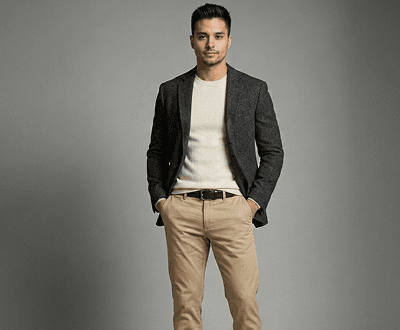
Full Outfit Transformation
Upload a fashion photo and describe a complete new outfit. AI Clothes Changer swaps every garment instantly—top, bottom, layers—while preserving the person's body, pose, and lighting perfectly.
Try full outfit swaps now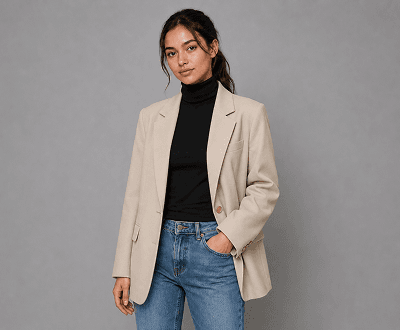
Top Garment Swap
Use auto top mode to instantly change only the upper garment. AI detects the top area automatically and swaps it with new colors, styles, or fabrics—bottom stays completely unchanged.
See top swap examples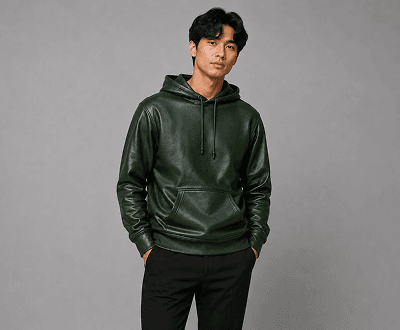
Fabric & Color Edit
Describe fabric or color changes and create realistic fashion variations. Perfect for ecommerce catalogs, lookbooks, and testing multiple colorways of the same garment without reshooting.
Explore fabric editing examples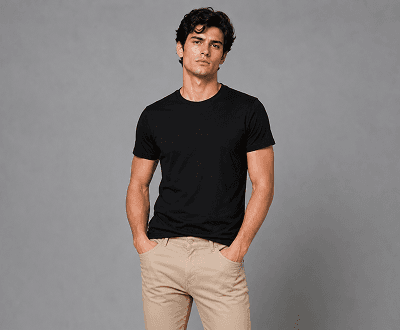
Bottom Garment Swap
Select auto bottom mode and describe your new bottom garment. AI swaps only lower clothing—keeping top and background intact—with perfect fit and realistic drape matching.
Try bottom swaps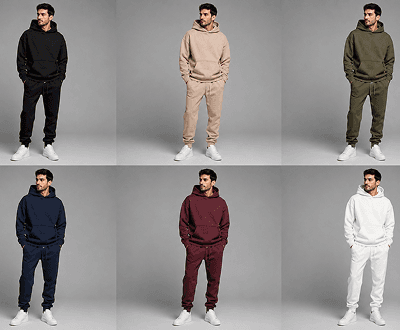
Catalog Colorway Variations
Create the same product in multiple colors instantly from one source photo. Perfect for ecommerce catalog pages, color selection options, and product displays—no reshooting needed.
See ecommerce examples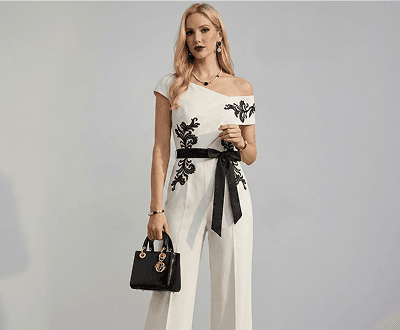
Style & Fashion Transformation
Transform casual outfits to formal wear, streetwear to editorial fashion, or everyday looks to seasonal collections. AI applies consistent style changes across all garments instantly.
Browse style transformation guidesClothing Editing Workflows
Choose manual prompt mode for complete control, or use automatic top/bottom/full-outfit detection for faster edits. Either way, get photorealistic clothing swaps instantly.
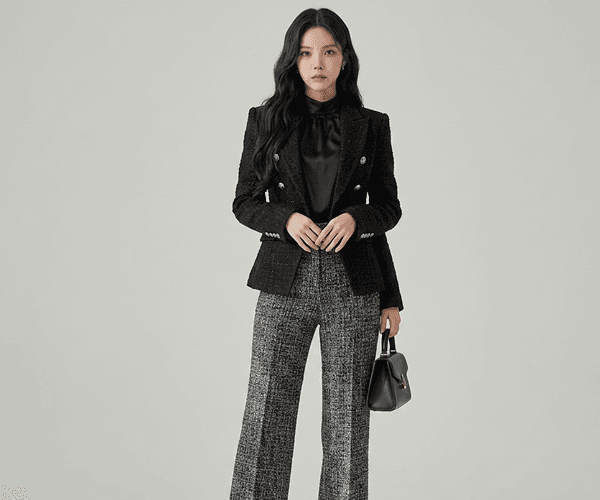
01 / Manual Prompt Mode
Type exactly what you want changed—fabric type, color, cut, style, pattern—and AI generates a photorealistic clothing edit that matches the subject's pose, body shape, and lighting perfectly. Works for any garment on any photo.
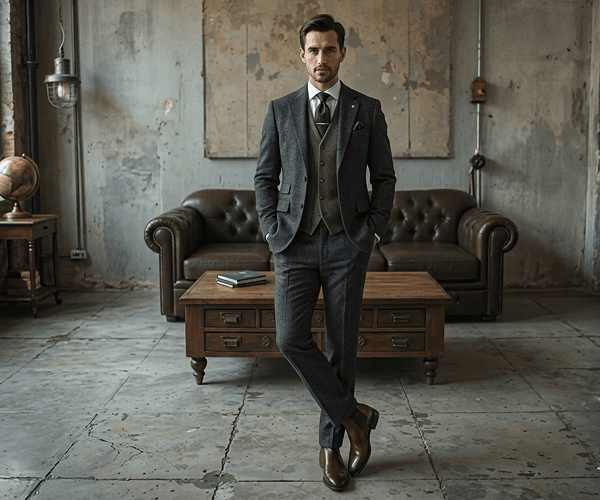
02 / Auto Top Swap Mode
Choose auto top mode, describe the new top you want—color, style, fabric—and AI instantly detects and replaces only the upper clothing area. No manual masking or selection needed whatsoever.
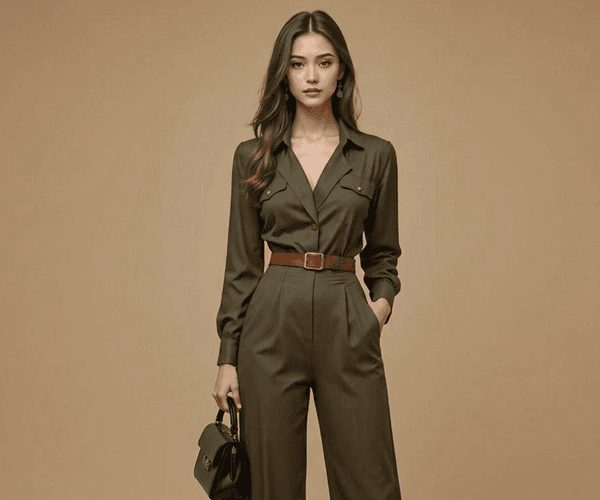
03 / Auto Bottom Swap Mode
Select bottom mode and describe the garment you want. AI automatically isolates the lower clothing area and generates a realistic swap that perfectly fits the pose and body while keeping everything else clean.
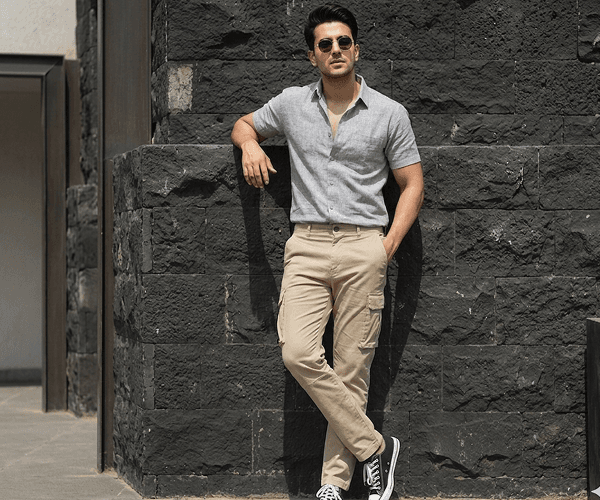
04 / Full Outfit Mode
Select full outfit mode and describe the complete look you want. AI replaces every garment at once—top, bottom, and layering—while preserving the person's identity, pose, and lighting perfectly.
Popular Use Cases
Perfect for fashion brands, ecommerce teams, fashion designers, stylists, content creators, and anyone who wants to preview outfits without expensive photoshoots or reshoots.
Start Changing Clothes FreeCreate multiple color and style variations of the same garment instantly without reshooting. Perfect for product pages, color selection options, and catalog collections.
See ecommerce outfit editing examplesPreview seasonal looks, new collections, and outfit combinations on existing model photos. Generate complete lookbooks faster with AI outfit variations.
Explore lookbook creation featuresTry on new clothes, test colors, and plan outfits on your own photos before buying. Perfect for personal fashion planning and styling decisions.
See personal styling examplesGenerate editorial concepts, test avant-garde styles, create campaign visuals, and explore creative fashion ideas faster with AI-powered outfit editing.
Explore creative fashion editingStep-by-Step Process
Swap outfits instantly with our AI clothes changer in just 4 simple steps. No photo editing experience or advanced skills required. Takes less than 2 minutes.
Helpful Resources
Tips, guides, and resources to help you master AI clothes editing, including prompt ideas, photo preparation, and related tools.
Explore portrait enhancement, background removal, image upscaling, retouching, and 30+ other AI editing tools available.
See affordable credit options, pricing plans for fashion teams, and the best tier for your photo editing volume.
See how fashion brands, ecommerce teams, and creators use AI clothes editing in their workflows.
Browse practical tutorials for outfit changes, fashion editing, and ecommerce photo production.
Learn about automatic clothing detection, manual prompts, and pose-aware outfit fitting technology.
See how an all-in-one AI editor compares with single-purpose clothing or styling tools.
FAQ
Answers to the most common questions about changing clothes in photos with AI outfit swapper technology.
AI Clothes Changer is a free, online tool that lets you swap outfits, change clothing colors and fabrics, and create outfit variations on any photo using AI. Simply upload a portrait or fashion photo, describe the clothing change you want, and AI generates photorealistic results instantly.
AI Clothes Changer uses advanced AI technology to understand your photo and text description. You can either write a manual prompt for complete control or use automatic top/bottom/full-outfit detection. AI then generates a realistic clothing swap that matches the subject's pose, body shape, and lighting perfectly.
Manual prompt mode lets you write any specific clothing description for full creative control. Auto mode automatically detects clothing areas—choose top, bottom, or full outfit—and AI replaces only that section. Auto mode is faster for quick edits, manual mode offers more control.
Absolutely. Use auto top mode to swap only upper garments (shirts, jackets, etc.) or auto bottom mode to change only lower garments (pants, skirts, shorts) while keeping the rest of the photo completely unchanged.
Yes. Select full outfit mode and describe the complete new look. AI replaces every garment instantly—top, bottom, and layers—while preserving the person's identity, pose, body shape, and lighting perfectly.
Yes. You can change clothing color instantly, swap fabric types (cotton to denim, silk, leather, linen, wool), add patterns or textures, and test multiple colorways of the same garment.
Yes. New accounts receive 15 free credits to try the tool. Each outfit generation uses approximately 1-3 credits depending on complexity. Paid credit packs are available for additional editing.
AI Clothes Changer supports JPG, PNG, WEBP, and GIF uploads up to 8MB each. For best results, use clear, well-lit photos with visible clothing areas.
Perfect for ecommerce. Generate multiple colorway variations, style options, and product photo combinations from a single source photo. Save time and production costs without reshooting.
No. AI Clothes Changer is specifically designed for clothing edits only. It does not modify backgrounds, faces, body shapes, or non-clothing elements in your photos.
Ready to Change Outfits?
Start with 15 free credits. No credit card required. Create unlimited outfit variations, try new styles, and swap clothes instantly. Join 50,000+ fashion teams and creators using AI clothes editing.