
Virtual lipstick and lip color try-on
Preview bold reds, nudes, pinks, berries, plums, and custom lip colors instantly on any portrait. Test shade trends before buying or wearing.
Upload any portrait and instantly try on virtual lipstick, eyeshadow, blush, and full glam looks. Preview realistic makeup styles before wearing or posting—completely free.
Virtual Makeup Try-On AI
AI Makeup Generator is a free online tool that applies realistic virtual makeup—lipstick, eyeshadow, blush, contour, and full glam looks—to any portrait instantly. Simply upload a portrait, select a preset style or describe the makeup you want, and AI applies it naturally while preserving your face, skin tone, and expression. Results are generated in seconds, ready to download and share. No installation, app, or makeup skills required.
AI Makeup Generator is a free online tool that applies realistic virtual makeup—including lipstick, eyeshadow, blush, contour, and full glam looks—to portrait photos instantly with AI.
Preview bold reds, nudes, pinks, berries, plums, and custom lip colors instantly on any portrait. Test shade trends before buying or wearing.
Try smoky eyes, cut crease looks, glitter eyes, and natural eye makeup with accurate placement and blending. Preview before committing to a look.
Add dimension and warmth with AI-applied blush, bronzer, and contour that matches face shape and skin tone. Try contouring styles risk-free.
Virtual Makeup Try-On AI
Upload any portrait, select a preset makeup style or write a custom prompt, and AI instantly applies realistic lipstick, eyeshadow, blush, contour, and full glam looks. Want more generations? Visit theAI Image Editor pricing page to see affordable credit packs.
Virtual Makeup AI Features
Apply professional makeup looks—from subtle everyday styles to bold glam—while preserving the natural face, skin tone, and expression.
Preview bold reds, nudes, pinks, berries, plums, and custom lip colors instantly on any portrait. Test shade trends before buying or wearing.
See makeup try-on use casesTry smoky eyes, cut crease looks, glitter eyes, and natural eye makeup with accurate placement and blending. Preview before committing to a look.
Explore AI makeup simulator featuresAdd dimension and warmth with AI-applied blush, bronzer, and contour that matches face shape and skin tone. Try contouring styles risk-free.
Read the makeup generator guideSelect from preset styles (bridal, smoky, natural, editorial) or describe a complete look and AI generates the full glam makeup instantly.
Explore makeup styles and presetsWrite your own makeup instructions—specify colors, finishes, intensity, and style. Get perfectly tailored virtual makeup results from detailed prompts.
Learn custom makeup promptsDownload makeup results for social media, beauty portfolios, content creation, product reviews, and before-and-after beauty tutorials.
See makeup content creation examplesBefore and after makeup try-ons
Explore realistic virtual makeup transformations. Try lipstick, eyeshadow, blush, contour, and full glam looks—all applied naturally to any portrait.
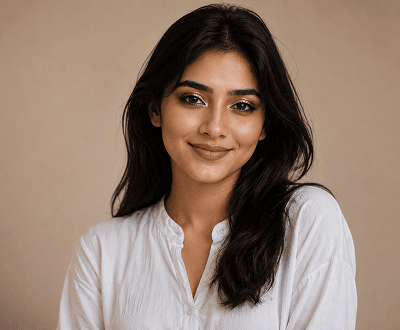
Full glam transformation
Apply foundation, eyeshadow, blush, contour, and lip color in one generation. AI Makeup Generator delivers a full glam portrait result that looks professionally applied and completely natural.
Explore full glam makeup styles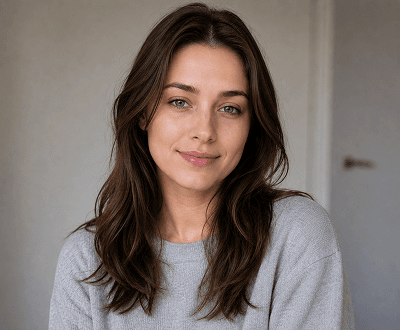
Everyday makeup
Apply soft, minimal makeup styles that enhance the portrait without overpowering natural features. Perfect for daily wear, professional photos, and casual looks.
See everyday makeup examples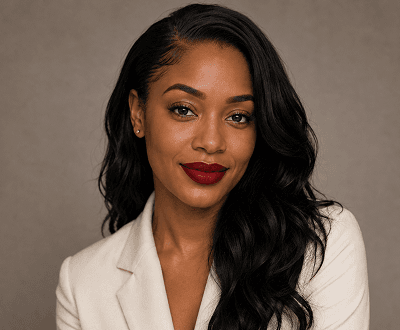
Bold lip color
Test statement lip colors realistically on your portrait—red, berry, nude, plum, pink, or custom shades. Make confident color choices without risk.
See lipstick shade options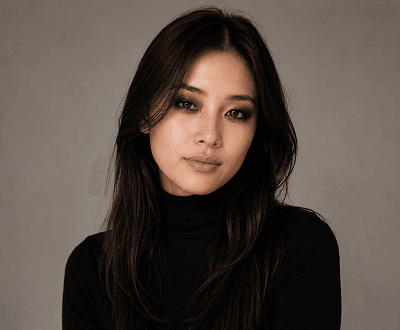
Smoky eye look
Apply everything from soft brown smoke to bold black liner with natural eyeshadow and blending. Try smoky eye variations that suit your eye shape.
See more eye makeup examples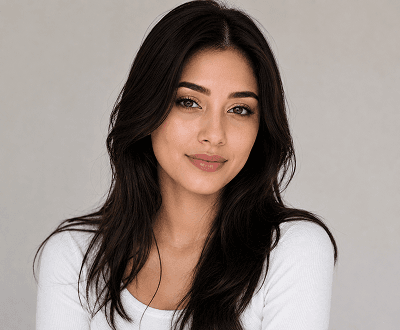
Bridal makeup
Try full bridal glam—soft flush, defined brows, flawless base, and statement lips—before your big day. Make confident choices with AI preview.
See bridal makeup examples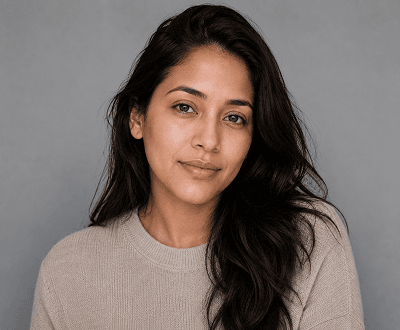
No-makeup look
Create a polished, barely-there look with skin smoothing, subtle highlight, and tinted lips. Perfect for fresh, effortless portraits and everyday wear.
Explore no-makeup makeup styleHow to try makeup with AI
Upload a portrait, choose or describe a makeup style, and AI instantly applies realistic looks. No installation, no skills required.
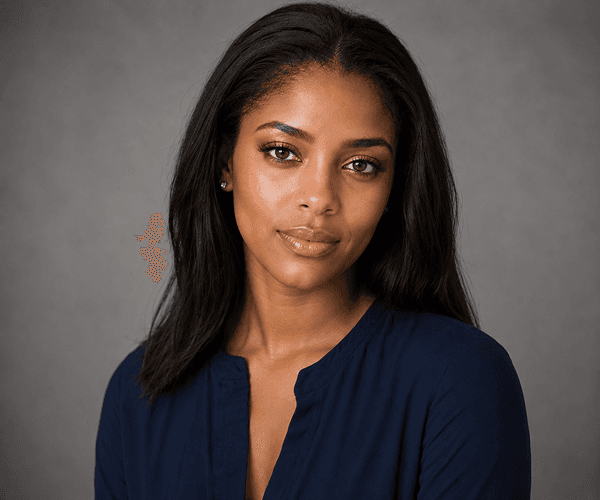
Step 1: Upload
Choose a well-lit portrait photo or select a demo image. AI applies makeup naturally to any clear face—no special photo editing skills needed.
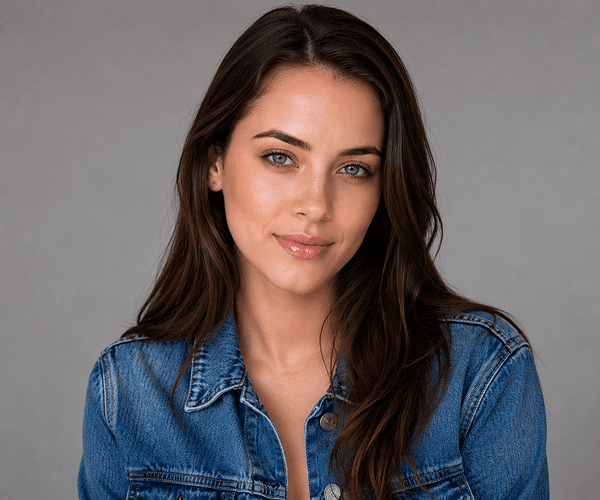
Step 2: Choose or Describe
Pick a preset makeup style (natural, glam, smoky, bridal) or write a detailed prompt describing the look you want. Full control over colors, intensity, and style.
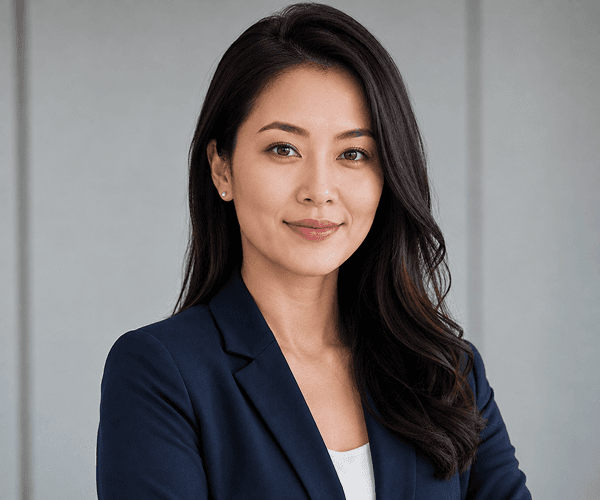
Step 3: Download & Share
Review the AI-generated makeup result instantly. Download in original or PNG format, ready for social media, portfolios, beauty content, or personal use.
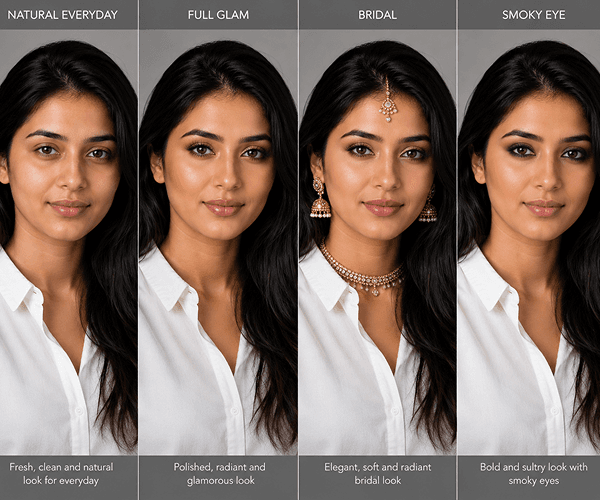
Bonus: Compare Styles
Generate multiple makeup variations and compare results. Test different colors, finishes, and intensities to find the perfect look before deciding.
Makeup Generator Use Cases
From beauty enthusiasts to professional makeup artists, photographers, and content creators—AI Makeup Generator transforms how people preview makeup looks.
Try makeup virtually freeTry lipstick shades, eyeshadow looks, and full glam styles before buying products or applying them in real life. Reduce makeup regret and save money.
See makeup try-on examplesGenerate styled makeup looks for Instagram, TikTok, YouTube, and beauty tutorials. Create consistent content and test trends faster than manual application.
Explore beauty content creation featuresShow clients makeup previews before appointments. Plan bridal looks, editorial styles, and event makeup in advance. Speed up consultation workflows.
Read professional makeup artist guidePerfect portraits with makeup styling before or after shoots. Create before-and-after samples. Enhance portfolio headshots and professional photos.
See professional portrait examplesHow it works
Upload any portrait, choose or describe a makeup look, and AI instantly applies realistic makeup. No experience needed.
Choose a clear, well-lit portrait from your device or select a demo image to try instantly. Supports JPG, PNG, GIF, and WEBP up to 8MB.
Select from preset styles (natural, glam, smoky, bridal) or write a custom description specifying lip colors, eyeshadow, blush, intensity, and style details.
Review the AI-generated makeup result instantly. Download in PNG or original format, ready to share on social media, portfolios, or beauty content.
Helpful resources
Master makeup generation with guides, prompts, and best practices for portrait preparation.
Learn when virtual try-on helps most, how to write effective prompts, and pro tips for perfect makeup results.
Discover preset styles, custom prompts, skin-tone-aware application, and portrait styling capabilities.
See affordable credit packs, per-generation cost, and plans for personal, professional, and business use.
See how beauty enthusiasts, content creators, makeup artists, and photographers use virtual try-on daily.
Learn how to enhance lighting, color, and skin tone before or after applying virtual makeup for best results.
Browse guides on makeup generation, portrait styling, prompt writing, content creation, and professional workflows.
FAQ
Everything you need to know about virtual makeup try-on, beauty editing, and realistic makeup generation.
AI Makeup Generator is a free online tool that applies realistic virtual makeup—lipstick, eyeshadow, blush, contour, and full glam looks—to any portrait instantly. Simply upload a portrait, select a preset style or describe the makeup you want, and AI applies it naturally while preserving your face, skin tone, and expression. Results are generated in seconds, ready to download and share. No installation, app, or makeup skills required.
Yes, AI Makeup Generator works on any clear, well-lit portrait with a visible face. Best results come from high-quality photos with good lighting and minimal background clutter. You can test with demo images first to see quality before uploading your own photos. Avoid heavily blurred, very low-resolution, or heavily obscured faces for optimal makeup application.
Absolutely. Choose from preset styles (natural, everyday, glam, smoky eye, bridal, editorial) or write detailed custom prompts. Specify exact lipstick shades, eyeshadow colors, blush intensity, contour style, finish (matte, shimmer, glossy), and intensity level. Full control gives you perfectly tailored virtual makeup results.
AI Makeup Generator accepts JPG, PNG, GIF, and WEBP formats with file sizes up to 8MB. All formats produce excellent makeup results. Download your results as PNG for maximum quality or JPG for smaller file sizes. Whether you're using phone photos, professional portraits, or screenshots, all formats work seamlessly.
Yes, completely free to start with zero credit card required. New users receive free signup credits for multiple makeup generations. Each virtual makeup try-on uses just 10 credits, giving you plenty of free generations. If you need unlimited generations, affordable credit packs are available—pay only for what you use, no subscriptions or hidden fees.
Most makeup generations complete in 15-45 seconds from upload to download-ready result. Speed depends on file size and server load, but the AI works incredibly fast compared to applying real makeup manually. You'll usually see results while you wait, making it perfect for quick virtual try-ons, urgent content creation, and spontaneous style testing.
Yes, absolutely. Professional makeup artists, estheticians, stylists, and beauty professionals use AI Makeup Generator to show clients makeup previews, plan bridal looks, test editorial styles, and create content. It's perfect for consultations, portfolio samples, before-and-after comparisons, and speed-testing makeup ideas before real application.
Yes, completely secure. All uploaded portraits are automatically deleted after generation—we don't store your photos or use them for model training. All uploads are screened for prohibited content per our Acceptable Use Policy, but your data remains private and confidential. We comply with GDPR and international privacy standards.
Preset styles are quick, one-click options (natural, glam, smoky, bridal) that apply curated makeup instantly. Custom prompts give complete control—describe exact colors, finishes, intensity, and techniques. Use presets for quick results, custom prompts for specific looks or brand-matched colors. Experiment with both to find your perfect style.
Yes, you can use generated images for personal and commercial purposes—social media, beauty content, influencer posts, tutorials, brand campaigns, and portfolio work. Respect portrait rights if using someone else's photo. For questions about specific use cases, check our Acceptable Use Policy or contact our team.
Ready to try makeup virtually?
Upload any portrait and instantly try lipstick, eyeshadow, blush, and full glam looks. Download and share results—completely free.