
Transform with preset Halloween styles
Apply ghost, vampire, witch, zombie, skeleton, or other preset Halloween styles instantly. Each style includes authentic costumes, atmospheric effects, and realistic Halloween makeup on recognizable faces.
Turn any photo into a haunting Halloween masterpiece instantly. Choose ghost, vampire, witch, zombie, or skeleton styles—or describe your own spooky scene. Realistic AI transformations with costume previews, atmospheric effects, and face-aware editing. Upload a photo or select a demo.
AI Halloween Generator
AI Halloween Generator instantly transforms any photo into spooky Halloween scenes using AI. Upload a portrait or scene photo, select a Halloween style (ghost, vampire, witch, zombie, skeleton), optionally customize with a prompt, and generate your transformation. The AI applies Halloween-themed effects while keeping subjects recognizable.
AI Halloween Generator is a web-based AI workflow for spooky photo transformations and Halloween-themed image editing.
Apply ghost, vampire, witch, zombie, skeleton, or other preset Halloween styles instantly. Each style includes authentic costumes, atmospheric effects, and realistic Halloween makeup on recognizable faces.
Type your own Halloween description to generate completely custom transformations. Mix preset styles with specific costume details, backgrounds, lighting, fog effects, and atmospheric changes.
Advanced AI keeps faces recognizable, maintains pose and expression, while applying full spooky transformation. Face-aware rendering ensures Halloween effects enhance rather than obscure.
AI Halloween Generator
Upload your photo or choose a demo image, select a Halloween style, add an optional custom prompt, and hit generate. You can also visit the AI Image Editor pricing page to buy more credits.AI Image Editor pricing page.
Professional Halloween photo editing
Instantly transform portraits and scenes into Halloween masterpieces. Choose from preset styles or create custom spooky scenes with prompts. Advanced AI keeps subjects recognizable while applying full Halloween transformation.
Apply ghost, vampire, witch, zombie, skeleton, or other preset Halloween styles instantly. Each style includes authentic costumes, atmospheric effects, and realistic Halloween makeup on recognizable faces.
See Halloween transformation use casesType your own Halloween description to generate completely custom transformations. Mix preset styles with specific costume details, backgrounds, lighting, fog effects, and atmospheric changes.
Explore advanced Halloween featuresAdvanced AI keeps faces recognizable, maintains pose and expression, while applying full spooky transformation. Face-aware rendering ensures Halloween effects enhance rather than obscure.
Learn about AI photo transformationTry any Halloween style on provided demo images before uploading your own. Compare multiple styles side-by-side to find the perfect spooky look for your needs.
Explore all Halloween stylesControl specific details: costume specifics, background scenes, fog/lighting effects, color grading, makeup intensity, and overall Halloween atmosphere with detailed text instructions.
Learn advanced prompt techniquesGenerate sharp, detailed Halloween transformations ready for social media, invitations, costume previews, seasonal marketing, and creative content projects.
Browse Halloween editing guidesBefore and after Halloween transformations
See how the AI Halloween generator transforms ordinary photos into spooky ghost, vampire, witch, and zombie scenes.
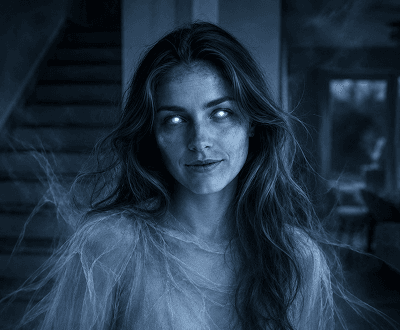
Ghost transformation
Apply the ghost style in the AI Halloween generator to turn any portrait into an eerie, translucent Halloween scene with atmospheric fog.
Explore AI Halloween generator features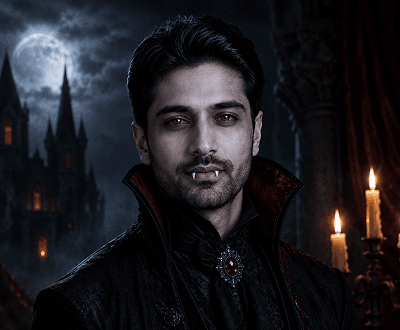
Vampire makeover
Select the vampire style in the AI Halloween generator to apply dark tones, sharp features, and a dramatic Halloween look to any face photo.
See AI Halloween generator use cases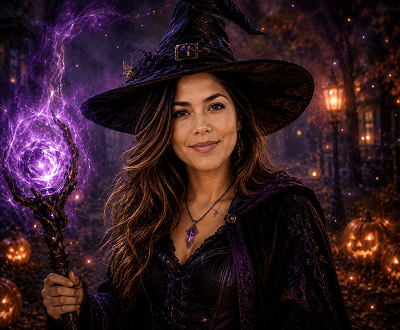
Witch scene
Use the witch style in the AI Halloween generator to surround your photo with a dark forest, cauldron, and mystical Halloween atmosphere.
Browse AI Halloween generator guides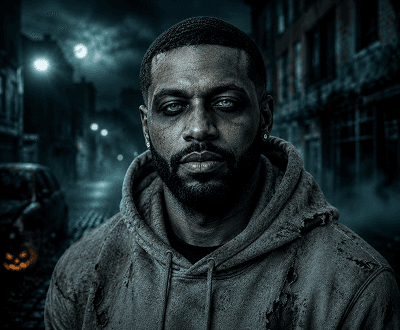
Zombie transformation
Upload any portrait and the AI Halloween generator applies a full zombie transformation — decayed skin, dark eyes, and a haunting Halloween atmosphere.
Try zombie style in AI Halloween generator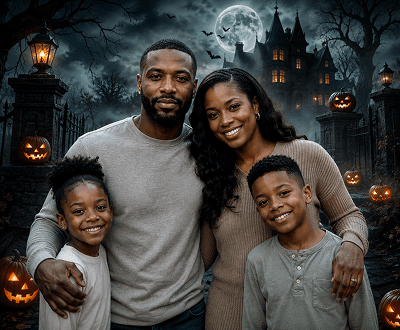
Haunted scene
Upload a landscape or group photo and the AI Halloween generator turns it into a haunted house, foggy graveyard, or spooky night scene.
See haunted scene AI Halloween generator examples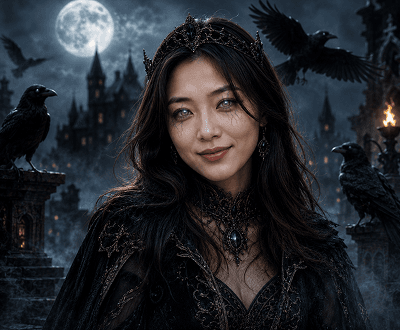
Custom Halloween edit
Use the AI Halloween generator prompt field to mix preset styles with custom costume, lighting, and background details for a fully personalized result.
Explore custom AI Halloween generator editsHalloween generator workflows
This tool is made for fast Halloween-themed photo edits, costume previews, and creative spooky content generation.
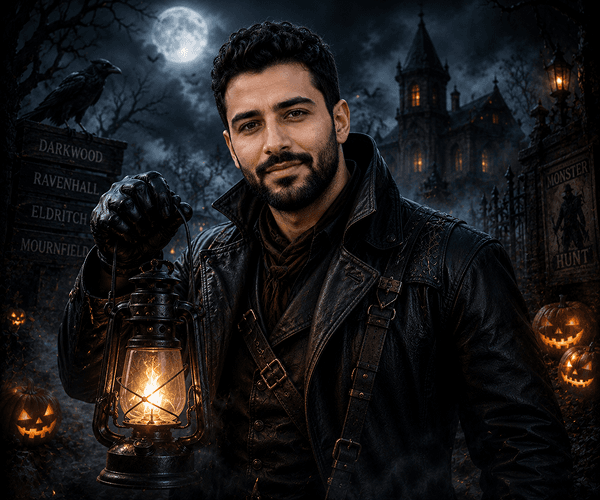
01 / Portrait transformations
Apply ghost, vampire, zombie, or witch styles using the AI Halloween generator — face and expression stay recognizable while the full Halloween transformation is applied around it.
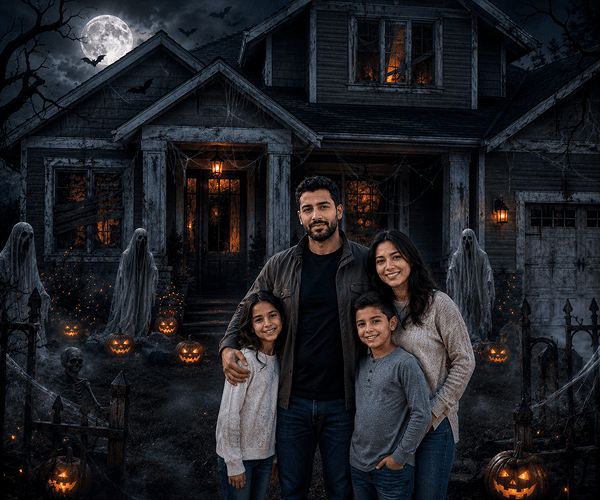
02 / Scene photos
Upload a landscape or group photo and the AI Halloween generator creates a haunted house, graveyard, or foggy night scene with full spooky atmosphere.
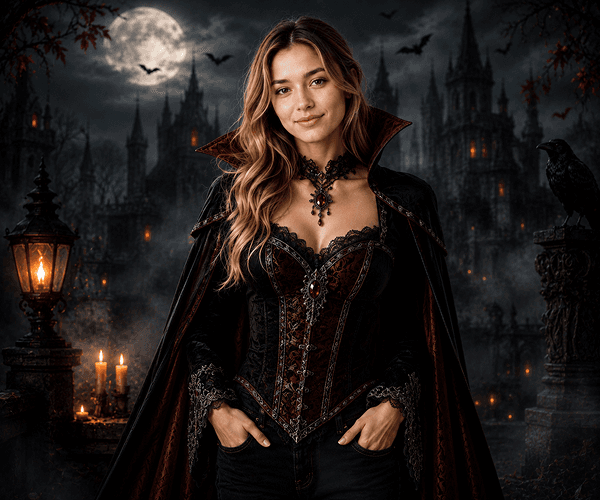
03 / Costume preview
Upload your portrait and use the AI Halloween generator to try vampire capes, witch hats, zombie makeup, and more — before spending a single dollar on a costume.
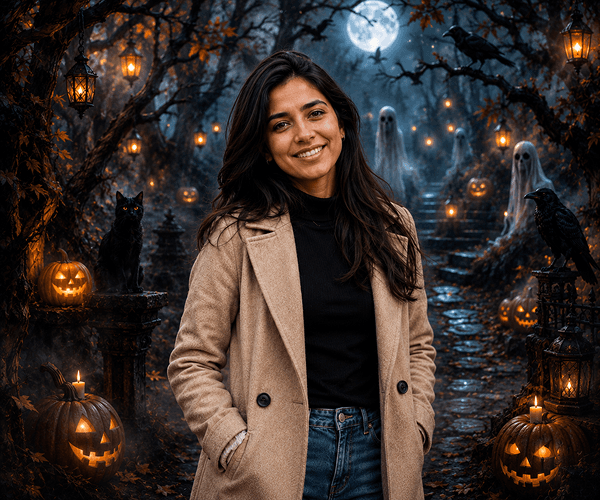
04 / Custom prompt edits
Use the prompt field in the AI Halloween generator to describe exactly the Halloween scene you want — specific costumes, backgrounds, lighting, and effects all included.
Halloween generator use cases
Perfect for social content creators, party planners, costume enthusiasts, seasonal marketing, and anyone wanting creative spooky photo fun.
Start your spooky transformationCreate viral spooky transformations for Instagram, TikTok, Facebook, and YouTube—perfect for Halloween engagement, challenges, and seasonal trends.
Learn about AI Image EditorTry different costumes, makeup, and styles virtually before buying or wearing them. See exactly how ghost, vampire, zombie, and witch looks suit you.
Explore costume preview featuresGenerate custom spooky visuals for digital Halloween cards, party invitations, event flyers, and seasonal decorations.
See Halloween creative usesCreate Halloween-themed visuals for ads, blogs, emails, landing pages, and promotional campaigns during peak spooky season.
Browse Halloween content guidesHow it works
Upload a photo or select a demo image, choose a Halloween style, optionally add a custom prompt, and generate your spooky result in seconds.
Upload your own photo or choose from the provided demo images to get started.
Pick a preset style like ghost, vampire, witch, zombie, or skeleton — or write your own custom prompt.
Hit generate, preview your Halloween transformation, and download the result when you're happy with it.
Helpful resources
Explore guides, tutorials, and resources for Halloween photo editing, spooky transformations, and creative seasonal content.
Discover all spooky transformation styles, preset options, prompt-based editing, costume previews, and advanced Halloween photography features.
Flexible credit packs for seasonal and year-round Halloween content creation. See generation costs and find the best plan for your needs.
Use AI Face Enhancer to improve photo quality, sharpen details, and prepare portraits for best spooky transformation results.
Learn how to prepare high-quality portrait photos with professional backgrounds for optimal Halloween transformation effects.
Browse comprehensive tutorials for prompt writing, costume ideas, atmospheric effects, and professional spooky photo editing techniques.
FAQ
Answers to common questions about Halloween photo transformations, costume previews, and spooky AI editing.
AI Halloween Generator instantly transforms any photo into spooky Halloween scenes using AI. Upload a portrait or scene photo, select a Halloween style (ghost, vampire, witch, zombie, skeleton), optionally customize with a prompt, and generate your transformation. The AI applies Halloween-themed effects while keeping subjects recognizable.
The tool includes preset styles like ghost (translucent, ethereal effects), vampire (dark, dramatic, pale), witch (mystical, forest scenes), zombie (decayed makeup, eerie atmosphere), skeleton (bone effects, spooky lighting), and more. You can combine styles or use prompts for custom Halloween scenes.
You can do either. AI Halloween Generator includes demo images to preview different Halloween styles before uploading your own. This lets you explore the tool risk-free and test transformations before using personal photos.
Yes. Beyond preset styles, you can write detailed text descriptions of the exact Halloween transformation you want—specify costumes, backgrounds, atmospheric effects, lighting, makeup intensity, and any other Halloween details.
Yes. New users receive 15 signup credits, and each Halloween transformation generation uses credits. Additional flexible credit packs are available for purchase once signup credits are used.
AI Halloween Generator supports JPG, PNG, WEBP, and GIF image formats with maximum file size of 8MB. Higher resolution images produce more detailed and sharper Halloween transformations.
Very accurate. AI Halloween Generator produces realistic costume previews and atmospheric transformations that closely match actual Halloween makeup, costumes, and spooky scene rendering. Results are ideal for social media, costume planning, and creative projects.
Yes. Many event planners, content creators, marketing teams, and entertainment professionals use AI Halloween Generator to create spooky visuals for parties, campaigns, social media promotions, and professional Halloween content.
Download generated images directly from the tool to your device. Share on social media platforms, print for invitations and decorations, or include in Halloween-themed marketing and promotional materials.
Yes, your data is secure. All uploaded photos are processed confidentially according to our privacy policy. Images remain private unless you choose to share results. All content is screened for safety per our Acceptable Use Policy.
Ready to get spooky?
Create instant Halloween transformations with AI Halloween Generator. Upload a photo or select a demo image, choose your spooky style, and generate realistic results in seconds. No credit card required. Join 50,000+ creators making viral spooky content, costume previews, and seasonal marketing materials.