
Automatic Watermark Detection
AI scans and automatically identifies semi-transparent text watermarks, copyright stamps, and logo overlays without any manual selection or masking needed.
Upload any photo with a watermark, logo, or text overlay and let AI instantly detect and remove it—then perfectly reconstruct the background. No manual editing, no Photoshop skills needed. Try the best watermark remover free.
Best Free Watermark Remover Online
AI Watermark Remover is a free online tool that automatically detects and removes watermarks, logos, text overlays, and stamps from images using advanced AI inpainting. After removal, the background is seamlessly reconstructed so the image looks natural and publish-ready.
AI Watermark Remover is an AI-powered web tool for removing watermarks, logos, text overlays, and stamps from images instantly. Uses intelligent inpainting to reconstruct backgrounds naturally. Works on product photos, stock images, portraits, and creative content.
AI scans and automatically identifies semi-transparent text watermarks, copyright stamps, and logo overlays without any manual selection or masking needed.
Advanced inpainting fills removed watermark areas with natural background content matching surrounding texture, color, and detail for publish-ready results.
Remove agency watermarks, copyright text, promotional logos, brand overlays, and text stamps from product photos, stock images, and personal photos instantly.
Best Free Watermark Remover Online
Upload your watermarked image and the AI will instantly detect and erase watermarks, stamps, and text overlays—then reconstruct the background automatically for a clean, seamless result. Need to process more images? Check out ourflexible pricing and credit plans for batch workflows.
Why AI Watermark Remover is the Best Choice
One upload is all it takes. Advanced AI detection finds the watermark location, erases it cleanly, and fills the area with matching background detail—no manual masking, selections, or layers required.
AI scans and automatically identifies semi-transparent text watermarks, copyright stamps, and logo overlays without any manual selection or masking needed.
See AI image editing use casesAdvanced inpainting fills removed watermark areas with natural background content matching surrounding texture, color, and detail for publish-ready results.
Explore all AI image editor featuresRemove agency watermarks, copyright text, promotional logos, brand overlays, and text stamps from product photos, stock images, and personal photos instantly.
Read our background remover guideProcess multiple product images, screenshots, and downloaded photos faster—perfect for ecommerce teams and digital asset management workflows without manual editing.
Learn about image upscalingMaintains original resolution, sharpness, and color integrity so final images stay publish-ready for catalogs, websites, print, and social sharing.
View full image quality featuresRemove watermarks from product photos, portraits, landscapes, screenshots, creative images, stock photos—all with the same simple upload-and-remove workflow.
Explore all watermark removal use casesBefore and after results
See how AI Watermark Remover cleans up logos, text stamps, and overlay marks — leaving behind a natural, seamless image ready to use.

Text watermark removal
Erase semi-transparent text watermarks and replace the area with matching background texture and color.
Explore AI image editing features
Logo removal
Strip promotional logos, branding overlays, and corner icons from photos while reconstructing the original background.
Read the AI background remover guide
Stock image cleanup
Remove stock site watermarks from preview images and prepare them for mockups, design work, and presentations.
See AI image editing use cases
Product photo cleanup
Clean up product photos by removing price tags, promotional stamps, and supplier watermarks before publishing.
View object editing features
Screenshot cleanup
Clean up app screenshots, demo images, and screen recordings by removing embedded watermark text and overlays.
Read the AI image upscaler guide
Creative photo restoration
Remove scanner stamps, archive watermarks, and agency credits from old or restored photos to get a clean original look.
Browse AI image editing guidesReal Results from Our Best Watermark Remover
Watch our watermark remover tool instantly remove logos, text stamps, and overlay marks—then perfectly reconstruct the background. Results are ready to publish, sell, or share immediately.

01 / Product Photos
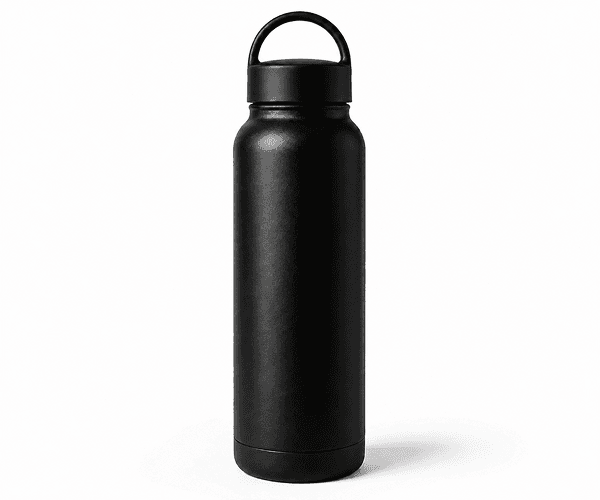
Instantly clean supplier watermarks, price stamps, and promotional overlays from product images before listing. Our AI Watermark Remover rebuilds backgrounds naturally—perfect for ecommerce catalogs.
02 / Stock Images
Prepare stock images for design presentations, client mockups, and creative reviews. Our watermark remover online instantly removes preview overlays and stamps cleanly—no artifacts or blurry patches.

03 / Portraits
Strip photographer watermarks, studio logos, and agency stamps from portraits, headshots, and personal photos instantly. Our AI preserves skin tone, lighting, and background detail perfectly.

04 / Creative
Clean social media images, design assets, and creative photos by removing promotional text, app watermarks, and branding overlays instantly—then download a clean version ready for any platform or use.
Who Uses AI Watermark Remover
From ecommerce teams to designers, photographers, and content creators—remove watermarks instantly without Photoshop, manual editing, or technical skills.
Start Removing Watermarks FreeRemove supplier logos, price stamps, and preview watermarks from product photos instantly before publishing to catalogs and storefronts.
Learn more about AI Image EditorClean stock image previews for mockups, client presentations, and design reviews without manual editing or Photoshop.
Explore advanced editing featuresRemove your own or third-party watermarks from final delivery photos for clients—preserving quality and professionalism.
See more photography use casesClean app watermarks, promotional overlays, and branded text from images before posting to social media or repurposing content.
Explore all image editing toolsSimple 3-Step Process
No technical skills, no software installation, no credit card required. Upload, AI removes, download—all in seconds.
Select and upload the image containing the watermark, logo, or text overlay you want to remove. Works with JPG, PNG, WEBP, and GIF files up to 8MB.
Our AI automatically scans the image, identifies the watermark area, removes it completely, and reconstructs the background with perfect seamless blending.
Review the watermark-free result and download the final image ready for publishing, selling, sharing, or any other use.
Learn & Explore
Guides, comparisons, and tools to help you remove watermarks and edit images faster and better.
Watermark removal, background cleanup, object removal, image upscaling, and portrait retouching all in one platform.
Affordable credit packs for individual users, teams, and agencies. Scale from free to enterprise use.
Learn how background removal combined with watermark cleanup creates perfectly clean, ready-to-use images.
Increase resolution and sharpness after watermark removal for professional-quality output.
See how our all-in-one platform compares to single-purpose watermark tools and Photoshop.
Tutorials and best practices for watermark removal, background cleanup, upscaling, and batch workflows.
Frequently Asked Questions
Get answers to common questions about our best-in-class watermark removal tool.
AI Watermark Remover is a free online tool that automatically detects and removes watermarks, logos, text overlays, and stamps from images using advanced AI inpainting. After removal, the background is seamlessly reconstructed so the image looks natural and publish-ready.
Yes. New accounts receive 15 free signup credits. Each image removal costs 10 credits, giving you 1-2 free removals to try. Additional credit packs are available for batch processing and professional use.
Our watermark remover works on semi-transparent text watermarks, stock site overlays, photographer and studio logos, agency stamps, copyright text, price tags, promotional overlays, and brand graphics.
Yes. Our AI uses advanced inpainting to fill the removed watermark area with background content matching surrounding texture, color, and lighting—resulting in a seamless, professional-quality output.
AI Watermark Remover supports JPG, PNG, WEBP, and animated GIF uploads up to 8MB each. Perfect for product photos, screenshots, portraits, and creative images.
Absolutely. Ecommerce teams use our watermark remover to instantly clean supplier watermarks, price tags, and preview overlays from product images before listing them online.
Yes. Remove stock preview watermarks and overlays from preview images for use in design mockups, client presentations, and internal creative reviews without leaving artifacts.
Yes, it's completely safe. All uploads are scanned for prohibited content per our Acceptable Use Policy. Images are processed securely and can be deleted anytime. No data is shared with third parties.
No technical skills required. Just upload your image and let AI handle the watermark removal. No software installation, no learning curve—results in seconds.
There's no limit. Purchase additional credit packs for batch processing and high-volume workflows. Perfect for ecommerce teams, agencies, and content creators.
Get Started Now
No credit card required. Get 15 free credits to try the best watermark remover online. Remove your first watermark in seconds.