
AI Face Extraction with Clean Transparent Edges
Advanced AI precisely detects facial boundaries and removes backgrounds, leaving professional-quality face cutouts with smooth, natural edges ready for immediate use on any project.
Upload any photo and AI instantly extracts the face with clean, precise edges, transparent background, and professional-quality results. Perfect for profile pictures, ID photos, design projects, and creative composites. No editing skills needed.
AI Face Cut Out Online
AI Face Cut Out is a free online tool that uses advanced AI to automatically detect faces in photos, isolate them with clean edges, and export transparent PNG cutouts. Perfect for profile photos, ID documents, design projects, and creative composites.
AI Face Cut Out is a web-based AI workflow for precise face extraction, portrait isolation, transparent background cutouts, and face-only image exports.
Advanced AI precisely detects facial boundaries and removes backgrounds, leaving professional-quality face cutouts with smooth, natural edges ready for immediate use on any project.
Export extracted faces as transparent PNG files with clean edges. Drop them directly into posters, banners, social media graphics, and digital design projects.
Generate clean face-only images perfect for profile pictures, LinkedIn avatars, ID cards, passports, employee badges, and official document photos with precise cropping.
AI Face Cut Out Online
Upload a portrait and our advanced AI face extraction tool automatically detects and isolates the face with clean, precise edges and transparent background. Each cutout uses 10 credits, and new accounts receive 15 free credits. Additional credits available on our affordable credit packs & pricing page.
Face Extraction Features
From single face cutouts to batch extraction, AI Face Cut Out handles professional-quality portrait isolation, transparent PNG exports, and creative compositing for profiles, documents, design, and more.
Advanced AI precisely detects facial boundaries and removes backgrounds, leaving professional-quality face cutouts with smooth, natural edges ready for immediate use on any project.
Read the AI background remover guideExport extracted faces as transparent PNG files with clean edges. Drop them directly into posters, banners, social media graphics, and digital design projects.
Explore all AI image editing featuresGenerate clean face-only images perfect for profile pictures, LinkedIn avatars, ID cards, passports, employee badges, and official document photos with precise cropping.
See AI image editing use casesAI Face Cut Out intelligently extracts individual faces from group photos, crowd scenes, and multi-person portraits with clean isolation and precise edge detection.
Explore the AI image upscaler guideQuickly extract faces from multiple portrait photos for company team pages, employee directories, yearbooks, contact sheets, and professional directories.
See the ecommerce photo editing workflowUse AI face cutouts for creative composites, duo selfie creation, photo collages, artistic portraits, and custom portrait artwork with complete creative control.
Compare AI image editor alternativesBefore and after examples
See how AI extracts faces cleanly from portraits, group photos, and creative shots for profiles, designs, and composites.
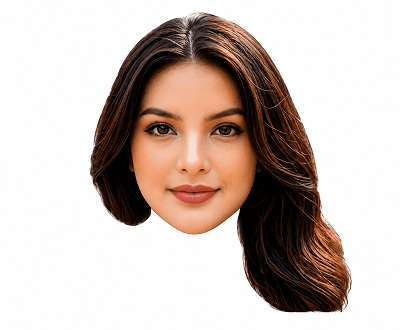
Profile photo
AI detects and isolates the face with smooth edges, ready for profile photos, avatars, and professional headshots.
Explore AI image editing features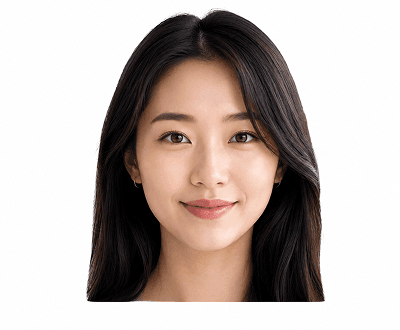
ID photo cutout
Get a precisely cropped face-only image with clean edges suitable for ID cards, passports, and official documents.
Read the AI background remover guide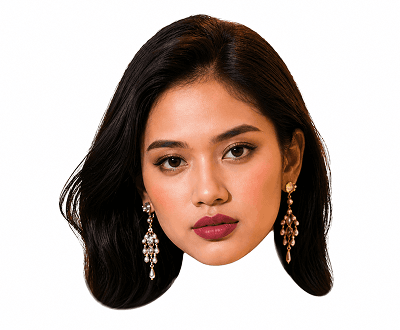
Design asset
Export a transparent PNG face cutout and drop it into any design — posters, banners, or social media graphics.
See AI image editing use cases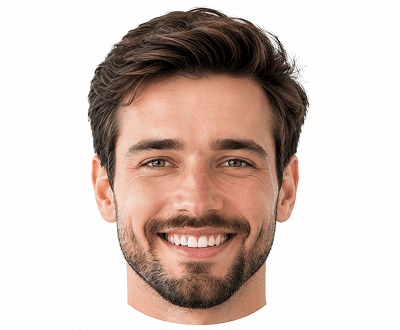
Group photo
AI identifies and cuts out an individual face from group or crowd photos with clean isolation.
View face cutout features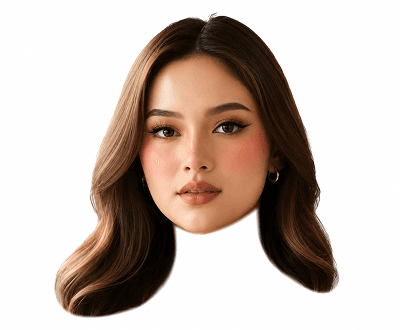
Creative composite
Combine extracted faces with new backgrounds, scenes, or other portraits for duo selfies, collages, and artwork.
Read the AI image upscaler guide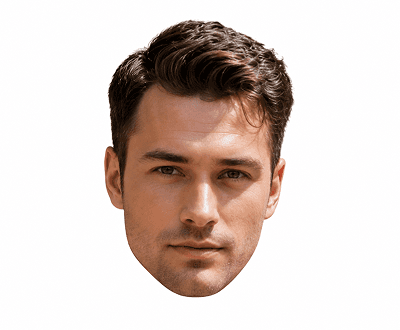
Background swap
Cut out a face and drop it onto a studio, solid color, scenic, or branded background in one workflow.
Browse AI image editing guidesFace cutout workflows
AI Face Cut Out handles precise portrait isolation for profiles, IDs, design assets, and creative composites — no manual masking needed.

01 / Profiles
Upload any portrait and AI isolates the face with smooth, natural edges. Use the cutout for profile pictures, team pages, social accounts, and professional headshots.
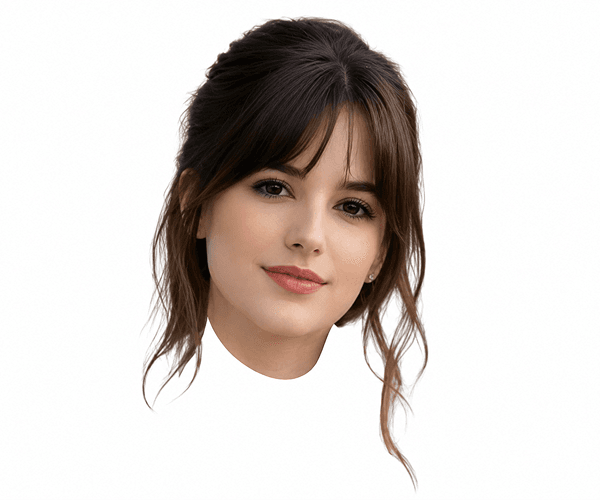
02 / Documents
AI crops and isolates the face area precisely for ID cards, passports, employee badges, and other documents that need a clean, face-only image.
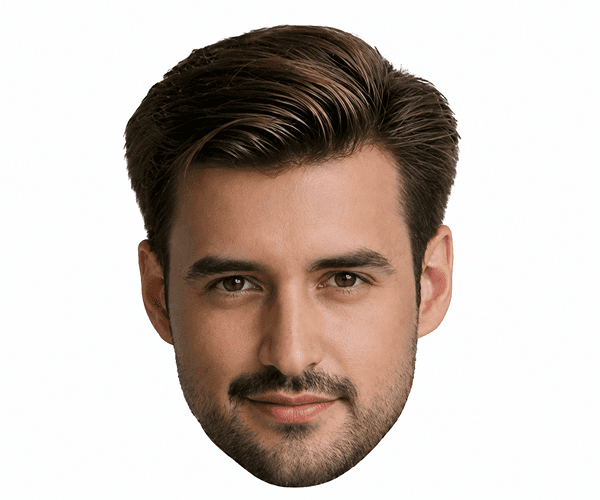
03 / Design
Export transparent PNG face cutouts and drop them directly into any design tool — posters, event banners, social media graphics, or digital campaigns.

04 / Creative
Use extracted face cutouts for duo selfies, photo collages, artistic composites, and custom portrait artwork with full creative control.
Popular Use Cases
Perfect for professionals, designers, HR teams, content creators, and anyone needing clean, professional-quality face extraction and portrait isolation.
Start Extracting Faces FreeExtract clean face cutouts for LinkedIn profiles, Twitter avatars, team pages, employee directories, and professional social media accounts.
See the photo editing workflowGenerate precise face-only images meeting official document requirements for ID cards, passports, employee badges, visas, and government documents.
Explore AI image editing use casesExport transparent PNG face cutouts for use in marketing posters, event banners, email campaigns, social media ads, and digital marketing materials.
View all AI image editing featuresBatch extract faces from corporate team photos for company websites, employee directories, yearbooks, and professional contact sheets.
Explore the AI image upscaler guideStep-by-Step Process
Get professional face cutouts in minutes with no editing skills required. From portrait photo to transparent PNG in just 4 steps using advanced AI technology.
Choose any JPG, PNG, WEBP, or GIF portrait up to 8MB. Works with single portraits, group photos, headshots, and professional photography.
Advanced AI automatically identifies facial boundaries, removes the background, and extracts a clean cutout with smooth, natural edges in seconds.
Preview the extracted face result instantly. If needed, regenerate for improved quality or apply adjustments.
Download your face cutout as a transparent PNG, or add a solid color, gradient, or custom background. Ready for any project.
Helpful Resources
Tips, guides, and resources to master AI face extraction, improve cutout quality, and use face cutouts professionally in design and portrait workflows.
Upscale portrait resolution before extraction for sharper, higher-quality face cutouts with cleaner edges and better detail.
Master AI background removal techniques, edge detection, and clean cutout preparation for professional face extraction results.
Explore 30+ AI editing tools including face cutout, background removal, portrait enhancement, and professional photo editing features.
Browse comprehensive tutorials for face extraction, portrait editing, batch processing, and professional photo workflows.
See real-world applications for face extraction: profile photos, ID documents, design assets, team pages, and creative composites.
Affordable credit options and pricing tiers for personal use, professional workflows, and high-volume batch face extraction.
FAQ
Comprehensive answers to common questions about face extraction, supported file types, credits, quality, and professional use cases.
AI Face Cut Out is a free online tool that uses advanced AI to automatically detect faces in photos, isolate them with clean edges, and export transparent PNG cutouts. Perfect for profile photos, ID documents, design projects, and creative composites.
Each face cutout uses 10 credits. New accounts receive 15 free signup credits, allowing you to try up to one face extraction for free. Affordable credit packs available for additional extractions.
AI Face Cut Out supports JPG, PNG, WEBP, and GIF file formats, all up to 8MB. Best results with clear, well-lit portraits showing visible faces.
Yes, absolutely. AI can intelligently detect and extract an individual face from group photos, crowd scenes, and multi-person portraits with clean isolation and precise edge detection.
Yes. All extracted faces are exported as transparent PNG files, allowing you to place them on any background, in design tools, or in your creative projects.
Clear, well-lit portraits with visible faces produce the best results. Avoid heavily blurred, extremely low-resolution, or heavily shadowed images for optimal cutout quality and clean edge detection.
Yes. After extraction, you can drop your face cutout onto studio backgrounds, solid colors, scenic backgrounds, or custom designs directly in our editor or any design tool.
Perfect for professional use. Generate precise face-only images meeting official requirements for ID cards, passports, employee badges, visas, and other official documents.
Export your face cutout as a transparent PNG and import it into any design software (Photoshop, Canva, Figma, etc.). Use for posters, banners, social media graphics, email campaigns, and digital marketing materials.
Yes, it's completely free to start. New accounts receive 15 free signup credits allowing one face extraction. Additional credits are affordable and available as you need more extractions.
Ready to Extract & Cut Out a Face?
Get started with 15 free credits. No credit card required. Extract professional-quality face cutouts, create transparent PNG assets, and use them instantly. Join 50,000+ professionals using AI face cutout technology for profiles, designs, documents, and creative projects.