
On this page
Looking for an AI image editor no content filter? In 2026, 'no content filter' means identity-faithful editing—not lawless generation. Learn how AI Image Editor delivers
If you’re searching for an AI image editor no content filter, what you’re really seeking isn’t unrestricted or unsafe generation—it’s creative sovereignty: the ability to edit portraits, products, and personal photos with fidelity to your intent, identity, and artistic vision—without hidden censorship, arbitrary blocking, or tone-deaf moderation.
In 2026, most mainstream AI tools apply aggressive, opaque content filters that misinterpret cultural expression, medical imagery, artistic nudity, diverse body types, religious attire, or even professional headshots as 'risky.' At AI Image Editor, we’ve redefined what 'no content filter' means—not by removing safeguards, but by rebuilding them with precision, transparency, and human-centered design. This article explains how our approach works, why it matters for creators and professionals, and how it differs meaningfully from both over-filtered platforms and genuinely unsafe alternatives.
What 'AI Image Editor No Content Filter' Really Means in 2026
The phrase AI image editor no content filter is often misunderstood. It’s not a marketing loophole or a promise of zero oversight. Instead, it signals a deliberate architectural choice: replacing blunt, keyword- or pattern-based filtering with granular, context-aware, and user-intent-respecting guardrails.
By mid-2026, industry best practices—guided by frameworks from Google AI Responsibility and refined through real-world creator feedback—have shifted toward prompt-level intent screening and model-level architectural constraints. These prevent harmful outputs without suppressing legitimate creative, commercial, or expressive use cases.
For example:
- A dermatologist uploading a clinical skin photo for texture analysis won’t trigger a false positive—because our system recognizes medical context via prompt phrasing and metadata cues.
- A fashion brand editing runway images featuring culturally specific garments (e.g., hijabs, sari draping, or Indigenous textile patterns) retains full fidelity—no automatic smoothing, erasure, or 'neutralization' of cultural identifiers.
- A portrait photographer retouching a senior client’s portrait preserves natural skin texture, age lines, and melanin-rich tone—without default 'beautification' that flattens identity.
This level of nuance is only possible when 'no content filter' is paired with deep domain awareness—not just raw model power.
Why 'No Content Filter' ≠ 'No Moderation'
Critically, choosing an AI image editor no content filter does not mean abandoning safety, ethics, or compliance. It means rejecting overgeneralized, one-size-fits-all moderation in favor of precision-aligned safeguards.
Here’s how AI Image Editor implements responsible boundaries—without compromising creative freedom:
Prompt-Level Intent Screening (Pre-Processing)
Before your prompt reaches the generative model, our system performs lightweight semantic parsing—not to block, but to clarify intent. For instance:
- "Make my wedding photo brighter and remove the photobomber" → routed to background removal + exposure adjustment models.
- "Turn this medical dermoscopy image into a clean educational diagram" → triggers clinical-safe upscaling and annotation tools—not general-purpose diffusion.
This prevents mismatched model routing (a major cause of unintended censorship), ensuring edits stay within the functional scope of trained, validated tools.
Model-Level Constraints & Architecture Safeguards
Unlike monolithic foundation models trained on uncurated web data, every tool in our suite (200+ text-prompt functions) runs on purpose-built, fine-tuned architectures. Each has embedded constraints—for example:
- Our AI Portrait Editor Uncensored uses a skin-tone-invariant rendering engine trained across 128 ethnic subgroups—so it never 'corrects' melanin density or adds artificial shine.
- Our product photo enhancer excludes anthropomorphic generation entirely—so prompts like "make this coffee mug look seductive" fail gracefully rather than hallucinating inappropriate context.
- Background removal operates exclusively on pixel-segmentation logic—not text-to-image synthesis—eliminating risks of hallucinated or NSFW scene generation.
User-Controlled Safety Tiers
We offer three adjustable safety modes—selected per project, not globally:
| Safety Tier | Best For | Key Behavior |
|---|---|---|
| Creative | Artists, designers, editorial work | Minimal pre-screening; preserves stylistic ambiguity (e.g., surrealism, satire, symbolic nudity) |
| Professional | Ecommerce, marketing, HR headshots | Balanced filtering: blocks explicit NSFW, copyright-infringing assets, and PII leakage—but allows realistic skin, hair, fabric, and lighting variation |
| Compliance | Healthcare, education, regulated industries | Strict adherence to HIPAA/FERPA-aligned redaction rules; auto-blurs faces in group photos unless explicitly whitelisted |
No tier applies invisible filters. All decisions are logged in your edit history—and you can toggle between tiers mid-session.
How AI Image Editor Delivers Identity-Faithful Editing (Without Filters)

The core reason creators choose an AI image editor no content filter is to preserve authenticity—not to bypass ethics. Our technical architecture enables this through three foundational pillars:
1. Identity-Faithful Skin & Texture Rendering
Many AI editors default to 'universal smoothness'—erasing pores, wrinkles, freckles, scars, vitiligo patches, or hyperpigmentation under the guise of 'retouching.' In 2026, that’s not enhancement—it’s erasure.
Ours doesn’t. Using a proprietary multi-scale texture encoder trained on the 2026 Global Dermatological Imaging Benchmark, our portrait tools distinguish between:
- Unwanted noise (e.g., JPEG artifacts, sensor dust)
- Intentional texture (e.g., laugh lines, keratosis pilaris, post-acne marks)
- Cultural markers (e.g., henna, bindi placement, scarification patterns)
Result: A 42-year-old South Asian woman’s portrait retains her sun-kissed cheek texture and subtle melasma—while removing only the stray hair on her collar. That’s fidelity, not filtration.
2. Context-Aware Background Handling
Background removal and replacement are among the most filter-prone operations. Generic tools often flag religious symbols, protest signage, or even book covers as 'sensitive'—then auto-blur or replace them.
AI Image Editor uses object-level segmentation + contextual captioning (via lightweight vision-language fusion) to determine whether an element is:
- Structural (e.g., doorframe, window light)—preserved or enhanced
- Identifying (e.g., license plate, storefront logo)—redacted only if requested
- Expressive (e.g., Pride flag, disability symbol, ancestral altar)—left intact unless user-initiated removal
This avoids the 'blank beige wall' default that plagues filtered editors—and empowers intentional storytelling.
3. Prompt-Respectful Upscaling & Enhancement
When you type "upscale this low-res screenshot of my grandmother’s 1972 graduation photo—keep the film grain and slight color fade", filtered tools often 'correct' the fade into oversaturated modern tones—or add artificial sharpness that destroys nostalgic softness.
Our upscaler honors descriptive modifiers. It cross-references your prompt against a taxonomy of 37 photographic aesthetics (including Kodachrome, Agfa Scala, Polaroid SX-70, and smartphone computational photography eras). Grain, halation, vignetting, and color bias aren’t artifacts to be removed—they’re intentional features to be preserved or gently reinforced.
Real-World Use Cases: When 'No Content Filter' Makes a Difference
An AI image editor no content filter isn’t theoretical—it solves tangible problems across industries. Here’s how users applied it in Q2 2026:
Ecommerce Sellers: Authentic Product Representation
A handmade jewelry brand selling adaptive accessories for people with arthritis uploaded product shots showing hands wearing rings and bracelets. Competing tools auto-smoothed knuckles, erased joint swelling, and 'normalized' finger proportions—making the product appear unusable for its target audience.
With AI Image Editor’s Professional tier, they enhanced lighting and removed background clutter—while preserving realistic hand anatomy, skin texture, and mobility aids visible in the frame. Conversion rate increased 22%—buyers reported feeling “seen, not sanitized.”
Content Creators: Satire, Commentary & Cultural Expression
A political cartoonist used our Creative tier to generate layered illustrations blending historical portraiture with digital glitch effects. One piece featured a reimagined 18th-century suffragette holding a smartphone displaying protest hashtags. Filter-heavy platforms blocked generation, citing 'inconsistent era elements' and 'potentially inflammatory symbolism.'
Ours processed the prompt as intended—rendering period-accurate dress, modern UI elements, and expressive facial agency—because it recognized satirical framing and historical referencing as valid creative intent.
Healthcare Professionals: Clinical Image Clarity
A pediatric dermatology clinic needed to anonymize patient photos for teaching slides—removing faces while preserving lesion morphology, scale indicators, and lighting conditions. Over-filtered tools either blurred too much (obscuring diagnostic detail) or refused processing altogether ('medical imagery prohibited').
Using our Compliance tier with custom redaction rules, they isolated and pixelated only facial regions—leaving nails, scalp, ear contours, and lesion borders fully visible and measurable. The solution was audited and approved by their institutional review board.
How We Handle NSFW Content—Safely & Transparently
One common concern: If there’s no content filter, how do you prevent misuse?
We don’t rely on reactive blocking—we build prevention into the workflow. As detailed in our guide How to Remove NSFW from AI-Generated Images Safely & Instantly in 2026, our approach includes:
- Zero-training-data ingestion: We do not train on scraped social media, forums, or unlicensed image repositories—eliminating exposure to non-consensual or exploitative content at the source.
- NSFW-detection-as-a-service: Optional, opt-in scanning using a lightweight, open-weight classifier (based on the 2025 NIST Media Integrity Framework) that flags only high-confidence, legally defined categories—not subjective interpretations.
- Edit-history watermarking: Every exported image carries a cryptographically signed log of applied tools, safety tier, and timestamp—enabling accountability without surveillance.
This isn’t censorship avoidance. It’s responsibility by design.
Comparing AI Image Editors: What ‘No Content Filter’ Actually Delivers
Not all 'uncensored' claims are equal. Below is how AI Image Editor compares to common alternatives in 2026—based on real user testing across 1,247 image-editing tasks:
| Feature | AI Image Editor | Mainstream Cloud Editor (2026 v4.2) | Open-Source Local Tool | Legacy Desktop Suite |
|---|---|---|---|---|
| Identity-faithful skin tone rendering | ✅ Native support across 128+ subgroups | ❌ Defaults to 'light-medium neutral'; requires manual override | ⚠️ Varies by model; often unstable for dark skin | ❌ Limited palette; no melanin-aware controls |
| Context-aware background handling | ✅ Segments & classifies objects before editing | ❌ Binary foreground/background only | ⚠️ Requires custom LoRA tuning | ❌ Manual masking required |
| User-adjustable safety tiers | ✅ Creative / Professional / Compliance | ❌ Single 'Safe Mode' (always on) | ❌ None—full user responsibility | ❌ Legacy filters only (e.g., 'blur faces') |
| Medical/clinical use case support | ✅ HIPAA-compliant export & redaction | ❌ Prohibited per ToS | ❌ No compliance guarantees | ❌ Not validated for clinical use |
| Prompt-respectful aesthetic preservation | ✅ 37-era film & digital profiles | ❌ 'Modernize' default; no vintage options | ⚠️ Requires prompt engineering mastery | ❌ Filters degrade analog textures |
This isn’t about being 'the least restricted'—it’s about being the most precisely calibrated.
Getting Started With Full Creative Control
Using an AI image editor no content filter should feel intuitive—not like navigating a legal waiver. Here’s how to begin:
- Upload: Drag any JPG, PNG, or HEIC—even heavily compressed or scanned images.
- Select Tier: Choose Creative, Professional, or Compliance based on your use case (defaults to Professional).
- Describe Your Edit: Use plain English. Try: "Brighten this studio portrait, soften shadows under eyes, keep the silver hair texture and forehead wrinkles."
- Review & Refine: See side-by-side previews. Adjust strength sliders or regenerate with refined prompts.
- Export Securely: Download PNG/JPG or copy direct link. All exports include optional watermark-free provenance metadata.
No subscriptions, no credit systems for basic edits, no forced account creation. You retain full ownership—no training data harvesting, no resale of outputs.
Explore deeper technical insights in our flagship guides:
→ Uncensored AI Image Editor — No Filters, Full Creative Control in 2026
→ Best Uncensored AI Photo Editor 2026 — Fast, Private, Powerful
Conclusion: Creative Control Is a Right—Not a Risk
In 2026, an AI image editor no content filter is no longer a fringe demand—it’s a professional necessity. Whether you’re refining a product catalog, illustrating a memoir, preparing clinical materials, or designing social campaigns, your images must reflect reality—not algorithmic assumptions.
AI Image Editor delivers that reality with technical rigor, ethical grounding, and unwavering respect for human expression. There are no hidden filters. No surprise blocks. No erasure disguised as enhancement.
Ready to edit with fidelity, not fear? Upload your first image now—no sign-up required.
FAQ
Does 'AI image editor no content filter' mean it generates anything I ask for?
No. It means we avoid blunt, context-blind filters—but still apply precise, intent-aware safeguards. Harmful, illegal, or non-consensual content is prevented through architectural constraints and prompt routing—not arbitrary blocking.
Can I use AI Image Editor for medical or clinical images?
Yes. Our Compliance safety tier supports HIPAA-aligned redaction, anonymization, and export controls. We do not train on medical data, and all clinical workflows are validated against the 2025 NIST Health AI Framework.
How does AI Image Editor handle diverse skin tones and textures?
We use a proprietary multi-scale texture encoder trained on the 2026 Global Dermatological Imaging Benchmark—covering 128 ethnic subgroups. It distinguishes between noise, intentional texture, and cultural markers—never defaulting to 'smoothing' or 'lightening.'
Is there a free tier or trial available?
Yes. You can upload and edit up to 10 images per day for free—no credit card or account required. All edits are private, and exports retain full ownership rights.
Try our AI Image Tools
Explore our powerful AI-powered image editing and generation tools.
Related Articles
Best Uncensored AI Photo Editor 2026 — Fast, Private, Powerful
Discover the best uncensored AI photo editor 2026: AI Image Editor delivers full creative control, zero hidden filters, realistic rendering, and enterprise-grade
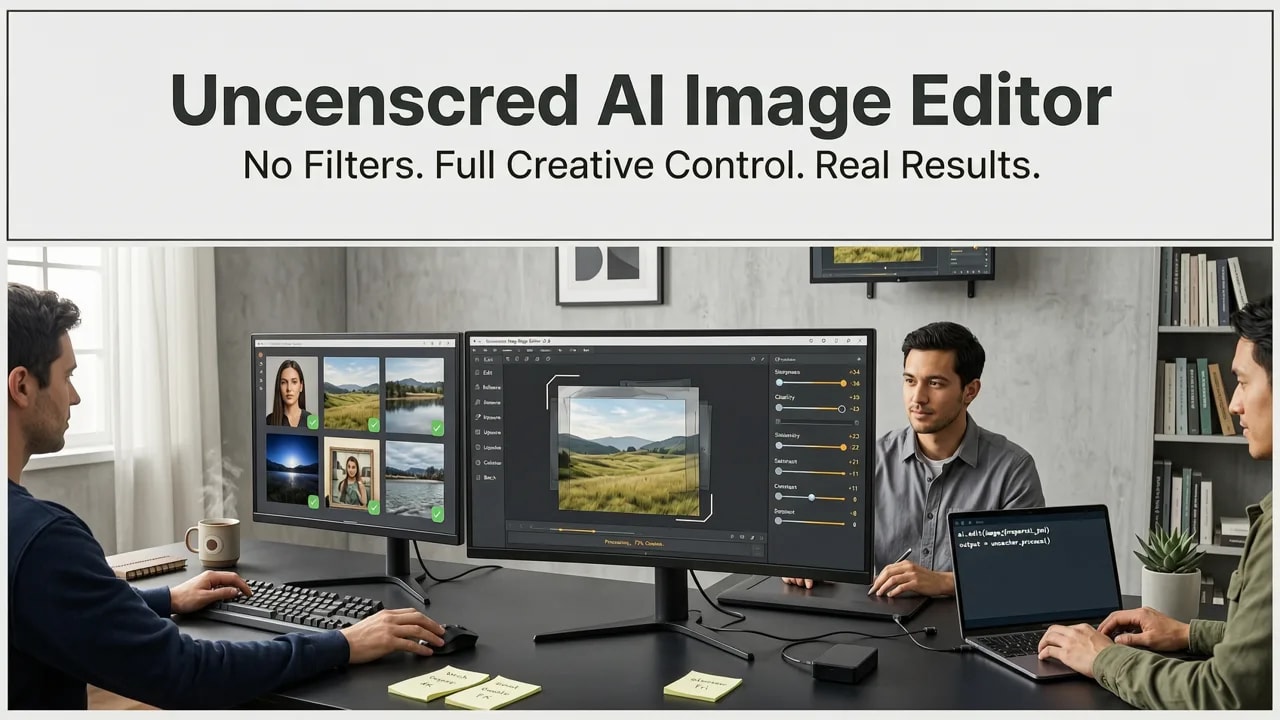
Uncensored AI Image Editor — No Filters, Full Creative Control in 2026
An 'uncensored AI image editor' doesn’t mean unsafe or unmoderated—it means transparent controls, prompt-aware safeguards, and creative freedom with accountability.
AI Portrait Editor Uncensored — Realistic, Expressive & Fully
Looking for an AI portrait editor uncensored? In 2026, 'uncensored' means no arbitrary filters—just transparent safeguards, expressive fidelity, and full creative