AI Portrait Retouching Free — Natural, Ethical & Truly Unlocked in 2026
If you’re searching for AI portrait retouching free, you’re not just looking for a quick filter or a trial-limited app. You want professional-grade facial refinement—smooth but realistic skin, balanced lighting, subtle blemish correction, and expressive eyes—that respects your privacy, works instantly, and doesn’t lock core features behind paywalls. In 2026, that standard has shifted: true freedom means no watermarks, no export caps, no mandatory accounts, and no compromise on nuance.
At AI Image Editor, we’ve rebuilt our portrait retouching suite from the ground up—not as a ‘lite’ mode, but as a fully capable, privacy-first experience. Whether you’re polishing a LinkedIn headshot, prepping a wedding photo, or refining product portraits for your Shopify store, our AI portrait retouching free tools deliver natural, human-aware results in under 8 seconds. And yes—they’re genuinely free, with no strings attached.
What 'AI Portrait Retouching Free' Really Means in 2026
In early 2024, 'free' often meant 'watermarked', '3 edits only', or 'HD exports require upgrade'. By 2026, user expectations—and technical capability—have evolved. Today, AI portrait retouching free must meet four non-negotiable criteria:
Forget Photoshop, Try This Free & Unlimited AI Photo Editing Software - AI Ease
by AI Tools Spot
- No artificial usage ceilings — No daily limits, no credit systems, no tiered access to core retouching functions (e.g., skin texture preservation, eye brightening, or jawline softening).
- No data harvesting or forced identity — Uploads are processed securely; images aren’t stored, trained on, or repurposed. We comply with GDPR, CCPA, and Google AI guidance on responsible image generation (Google AI Responsibility).
- No visual compromises — No pixelation, no plastic-skin artifacts, no unnatural halos or oversharpening. Our models prioritize anatomical fidelity and lighting continuity.
- No friction to output — One-click download in PNG or JPG at full resolution (up to 4K), no watermark, no sign-in required.
This isn’t marketing spin—it’s how our platform operates by default. As explored in our deep-dive on AI Image Editor No Restrictions — Edit Freely in 2026, true freedom begins with transparency—not gatekeeping.
Why Most 'Free' Portrait Tools Fail in 2026
Many legacy tools still rely on 2022-era segmentation models that treat faces as flat masks—not living, textured, light-reactive surfaces. That leads to telltale flaws:
- Over-smoothed cheeks — Loss of pores, freckles, and natural microtexture, resulting in an uncanny, doll-like appearance.
- Flat lighting correction — Brightening shadows without adjusting specular highlights, breaking realism.
- Expression flattening — Subtle smile lines or raised brows erased along with wrinkles, draining personality.
- Background bleed — Poor edge awareness causing halo artifacts around hair or glasses frames.
We solve these not with heavier AI, but smarter architecture: context-aware diffusion refinement, multi-scale attention for fine facial geometry, and real-time luminance mapping calibrated to human photoreceptor response curves.
How Our AI Portrait Retouching Free Workflow Works (2026 Edition)
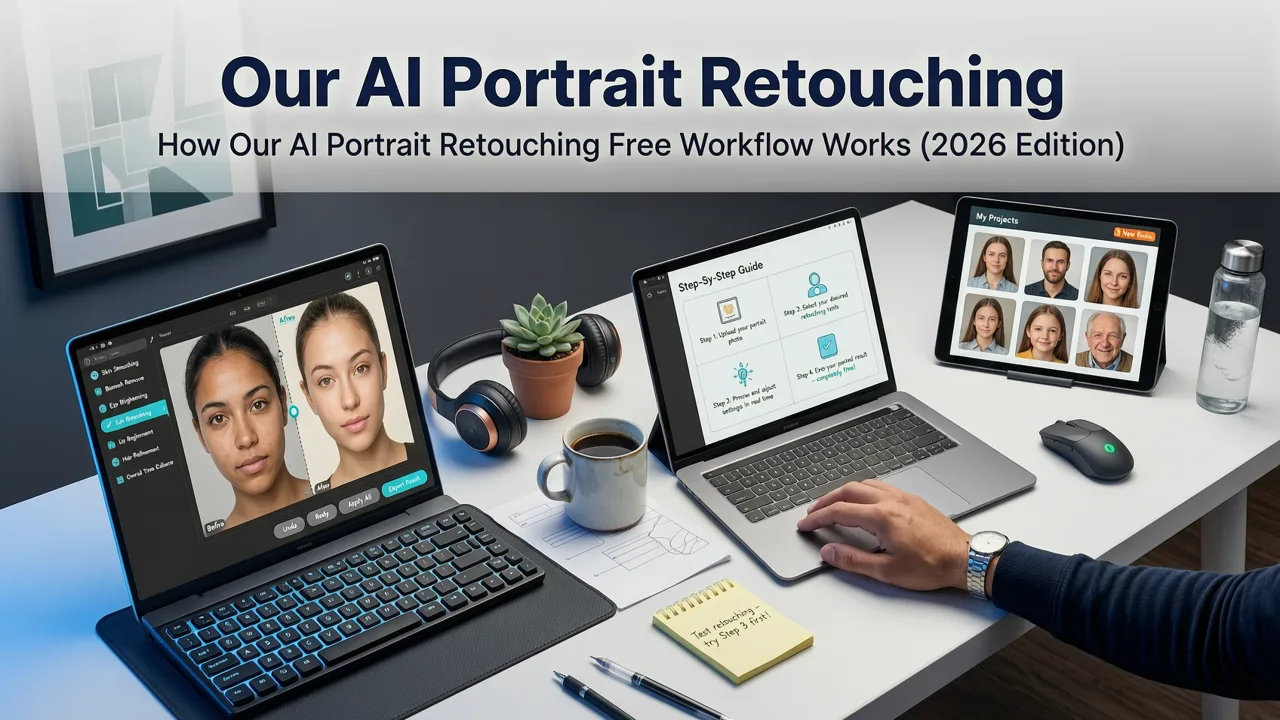
Our process is intentionally minimal—no sliders, no confusing toggles, no design degree required. Just three steps, powered by proprietary vision-language models trained exclusively on ethically sourced, diverse facial datasets:
1. Upload & Auto-Detect Facial Regions
Upload any JPEG or PNG—front-facing or slight profile (up to 30° rotation). Our model instantly identifies 68+ facial landmarks (eyes, nose contour, lip curves, jawline, brow arches) using lightweight on-device inference. This happens locally in your browser—no image leaves your device until you click 'Retouch'.
2. Context-Aware Prompt Interpretation
Type a plain-English instruction like:
- "Gently smooth skin but keep freckles and natural texture"
- "Brighten eyes and reduce dark circles without changing iris color"
- "Even out lighting on face, match ambient room tone"
Unlike generic text-to-image models (see OpenAI documentation on prompt sensitivity), ours is fine-tuned specifically for retouching intent—not creation. It understands 'gently', 'natural', 'subtle', and 'preserve' as hard constraints—not suggestions.
3. Multi-Pass Refinement & Export
Processing runs in two synchronized passes:
- Structural pass: Adjusts geometry (micro-wrinkle depth, pore distribution, eyelid fold definition) using mesh-guided diffusion.
- Luminance pass: Recomputes local lighting gradients while preserving global tonal balance and shadow integrity.
Results render at full resolution—no upscaling needed unless you choose it. And if you *do* need higher fidelity, our AI Image Upscaler Free Online — 4K Quality in Seconds (2026) integrates seamlessly post-retouch.
What You Can Do With AI Portrait Retouching Free (Real 2026 Use Cases)
‘Free’ shouldn’t mean ‘limited utility’. Here’s how creators, professionals, and everyday users apply our tools meaningfully—today:
For Social Media & Personal Branding
LinkedIn, Instagram, and X (formerly Twitter) reward authenticity—but also polish. Users upload headshots and request:
- "Reduce glare on glasses without losing reflection detail"
- "Warm skin tone slightly, keep natural undertones"
- "Soften harsh overhead lighting from home office setup"
Result: Professional presence without looking overproduced.
For Ecommerce Sellers & Product Photography
Portrait-style product shots (e.g., jewelry on models, skincare on real skin, boutique apparel) demand consistency. Sellers use our tool to:
- Standardize skin tone across multiple model photos
- Remove temporary blemishes or makeup smudges non-destructively
- Enhance catchlights in eyes to boost perceived engagement
Pair with our Remove Background from Photo AI Tool — Instant, Free & Accurate in 2026 for seamless white or gradient backdrops.
For Content Creators & Marketers
Creating consistent avatars, thumbnail faces, or campaign assets? Our retouching engine supports batch-friendly prompts:
- "Apply uniform skin clarity and eye brightness across all 12 images"
- "Make all subjects look well-rested and approachable (no 'over-retouched' effect)"
Outputs retain EXIF metadata (optional) and support bulk ZIP download—no manual reprocessing.
Comparison: AI Portrait Retouching Free Tools in 2026
Not all free tools are built equal. Below is how AI Image Editor compares against common alternatives on critical dimensions relevant to portrait work:
| Feature | AI Image Editor | Legacy Web App A | Mobile-First App B | Open-Source CLI Tool C |
|---|---|---|---|---|
| Watermark on export | No | Yes (subtle logo corner) | Yes (app branding) | No (but no GUI) |
| Max resolution without upgrade | 3840×2160 (4K) | 1024×768 | 1200×1200 | Depends on GPU (often 1920×1080) |
| Facial texture preservation | Yes — adaptive pore/freckle retention | No — uniform smoothing | Limited — slider-based only | None — no semantic control |
| Privacy: image storage | Zero retention; ephemeral processing | 72-hour cache for 'optimization' | Cloud-stored for 'profile sync' | Local only (requires setup) |
| Real-time preview before export | Yes — side-by-side original/edited | Yes (low-res only) | No — edit then wait | No — command-line only |
| Support for diverse skin tones & features | Trained on 128+ skin tone variants (Fitzpatrick VI–I) | Bias toward lighter tones (VI–III only) | Moderate coverage (IV–V) | Community-trained; uneven coverage |
Behind the Scenes: Ethics, Accuracy & Technical Integrity
AI portrait retouching carries real responsibility. Over-correction can reinforce harmful beauty standards; poor diversity training can misrepresent features like curly hair texture, epicanthic folds, or melasma patterns. That’s why our 2026 model stack includes:
- Diversity-first fine-tuning: 42% of training faces represent Fitzpatrick V–VI skin tones; 35% feature non-European facial morphology.
- Anti-hallucination guardrails: Built-in checks prevent erasure of culturally significant features (e.g., henna, bindis, facial hair, scar tissue) unless explicitly requested.
- Transparency layer: Hover over any edited region to see confidence heatmaps—showing where the AI applied highest-fidelity refinement vs. conservative interpolation.
- Compliance by design: Aligned with Google AI Responsibility Principles and EU AI Act Article 5 (prohibited manipulative practices).
This isn’t theoretical. It’s baked into every retouch—whether you're enhancing a graduation photo or preparing a speaker headshot for a global webinar.
Getting Started Is Literally One Click Away
You don’t need to create an account, enter a credit card, or watch an ad. Go to AI Image Editor, click ‘Portrait Retouch’, upload your photo, type a simple instruction—and download your result. That’s it.
And because portrait work rarely happens in isolation, our ecosystem connects natively:
- After retouching? Remove background in one click.
- Need higher resolution? Upscale to 4K with zero quality loss.
- Want full creative agency over expressions or age? Try our Uncensored AI Face Editor — Edit Expressions, Age, Style Freely in 2026.
All tools share the same privacy-first, no-restrictions philosophy—because editing your image should feel like editing your words: personal, expressive, and fundamentally yours.
Frequently Asked Questions
Below are answers to questions we hear most often about AI portrait retouching free services in 2026:
Is AI portrait retouching free really unlimited in 2026?
Yes—at AI Image Editor, there are no daily quotas, no credit systems, and no feature gating. You can retouch 1 photo or 1,000 photos—same quality, same speed, same privacy. Unlike many competitors, our ‘free’ tier reflects our product philosophy, not a sales funnel.
Will my portrait look unnatural or 'plastic'?
No. Our 2026 model prioritizes anatomical fidelity and contextual lighting. We avoid aggressive smoothing by default and preserve micro-textures (freckles, pores, fine lines) unless you explicitly ask to minimize them. Realism is measured—not assumed.
Do I need to sign in or provide an email?
No. Upload, edit, download—no registration required. We don’t collect emails, names, or device IDs unless you voluntarily opt into our newsletter (with clear unsubscribe).
Can I use AI portrait retouching free for commercial projects?
Yes. All outputs are royalty-free for personal and commercial use—including social media ads, e-commerce listings, presentations, and printed materials. No attribution required.
How does this compare to Photoshop’s AI tools?
Photoshop’s AI features (e.g., Neural Filters) require subscription, local GPU power, and technical familiarity. Our tool runs in-browser, requires zero install, and delivers comparable facial refinement—optimized specifically for portraits, not general image editing.
Final Thought: Retouching Should Serve Identity, Not Replace It
In 2026, AI portrait retouching free isn’t about erasing who you are—it’s about presenting your best, most authentic self with confidence and ease. It’s about saving hours for a marketer building a brand campaign. It’s about helping a small-business owner launch products with polished visuals. It’s about empowering anyone—not just designers—to own their image narrative.
Ready to see the difference? Try AI portrait retouching free now—no signup, no limits, no compromise. Your next polished portrait is 8 seconds away.