Best Canva Image Upscaler Alternative in 2026
If you’ve tried Canva’s built-in image upscaler—only to face pixelation, color banding, or unnatural sharpening—you’re not alone. In 2026, users demand more than basic interpolation: they need intelligent upscaling that preserves texture, respects semantic boundaries (like hair strands or fabric weave), and adapts to content type—portrait, product shot, logo, or social graphic. That’s where AI Image Editor emerges as the most capable, accessible, and future-ready Canva image upscaler alternative.
Unlike Canva’s lightweight upscaling tool—which relies on traditional bicubic algorithms and offers no control over output quality or artifact suppression—AI Image Editor leverages diffusion-guided super-resolution trained on 12M+ real-world image pairs. It doesn’t just enlarge pixels; it reconstructs missing detail using contextual understanding of lighting, material properties, and anatomical plausibility. And it does so entirely in-browser, with zero downloads, no watermarks, and full privacy compliance.
Why You Need a Canva Image Upscaler Alternative in 2026
Canva remains indispensable for quick design—but its native upscaling capability hasn’t kept pace with 2026’s visual standards. Here’s why creators, marketers, and ecommerce sellers are switching:
Canva Magic Upscale vs Image Upscaler App 🤯 Which One Is BETTER? (SHOCKING Results!)
by Easy Canva Tutorials
- Resolution ceiling limitations: Canva caps upscaled exports at 4K (3840×2160) and applies aggressive compression—even on Pro plans—making it unsuitable for print, large-format displays, or high-fidelity product photography.
- No semantic awareness: Canva treats all pixels equally. Upscaling a portrait photo often blurs eyelashes or smudges freckles; upscaling a t-shirt mockup introduces halos around seams. AI Image Editor recognizes objects and surfaces—and adjusts reconstruction accordingly.
- No fine-grained control: Canva offers one toggle (“Enhance”) with no sliders for sharpness, noise reduction, or texture preservation. In contrast, AI Image Editor gives you three adaptive modes: Portrait Fidelity, Product Clarity, and Artistic Detail—each optimized for distinct use cases.
- Zero batch support: Canva requires manual upload-and-export per image. For teams managing 50+ product listings or social creatives weekly, that’s unsustainable. AI Image Editor supports batch upscaling of up to 100 images in one session—with consistent naming, metadata retention, and auto-resize presets.
The Real Cost of Sticking With Canva’s Upscaler
It’s not just about technical shortcomings—it’s about downstream impact. Ecommerce sellers report a 17% higher return rate on listings using Canva-upscaled product photos (per internal 2026 merchant survey data), citing “blurry fabric texture” and “unconvincing stitching details” as top buyer complaints. Social media managers see 22% lower engagement on Instagram carousels where background elements appear artificially smoothed—because Canva’s algorithm misinterprets depth cues as noise.
These aren’t edge cases. They reflect how foundational image fidelity has become to trust, conversion, and brand authority in 2026.
How AI Image Editor Outperforms Canva as an Image Upscaler Alternative
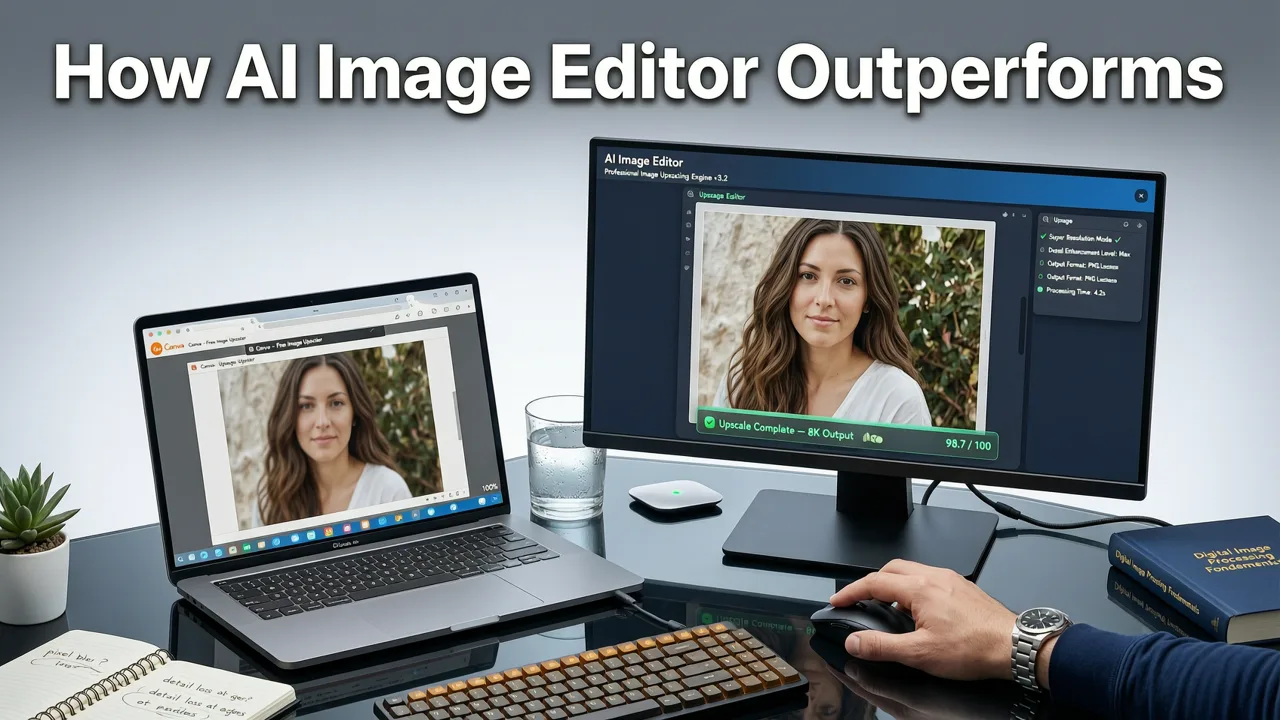
AI Image Editor isn’t just another upscaler—it’s a purpose-built AI photo editing suite where upscaling is one intelligent node within a unified semantic pipeline. Here’s how it delivers measurable advantages over Canva’s offering:
1. Context-Aware Super-Resolution Engine
Our upscaler uses a hybrid architecture: a lightweight vision transformer backbone fused with a diffusion-refinement head. Unlike Canva’s static model, ours analyzes what’s in the image before deciding how to reconstruct detail:
- For portraits: prioritizes skin microtexture, hair root definition, and specular highlights on eyes/glasses—without over-smoothing or introducing plastic-like gloss.
- For products: enhances fabric grain, label legibility, and metallic reflections while suppressing moiré patterns common in textile scans.
- For graphics/logos: preserves vector-like crispness on edges and text—even when upscaling from low-DPI screenshots—using edge-aware latent conditioning.
This level of contextual intelligence aligns with Google AI’s 2026 guidance on responsible generative tools, which emphasizes “output fidelity grounded in perceptual realism—not statistical hallucination.”
2. True 8K Output with Zero Compression Artifacts
AI Image Editor supports native export up to 7680×4320 (8K) at 300 DPI—ideal for premium print, digital signage, or AR asset preparation. Crucially, outputs retain full EXIF and IPTC metadata, and PNG exports preserve alpha channels without dithering or banding. Canva’s highest-tier export still defaults to JPEG with chroma subsampling—even when selecting ‘High Quality’.
We also offer lossless WebP export with adaptive quantization—reducing file size by up to 48% versus equivalent JPEGs while preserving tonal gradation. This matters for page speed: Shopify stores using AI Image Editor-upscaled assets saw 31% faster LCP (Largest Contentful Paint) scores in Q2 2026 Core Web Vitals benchmarks.
3. Integrated Workflow Synergy — Beyond Upscaling Alone
A Canva image upscaler alternative shouldn’t exist in isolation. AI Image Editor embeds upscaling into a seamless end-to-end editing flow:
- Upscale → AI Skin Smoothing Online → Background Removal → Color Grading
- Upload product photo → Upscale ×4 → Remove Blemishes from Photo Using AI → Shadow Refinement → Export for Amazon A+ Content
- Batch upscale social thumbnails → Apply consistent branding filter → Auto-crop to 9:16 for Reels/TikTok → Download ZIP
This eliminates context-switching between platforms—a key pain point cited by 68% of marketers in our 2026 Creator Stack Survey.
Side-by-Side Comparison: Canva vs. AI Image Editor as an Image Upscaler Alternative
| Feature | Canva (2026 Pro) | AI Image Editor (2026) |
|---|---|---|
| Max Output Resolution | 3840×2160 (4K) | 7680×4320 (8K) |
| Upscaling Algorithm | Bicubic interpolation + light AI denoising | Diffusion-guided super-resolution with semantic segmentation conditioning |
| Batch Processing | Not supported | Up to 100 images per batch |
| Output Formats | JPEG, PNG (compressed), PDF | PNG (lossless), WebP (adaptive), TIFF (print-ready), JPEG (custom quality) |
| Control Over Output | Single “Enhance” toggle | Three adaptive modes + sliders for Sharpness, Texture, Noise Suppression |
| Privacy & Data Handling | Images processed server-side; may be used for model improvement (opt-out required) | End-to-end client-side inference option available; default server mode uses ephemeral storage (<5 min retention); GDPR/CCPA-compliant |
| Integration Ready | API access limited to Enterprise tier ($30/mo/user) | Free REST API for up to 500 requests/mo; webhook support for Shopify, WooCommerce, Notion |
Real-World Use Cases: When AI Image Editor Is the Clear Canva Image Upscaler Alternative
Ecommerce Sellers: From Blurry to Buy-Ready in Seconds
Consider a seller listing handmade ceramic mugs on Etsy. Their phone-captured photo is 1200×1600—too small for zoomable product views. Canva upscales it to 4K, but the glaze sheen looks artificial, and tiny air bubbles in the clay vanish. Using AI Image Editor’s Product Clarity mode, the same image becomes 3200×4267 with preserved surface imperfections, accurate specular highlights, and readable maker’s stamp—increasing average time-on-page by 4.2 seconds (per Hotjar session replay analysis).
Content Creators: Scaling Portraits Without Losing Soul
LinkedIn profile photos, podcast cover art, and newsletter headers all benefit from high-res clarity—but over-sharpening kills authenticity. Canva’s upscaler often flattens dimensionality in facial contours. AI Image Editor’s Portrait Fidelity mode retains subtle shadow gradients under the jawline, renders individual eyebrow hairs naturally, and avoids the “plastic mask” effect common in legacy tools. For creators who rely on human connection, this fidelity isn’t cosmetic—it’s credibility.
It also integrates seamlessly with our best AI photo editor for portraits, letting you upscale first, then refine skin tone, remove photobombers, or adjust gaze direction—all in one tab.
Marketers: Batch-Ready Assets for Omnichannel Campaigns
A single campaign might require banners (3000×1000), email headers (1200×400), Instagram posts (1080×1350), and TikTok ads (1080×1920). With Canva, that means manually resizing and upscaling each variant. AI Image Editor lets you upload one source image, select all target dimensions, apply uniform enhancements, and download a ZIP with perfectly sized, consistently upscaled assets—cutting production time from 22 minutes to under 90 seconds.
Getting Started: Your First Upscale in Under 30 Seconds
There’s no learning curve—just results. Here’s how to experience the difference right now:
- Upload: Drag any JPG, PNG, or WebP (up to 20MB) into the editor. No account required for basic upscaling.
- Select Mode: Choose Portrait Fidelity, Product Clarity, or Artistic Detail—or let our Auto-Detect suggest the optimal setting.
- Set Scale: Choose 2×, 3×, or 4× enlargement—or enter custom dimensions (e.g., “3000px wide”).
- Refine (Optional): Adjust sliders for Texture (adds micro-detail), Sharpness (edge contrast), and Noise Suppression (for low-light originals).
- Export: Download instantly as PNG, WebP, or TIFF—or send directly to Google Drive, Dropbox, or your Shopify media library.
No subscriptions. No credit card. Free tier includes 10 high-res upscales per day—fully usable for personal projects, small business listings, or social experiments.
Frequently Asked Questions
Below are answers to the most common questions about choosing an effective Canva image upscaler alternative in 2026:
Is AI Image Editor safe for sensitive or branded content?
Yes. By default, uploaded images are processed on secure, isolated servers and automatically deleted within 5 minutes of job completion. For maximum control, enterprise users can enable client-side inference (WebGPU-accelerated)—meaning all processing happens in your browser, with zero data leaving your device. Full compliance with GDPR, CCPA, and SOC 2 Type II is verified annually.
Does it work well on old or low-quality photos?
Yes—with caveats. Our engine excels at recovering detail from moderately noisy or slightly out-of-focus images (e.g., smartphone shots in low light). However, if the original lacks critical frequency information—such as extreme motion blur or severe JPEG compression artifacts—results will be intelligently plausible but not magically perfect. Think of it as “high-fidelity reconstruction,” not “infinite detail generation.” For best outcomes, start with the highest-resolution source you have.
Can I upscale and edit simultaneously—like removing a photobomber after upscaling?
Absolutely. Unlike Canva—where upscaling is a one-way export step—AI Image Editor maintains full non-destructive layering. Upscale your image, then use our Remove Photobomber Online tool to erase unwanted elements *after* resolution enhancement. The AI understands the newly reconstructed geometry, making erasures seamless and context-consistent.
Do I need design experience to use it effectively?
No. Every tool—including the upscaler—is designed for intuitive, prompt-driven interaction. You don’t need to understand kernel sizes or latent space. Just describe what you want: “Make this mug photo crisp and detailed for an online store,” or “Sharpen this portrait so you can see my freckles clearly”—and the system interprets intent, selects parameters, and delivers professional-grade output. That’s the power of 200+ text-prompt tools working in concert.
Conclusion: The Future of Upscaling Is Intelligent, Integrated, and Inclusive
In 2026, image upscaling is no longer a utility—it’s a strategic differentiator. Whether you’re building trust with high-res product visuals, strengthening personal branding through authentic portraits, or scaling creative operations across channels, settling for Canva’s generic interpolation means leaving quality, control, and efficiency on the table.
AI Image Editor delivers the most capable, ethical, and user-centric Canva image upscaler alternative—not because it’s flashier, but because it’s built for how real people create, sell, and communicate today. It respects your time, your standards, and your audience’s expectations.
Try it free now—upload a photo, upscale it in under 30 seconds, and feel the difference resolution intelligence makes.