AI Product Photo Editor for Ecommerce — Why It Matters in 2026

If you sell products online, you already know that product photography is the single biggest driver of conversion. Shoppers judge a listing in under three seconds, and pixel-perfect images are non-negotiable on Amazon, Shopify, Etsy, and every major marketplace. An ai product photo editor for ecommerce solves the two most expensive bottlenecks in online retail — studio time and retouching labor — by turning a raw smartphone snapshot into a polished, marketplace-ready image in seconds.
The short answer: a modern AI product photo editor uses generative vision models to remove backgrounds, replace them with clean white or lifestyle scenes, correct color and lighting, remove reflections, and upscale resolution — all through simple text prompts or one-click workflows. No Photoshop skills required, no monthly retainer for a photo studio, and no compromise on marketplace compliance.
This guide breaks down exactly how these tools work in 2026, what features matter most for ecommerce sellers, and how to choose the right solution for your store.
6 Best AI Product Photo Tools Compared (2025) | Claid, Firefly, PhotoRoom, Krea & More
by Claid - AI product photography suite
What an AI Product Photo Editor Actually Does
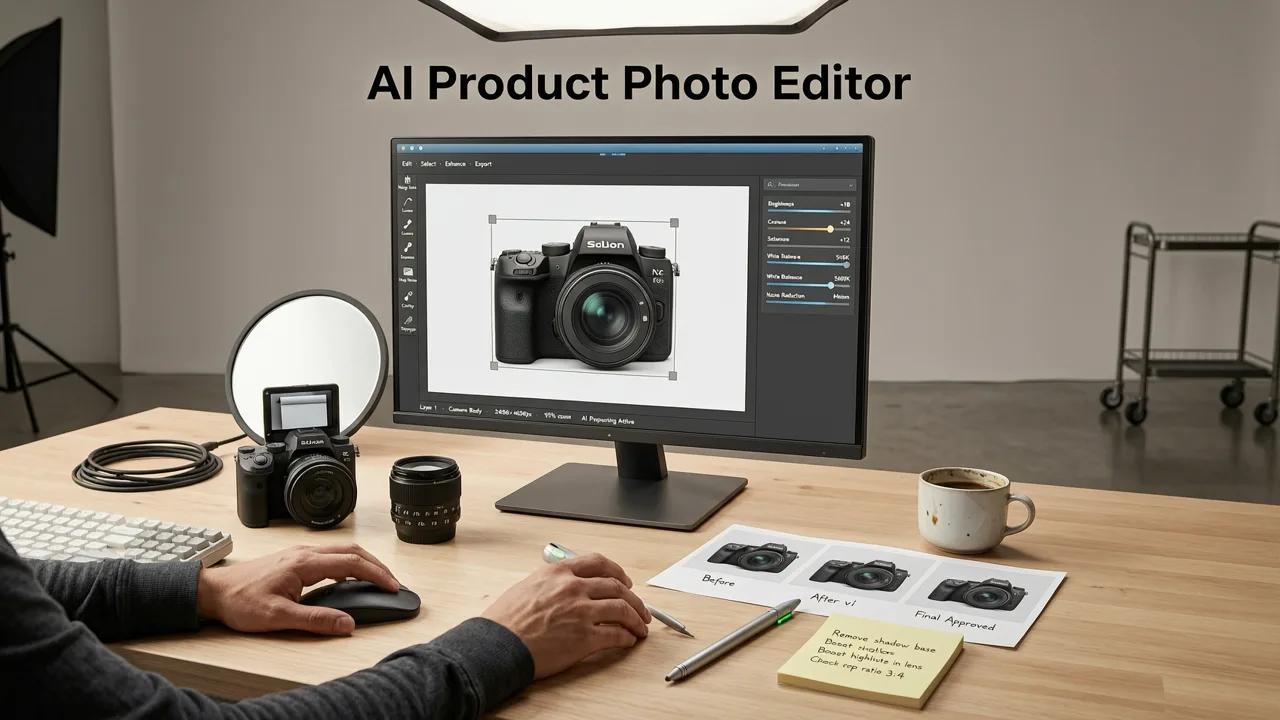
At its core, an AI product photo editor automates the entire post-production pipeline that used to require a graphic designer, a lighting studio, and hours of manual editing. The platform ingests your raw product photo, identifies the subject, separates it from the background, corrects imperfections, and outputs a final image that meets marketplace standards.
Key Capabilities in 2026
- Automatic background removal — clean edge detection around complex shapes like jewelry, bottles, and textiles.
- White and lifestyle background generation — pure white for Amazon, styled scenes for social ads.
- Shadow and reflection correction — natural drop shadows or complete reflection removal for glass and metal.
- Color accuracy and white balance — ensures the product looks the same on-screen as it does in person.
- Resolution upscaling — transforms a 1-megapixel phone shot into a 4K marketplace-ready image.
- Batch processing — edit hundreds of SKUs in a single session.
Step 1 — Subject Detection and Semantic Segmentation

The first thing the AI does is identify exactly where your product begins and ends. Modern segmentation models in 2026 use multi-scale attention mechanisms that can distinguish a translucent glass bottle from its shadow, separate a necklace chain from a patterned fabric backdrop, and preserve fine hair-like fibers on a textile product. This is the same technology behind the AI Image Editor Background Remover, which delivers pixel-accurate cutouts even on challenging subjects.
Unlike older edge-detection tools that leave halos or clip fine details, semantic segmentation understands the material properties of your product — whether it is reflective, transparent, or fuzzy — and adjusts the mask accordingly.
Step 2 — Background Replacement and Scene Generation
Once the product is isolated, the AI generates a new background. You can choose a pure white backdrop (required by Amazon and many marketplace guidelines), a soft gradient, or a fully generated lifestyle scene — think a candle on a marble countertop or sneakers on an urban street.
This is where prompt-based editing shines. Type "ceramic mug on a rustic wooden table with morning sunlight" and the model places your product into that scene with physically accurate lighting, shadows, and reflections. For sellers managing dozens of SKUs, this eliminates the need to book a photographer for every new product launch.
If you need a quick, no-sign-up option for a single image, the Free AI Background Remover Online delivers instant results without creating an account.
Step 3 — Retouching, Color Correction, and Shadow Rendering
Raw product photos almost always need retouching. Scratches on packaging, dust specks on jewelry, uneven lighting on fabric — the AI detects and repairs these automatically using inpainting models trained on millions of professional product shots.
Reflection and Glare Removal
Glossy and transparent products are notoriously difficult to photograph. A perfume bottle, a pair of glasses, or a stainless-steel tumbler will pick up every light source in the room. In 2026, AI retouching engines handle this with reflection-aware inpainting that reconstructs the surface texture beneath the glare. If you sell eyewear or any reflective accessory, the workflow is similar to the techniques covered in How to Remove Reflection from Glasses Photo — the model identifies specular highlights and rebuilds the surface underneath.
Consistent Color Across Your Catalog
Color inconsistency is one of the top reasons for product returns. The AI normalizes white balance across your entire catalog so that a red dress photographed on Monday under warm office lighting matches the same dress photographed on Friday near a window. Platforms integrated with Shopify developer docs can even push corrected images directly to your storefront.
Step 4 — Upscaling and Marketplace Compliance
Most marketplaces require a minimum image resolution — Amazon recommends at least 1,600 pixels on the longest side, and many sellers push to 2,000 or higher for zoom functionality. AI upscalers enlarge images while adding realistic detail, avoiding the blurry interpolation of older tools.
After upscaling, the final image is validated against marketplace requirements: correct aspect ratio, white background percentage, no text overlays on the main image, and sufficient resolution. Checking these rules against Google Merchant Center help guidelines helps prevent listing disapprovals before they happen.
AI Product Photo Editor vs. Traditional Product Photography
Here is a side-by-side comparison so you can see exactly where AI editing fits into your workflow:
| Factor | Traditional Photography | AI Product Photo Editor (2026) |
|---|---|---|
| Cost per image | $15 – $75+ | $0.05 – $0.50 |
| Turnaround time | 1 – 5 business days | Seconds to minutes |
| Background options | Limited by studio setup | Unlimited via text prompts |
| Batch editing | Manual, labor-intensive | Fully automated |
| Consistency across SKUs | Varies by shoot conditions | Uniform lighting and color |
| Design skills required | Professional photographer or editor | None — text prompts or one-click |
| Scalability for large catalogs | Expensive and slow | Effortless at any volume |
Who Benefits Most from an AI Product Photo Editor
Ecommerce Sellers on Amazon, Shopify, and Etsy
Marketplace compliance is strict. Amazon demands a pure white background on the main image, no borders, and a product that fills at least 85% of the frame. An AI product photo editor enforces these rules automatically, reducing the risk of suppressed listings. If you want to explore background removal as a standalone step, the Best AI Background Remover Free guide covers watermark-free options.
Dropshippers and Print-on-Demand Brands
Supplier images are often low-resolution, inconsistently lit, or watermarked. AI editing lets you standardize every product photo to match your brand aesthetic without re-shooting anything.
DTC Brands Running Social Ads
Performance marketing demands volume. You need dozens of image variations for A/B testing across Meta, TikTok, and Google Ads. AI-generated lifestyle scenes let you produce scroll-stopping creatives at a fraction of the cost of traditional production.
Marketplace Agencies and Catalog Managers
Agencies managing hundreds of client SKUs need batch processing and API access. A robust AI product photo editor integrates with PIM systems and ecommerce platforms to automate the entire image pipeline.
How to Choose the Right AI Product Photo Editor in 2026
Not every AI image tool is built for ecommerce. When evaluating options, prioritize these criteria:
- Edge accuracy on complex products — test with transparent, reflective, and fuzzy items.
- Marketplace template presets — one-click Amazon, Shopify, and Google Shopping outputs.
- Batch and API support — essential for catalogs over 100 SKUs.
- Color fidelity — the tool should preserve true-to-life color, not over-saturate.
- Output resolution — minimum 2,000 px on the longest side for zoom-ready images.
- Pricing model — per-image credits or unlimited plans that scale with your catalog size.
Practical Workflow: From Raw Photo to Published Listing
Here is a repeatable workflow you can use today:
- Capture — photograph your product with a smartphone in even, diffused lighting. No studio needed.
- Upload — drag the image into your AI product photo editor.
- Remove background — the AI isolates the product with pixel-accurate edges.
- Generate new background — choose pure white for the main listing image, or a lifestyle prompt for secondary images and ads.
- Retouch — let the AI clean up dust, scratches, and color casts.
- Upscale — push resolution to 2,000 px or higher.
- Export and publish — download in the format and dimensions required by your marketplace, then upload directly to your store.
For most sellers, this entire process takes under 60 seconds per image — a fraction of the time and cost of outsourcing to a photo studio.
Common Mistakes to Avoid
- Skipping the main-image guidelines. Each marketplace has specific rules. Always validate before publishing.
- Over-editing color. AI can enhance, but pushing saturation too far creates returns due to "item not as described."
- Ignoring mobile preview. Most shoppers browse on phones. Check how your image looks at thumbnail size.
- Using the same lifestyle scene for every SKU. Variety in secondary images improves engagement and conversion.
The Bottom Line
In 2026, an ai product photo editor for ecommerce is no longer a nice-to-have — it is a competitive necessity. The sellers who produce more images, test more variations, and maintain consistent quality across their catalogs win more clicks, more conversions, and fewer returns. AI-powered editing compresses what used to be a days-long, expensive process into a seconds-long, affordable one — and the quality gap between AI-generated and studio-shot images has effectively closed.
Whether you run a five-product Etsy shop or a ten-thousand-SKU Amazon storefront, the tools are ready. Upload a photo, describe the result you want, and publish. Your customers will never know the difference — they will only see a better shopping experience.
Ready to upgrade your product images? Start editing with AI today and see how fast you can transform raw photos into marketplace-ready listings — no design skills, no studio, no delays.