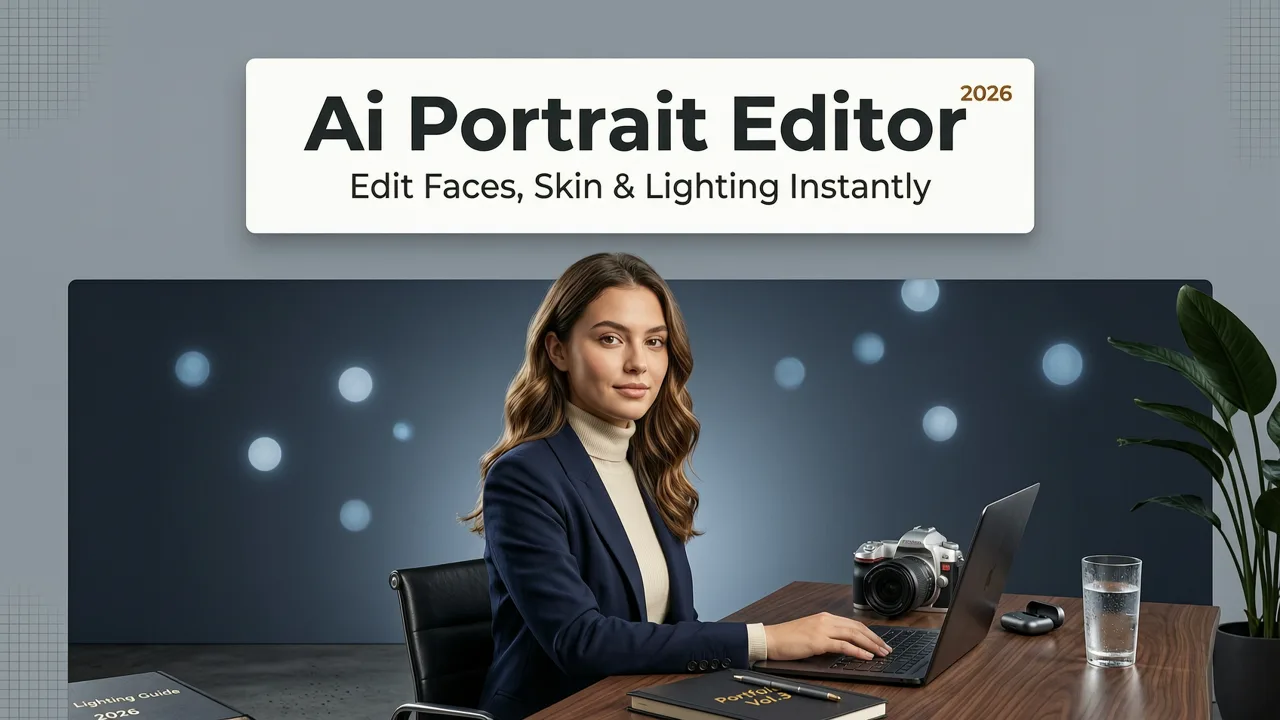
Best AI Portrait Editor 2026 — Edit Faces, Skin & Lighting Instantly
If you have ever stared at a promising headshot and wished you could smooth skin, fix harsh shadows, or swap a cluttered backdrop without opening Photoshop, you are not alone. The best AI portrait editor 2026 has to offer now handles all of that — and more — in a single browser tab, using plain-language prompts instead of layer masks and adjustment sliders.
This guide breaks down what makes an AI portrait editor genuinely worth your time in 2026, how the leading platforms compare on the features that matter most, and how to get professional-grade results in under a minute. Whether you need a LinkedIn-ready headshot, an e-commerce product lifestyle image, or a polished family portrait, you will walk away with a clear shortlist and a step-by-step workflow.
What Makes an AI Portrait Editor the Best in 2026
Portrait editing used to demand hours of manual retouching. In 2026, the benchmark has shifted. The best AI portrait editor 2026 stands out because it combines three capabilities that earlier tools could not deliver at the same time:
Why Everyone is Switching to THIS AI Beginner Photo Editing Program | Luminar NEO
by David Manning
- Semantic face understanding — the model recognizes skin zones, eyes, lips, hair strands, and accessories separately, so edits stay anatomically correct.
- Context-aware lighting simulation — relighting engines reconstruct 3D surface normals and apply studio-quality illumination without flattening the image.
- Identity preservation — the subject still looks like themselves after smoothing, reshaping, or background replacement, which is critical for professional use.
These advances mean creators, marketers, and everyday users can move from raw photo to publication-ready portrait in seconds — with no design training required.
The Shift From Manual Retouching to Prompt-Based Editing
In 2026, the dominant editing paradigm is text-driven. You upload a photo, type something like "soften under-eye shadows and add warm window light from the left," and the platform executes the edit. This removes the steepest learning curve in photo editing and opens professional-quality results to ecommerce sellers, social media managers, and anyone who needs polished images fast.
Core Features to Look for in the Best AI Portrait Editor 2026

Not every AI portrait tool is built for the same job. Before you commit to a platform, evaluate it against the features that separate a one-trick filter app from a genuine all-in-one editor.
1. AI Skin Retouching That Looks Natural
Top-tier tools go far beyond blanket blur. Modern AI skin smoothing preserves pore texture, removes only blemishes and redness, and adapts to skin tone so results never look waxy or over-processed. The best engines also respect facial hair, freckles, and natural texture variation — because the goal is enhancement, not erasure.
2. Intelligent Relighting and Shadow Correction
Harsh overhead light, flat flash, or mixed color temperatures can ruin an otherwise great portrait. The leading 2026 editors estimate facial geometry, reconstruct a rough depth map, and re-illuminate the scene convincingly. You can simulate golden-hour glow, studio softboxes, or cool office lighting — all from a text prompt.
3. Background Removal and Replacement
A clean background is non-negotiable for LinkedIn headshots and product catalogs. A reliable AI portrait background remover handles tricky edge cases — flyaway hair, translucent fabrics, glasses frames — that still trip up older segmentation models. After extraction, you can drop in a solid color, a gradient, or a fully AI-generated environment.
4. Glasses and Accessory Handling
Reflections on eyewear remain one of the most common portrait problems. Dedicated tools now use optical prior modeling to detect lens curvature and replace glare with what the lens would naturally transmit. If this is a recurring issue for your audience, see our deeper walkthrough on how to remove reflection from glasses photos.
5. Batch Processing for Ecommerce and Marketing Teams
If you edit dozens or hundreds of portraits per week — think real-estate agent headshots, SaaS team pages, or marketplace seller profiles — batch capability is essential. The best platforms let you save a prompt recipe and apply it across an entire folder, keeping brand consistency without repetitive clicking.
6. Upscaling and Resolution Recovery
Portrait files cropped from social media or scanned from prints often lack the resolution needed for large-format output. Integrated AI upscalers reconstruct fine detail — individual eyelashes, fabric weave, skin micro-texture — without the halo artifacts that plagued earlier super-resolution models.
How AI Portrait Editors Actually Work Under the Hood
Understanding the technology helps you set realistic expectations and choose the right tool for the job.
Semantic Segmentation and Face Mesh Detection
When you upload a portrait, the first step is parsing. A segmentation model labels every pixel — skin, eyes, lips, eyebrows, hair, clothing, background, accessories. Simultaneously, a face-mesh estimator maps hundreds of landmark points to understand 3D structure. This dual map is what lets the editor apply changes to specific zones without bleeding into neighboring areas.
Diffusion-Based Inpainting for Natural Edits
For tasks like blemish removal, glare reduction, or background replacement, modern editors rely on diffusion models conditioned on the surrounding pixels. The model generates new content that matches the lighting, color temperature, and texture of the original — producing edits that are nearly impossible to spot at normal viewing distances.
Identity-Lock Mechanisms
To prevent the subject's face from drifting during heavy edits, leading platforms embed identity-preserving loss functions. These ensure that cheekbone structure, eye spacing, and signature features remain stable even when skin tone, lighting, or background changes dramatically.
Best AI Portrait Editor 2026 — Feature Comparison Table
The table below compares the capabilities you are most likely to evaluate when choosing a portrait editor this year.
| Feature | AI Image Editor | Typical Mobile App | Legacy Desktop Software |
|---|---|---|---|
| Text-prompt editing | Yes — 200+ tools | Limited presets | No |
| AI skin smoothing | Context-aware, tone-adaptive | Basic blur filter | Manual clone/heal |
| Background removal | Edge-accurate, hair-aware | Decent on simple shots | Manual pen-tool path |
| Relighting | 3D normal-based | Flat overlay filters | Complex layer work |
| Glasses reflection removal | Optical prior modeling | Rarely supported | Manual dodge/burn |
| Batch processing | Yes | No | Scripting required |
| AI upscaling | Built in | Often separate app | Plugin needed |
| Browser-based, no install | Yes | N/A (mobile) | No |
| Price | Freemium + affordable plans | Subscription | High annual license |
As the comparison shows, all-in-one platforms like AI Image Editor consolidate capabilities that previously required three or four separate tools — and they do it through a single, prompt-driven interface.
Step-by-Step: How to Edit a Portrait in Under 60 Seconds
Here is a practical workflow you can follow the next time you need a polished portrait in a hurry.
- Upload your photo. Drag and drop the image into the editor. Most platforms accept JPEG, PNG, WebP, and HEIC files up to 50 MB.
- Describe the edit. Type a clear prompt: for example, "Remove blemishes, even out skin tone, soften under-eye shadows, and replace the background with a light grey studio gradient."
- Review the result. The AI generates the edit in seconds. Zoom in to check edge quality around hair and accessories.
- Refine if needed. Add follow-up prompts such as "warm up the lighting slightly" or "increase sharpness on the eyes."
- Download in the right format. Export as PNG for transparency, JPEG for web use, or a higher-resolution version if you plan to print.
That entire loop typically takes less than a minute — fast enough to batch-process an entire team page during a coffee break.
Who Benefits Most from the Best AI Portrait Editor 2026 Has to Offer
Content Creators and Social Media Users
Consistency is currency on social platforms. A reliable AI portrait editor lets you maintain a cohesive visual style — same lighting mood, same background aesthetic, same skin finish — across every post without hiring a retoucher.
Ecommerce Sellers and Marketplace Vendors
Product listings that feature people — fashion, jewelry, beauty — depend on clean, well-lit portraits. AI tools eliminate the cost of reshoots by fixing lighting, removing background clutter, and standardizing skin tone across an entire catalog.
Marketers and Brand Teams
From LinkedIn thought-leadership banners to paid ad creatives, marketing teams need on-brand portraits at scale. Prompt-based editing plus batch processing means a single brand style guide can be applied to hundreds of images in minutes.
Everyday Consumers
Family photos, dating profiles, yearbook pictures, graduation portraits — any image where you want to look your best without the obvious tell-tale signs of heavy retouching. Modern AI editors prioritize subtlety, so the result is a better version of you, not a different person.
Ethical and Responsible Use of AI Portrait Editing
With powerful editing tools comes a responsibility to use them honestly. Leading platforms align with guidance from organizations like Google's AI responsibility principles, encouraging transparency when images are materially altered — especially in contexts like journalism, legal identification, or medical documentation.
Best practices include:
- Avoiding edits that misrepresent identity in official documents.
- Disclosing AI enhancement when images are used in editorial or advertising contexts where authenticity matters.
- Respecting consent — never editing or publishing someone else's portrait without permission.
Responsible use keeps the technology trustworthy and ensures it remains a creative aid rather than a source of deception.
Common Mistakes to Avoid When Using AI Portrait Editors
Even the best AI portrait editor 2026 can produce awkward results if you skip a few basics.
Over-Smoothing Skin
It is tempting to crank smoothing to the maximum, but the result often looks plastic. Aim for subtle blemish removal and tone evening while preserving natural texture. If your tool offers an intensity slider, start at 40–60 percent and adjust from there.
Ignoring Original Lighting Direction
If the source photo has strong side-lighting but your prompt asks for flat frontal light, the face can look artificially flattened. Match your relighting prompt to the original capture angle for the most believable result.
Neglecting Edge Quality
After background removal, always zoom in around hair, ears, and glasses frames. If edges look rough, re-run the cutout with a more specific prompt or switch to a tool that specializes in fine-detail segmentation. For a deeper look, check out the best AI background remover free options available this year.
Forgetting to Upscale Before Printing
A portrait that looks crisp on a phone screen may appear soft when printed at poster size. Run the final image through an AI upscaler before sending it to print to recover micro-detail and avoid pixelation.
Trends Shaping AI Portrait Editing in 2026
Several trends are redefining what users expect from portrait editors this year.
Multimodal Prompting
Beyond text, many editors now accept reference images as prompts. You can upload a photo with the lighting you love and ask the AI to apply that mood to your portrait — a massive time-saver for brand consistency.
Real-Time Preview
Latency has dropped dramatically. Instead of waiting 30 seconds per edit, leading platforms stream incremental results, letting you adjust prompts on the fly and see changes nearly in real time.
Privacy-First Processing
With growing concern about biometric data, top platforms now offer on-device processing options or guarantee that uploads are purged within hours. Always check a tool's privacy policy before uploading sensitive portraits.
Integration with Creative Workflows
APIs and plug-ins let marketing teams push AI-edited portraits directly into design tools, CMS platforms, and ad networks — eliminating manual download-and-upload steps.
How to Choose the Right AI Portrait Editor for Your Needs
Use this quick decision framework:
- Occasional personal use: Prioritize ease of entry, free tier availability, and one-click presets.
- Content creators: Look for style consistency tools, background generation, and fast export formats.
- Ecommerce teams: Batch processing, API access, and catalog-ready background removal are essential.
- Marketing departments: Brand-kit integration, team collaboration features, and compliance-friendly audit trails matter most.
Platforms like AI Image Editor cover all of these segments with a single suite of 200-plus prompt-based tools, making it a strong default choice whether you are editing one photo or ten thousand.
Final Thoughts
The best AI portrait editor 2026 is no longer a niche tool for designers — it is an everyday utility for anyone who needs polished, professional-looking portraits quickly and affordably. The technology has matured to the point where natural skin texture, convincing relighting, and pixel-perfect background swaps are available through a simple text prompt, all inside your browser.
Whether you are preparing a LinkedIn headshot, refreshing an online store's model imagery, or simply want your family photos to look their best, the right AI editor turns a five-hour retouching job into a five-second one. Upload a photo, describe what you want, and let the AI handle the rest.
Ready to see the difference? Head over to AI Image Editor and try it on your next portrait — no downloads, no design skills, no hassle.