
Instant background removal
Remove backgrounds perfectly from portraits, product photos, graphics, and objects. AI detects fine details like hair and fabric with pixel-perfect precision.
Instantly remove backgrounds, create transparent PNGs, and replace backdrops with AI. Perfect for ecommerce photos, portraits, product images, and creative projects. Upload, describe, download.
Professional Background Eraser Online
An AI background remover is a tool that automatically detects and removes image backgrounds using machine learning. Our background eraser works on portraits, products, graphics, and any photo—creating transparent PNGs or replacing backgrounds with colours, gradients, or custom scenes in seconds.
Advanced AI background remover for transparent PNG creation, background replacement with custom scenes, and professional image cutouts. Supports JPG, PNG, WEBP, and GIF formats.
Remove backgrounds perfectly from portraits, product photos, graphics, and objects. AI detects fine details like hair and fabric with pixel-perfect precision.
Swap messy backgrounds for studio backdrops, scenic views, branded colours, or custom scenes using simple text prompts. Maintains realistic lighting and shadows.
Create publish-ready transparent PNG images instantly. Perfect for overlays, graphics, logo design, and any project requiring clean cutouts.
Professional Background Eraser Online
Our background remover uses advanced AI to detect edges, isolate subjects, and create transparent PNGs. Upload a photo, describe the background changes you want (transparent, solid colour, custom scene), and download your edited image instantly. You can manage credits on thepricing page.
Background remover capabilities
One AI tool handles transparent background creation, background replacement, edge refinement, and professional photo cutouts for any industry or use case.
Remove backgrounds perfectly from portraits, product photos, graphics, and objects. AI detects fine details like hair and fabric with pixel-perfect precision.
Explore more use cases →Swap messy backgrounds for studio backdrops, scenic views, branded colours, or custom scenes using simple text prompts. Maintains realistic lighting and shadows.
See all editing features →Create publish-ready transparent PNG images instantly. Perfect for overlays, graphics, logo design, and any project requiring clean cutouts.
Read the complete guide →Get Amazon, Shopify, and eBay-ready product photos. Remove backgrounds and replace with white, custom colours, or transparent for professional catalog images.
See ecommerce solutions →Professional portrait background remover. Isolate people, refine edges, smooth borders, and swap backgrounds for headshots, profiles, and avatars.
Explore portrait editing →Place isolated subjects in fantastical environments, artistic patterns, or themed backgrounds. Create unique visuals for social media and marketing.
Browse all guides →Background removal examples
Real examples of AI background removal: transparent PNG creation, solid colour replacement, gradient backgrounds, custom scene generation, and professional product photography.

Transparent Background
Our background remover isolates your subject completely, leaving a clean, transparent background ready to layer onto designs, posters, websites, and digital projects.
See all transparent editing features →
Solid Colour Background
Remove the background and choose white, black, custom brand colours, or any hex value. Our background replacement AI fills naturally with clean, professional edges.
Learn background colour techniques →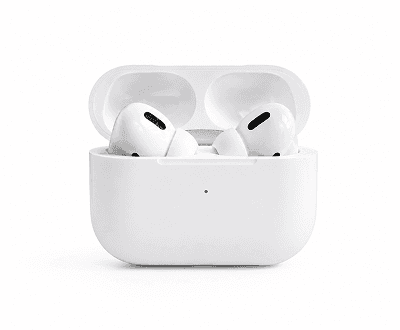
White Background Removal
Remove cluttered backgrounds and place products on pure white. Perfect for Amazon, Shopify, eBay, and professional catalog images that sell.
Explore ecommerce photo solutions →
Brand Colour Background
Pick any brand colour from your palette and our background eraser creates perfectly matched solid backgrounds for consistent marketing visuals and catalogs.
Explore brand colour options →
Gradient Background
Remove backgrounds and add soft or bold gradients for modern, polished portrait and product photography. Choose warm, cool, or custom colour combinations.
See gradient techniques →
Custom Scene Background
Describe any location—beach, office, studio, mountain—and our background remover generates a realistic scene with matched lighting, depth, and shadows.
See custom scene examples →Professional background removal workflows
From transparent PNG creation to custom scene background replacement, our AI background remover handles all transparent cutout and image editing needs in seconds.

01 / Transparent PNG
Upload any photo and our background eraser removes the entire background with precise edge detection—including fine details like hair and fabric. Download ready-to-use transparent PNG files.

02 / Solid Colour
After removing the background, fill it with white, black, brand colours, or any custom hex value. Our AI background remover blends edges naturally for a professional finish.

03 / Gradient
Remove the background and add soft or bold gradients to your images. Choose warm-to-cool, light-to-dark, or custom colour combinations for modern, polished results.

04 / AI Scene
Describe any location or environment—beach, office, studio, mountain—and our AI background remover generates a realistic scene with perfectly matched lighting and depth.
Background remover use cases
Whether you need professional product photography, portrait editing, or graphic design assets, our background remover streamlines your entire photo editing workflow.
Start removing backgrounds →Remove backgrounds instantly and apply white or brand-coloured backgrounds for Amazon, Shopify, eBay, and catalog listings. Scale up photo production.
See ecommerce solutions →Create professional LinkedIn, CV, and team directory headshots. Remove cluttered office backgrounds and replace with branded or studio backdrops.
Explore profile photo features →Extract subjects for flyers, ads, thumbnails, and social banners. Create unlimited variations without reshooting by swapping backgrounds in seconds.
See more marketing use cases →Cut out characters, assets, and objects to build YouTube thumbnails, Twitch graphics, digital assets, and high-quality creative projects with transparent backgrounds.
See design tools →How it works
Upload an image, describe the background removal or replacement you want, and download the transparent cutout.
Select a photo and upload it to the interface.
Instruct the AI to remove the background, make it transparent, or specify a replacement backdrop.
Save the isolated subject as a transparent PNG or high-quality image.
Learn background removal strategies
Master background removal, transparent PNG creation, and background replacement with guides, pricing details, and alternative tool comparisons.
Compare background eraser, object removal, image upscaling, portrait retouching, and ecommerce photo editing capabilities.
Flexible credit packs for any image volume. Transparent pricing shows exactly what each background removal operation costs.
Master transparent PNG creation, colour replacement, edge detection, and professional background removal workflows for every use case.
Pair background removal with upscaling for professional results. Learn when to upscale and how to prepare source images.
See how our all-in-one background remover compares with single-purpose tools, Photoshop plugins, and other background eraser solutions.
Explore real-world examples: ecommerce product photos, portrait editing, graphic design, content creation, and professional workflows.
FAQ
Everything you need to know about our AI background eraser, transparent PNG creation, and professional photo editing.
An AI background remover is a tool that automatically detects and removes image backgrounds using machine learning. Our background eraser works on portraits, products, graphics, and any photo—creating transparent PNGs or replacing backgrounds with colours, gradients, or custom scenes in seconds.
Upload an image to our background remover, describe what you want (remove background, create transparent PNG, replace with a colour or scene), and our AI processes the image in seconds. The AI detects precise edges, including fine details like hair and fabric, then applies your requested background changes.
Yes! Our background remover creates publication-ready transparent PNGs instantly. The AI detects edges with pixel-perfect precision, leaving you with clean, transparent cutouts perfect for overlays, graphics, website design, and any transparent background needs.
Our background remover supports JPG, PNG, WEBP, and GIF uploads up to 8MB. Download results as PNG (transparent), JPG, or WEBP depending on your needs.
Yes, new accounts get 15 free credits to try the background remover. Each image uses 10 credits. No credit card required. When you need more, affordable credit packages are available on our pricing page.
Absolutely! Our background remover is perfect for ecommerce. Remove backgrounds from product photos and replace with white, brand colours, or custom backgrounds. Download Amazon, Shopify, and eBay-ready images instantly.
Our AI background remover detects pixel-perfect edges, including fine details like hair, fabric edges, and complex object boundaries. The edge detection is trained on thousands of images for professional results.
Yes! After removing the background, describe any location or environment—beach, office, studio, mountain—and our AI generates a custom scene background with realistic depth, lighting, and shadow matching.
You can edit as many images as you want. Each background removal uses 10 credits. Starting with 15 free credits, you can edit 1-2 images free. Buy more credits anytime to keep editing without limits.
Transparent PNG backgrounds created by our background remover can be used for website design, social media graphics, YouTube thumbnails, product photos, logos, overlays, collages, and any project requiring clean cutouts.
Start removing backgrounds with AI
Remove backgrounds, create transparent PNGs, and replace backdrops instantly. 15 free credits on signup. No credit card required.