
Automatic intelligent teeth detection and whitening
AI automatically identifies teeth in your portrait and applies professional-grade whitening effect with even tone distribution. No manual selection needed—pure automatic teeth brightening.
Whiten and brighten teeth in any portrait photo instantly with AI Teeth Whitening. Automatic professional teeth whitening from simple text prompts. Choose whitening intensity from subtle to bright white. Perfect for headshots, selfies, social profiles, and event photography. No editing skills required—upload, generate, download in seconds.
Professional Teeth Whitening Tool
AI Teeth Whitening is a free online portrait teeth whitening and brightening tool that automatically detects and whitens teeth in any portrait photo. Simply upload a portrait, choose optional whitening intensity using text prompts, and the AI delivers professional smile enhancement results in seconds. No editing skills or Photoshop knowledge required.
AI Teeth Whitening is a free web-based AI tooth whitening and smile brightening tool that automatically detects and whitens teeth in portrait photos. Support for custom whitening intensity via text prompts. Delivers professional-quality smile enhancement with natural-looking results. Works on headshots, selfies, event photos, and model photography.
AI automatically identifies teeth in your portrait and applies professional-grade whitening effect with even tone distribution. No manual selection needed—pure automatic teeth brightening.
Professional teeth brightening blends naturally with lighting, shadows, and skin tone. Results look like professional dental whitening—realistic and polished, never over-edited or artificial.
Choose whitening intensity from subtle brightening to bright white smile enhancement using simple text prompts. Control exactly how bright your teeth appear in the finished portrait.
Professional Teeth Whitening Tool
Upload any portrait or select a demo image to start professional teeth whitening. Choose whitening intensity with optional text prompts—from subtle brightening to bright white smile enhancement. The AI automatically detects teeth and applies realistic smile brightening. Need more credits for multiple teeth whitening photos? Visit thepricing and credit plans page to choose the perfect plan for your portrait whitening volume.
Professional Teeth Whitening Features
Automatic professional teeth whitening and smile brightening for any portrait. From subtle brightening to dramatic smile enhancement—AI detects teeth and applies realistic whitening effects that preserve natural appearance.
AI automatically identifies teeth in your portrait and applies professional-grade whitening effect with even tone distribution. No manual selection needed—pure automatic teeth brightening.
Read teeth whitening guidesProfessional teeth brightening blends naturally with lighting, shadows, and skin tone. Results look like professional dental whitening—realistic and polished, never over-edited or artificial.
See all smile enhancement featuresChoose whitening intensity from subtle brightening to bright white smile enhancement using simple text prompts. Control exactly how bright your teeth appear in the finished portrait.
Learn whitening intensity techniquesAI focuses exclusively on teeth whitening. Skin tone, facial features, lighting, expressions, and background remain completely preserved—only the smile is enhanced.
Explore portrait preservation featuresNot ready to upload? Select a demo portrait and see professional teeth whitening results instantly before processing your own photos.
View whitening use casesProfessional headshots, selfies, group photos, wedding portraits, event photos, and model photography—AI teeth whitening handles any clear portrait showing teeth.
See professional whitening examplesReal Professional Teeth Whitening Results
See professional teeth brightening and whitening results across different portrait types. From subtle natural brightening to dramatic smile enhancement—all automatic AI teeth whitening.
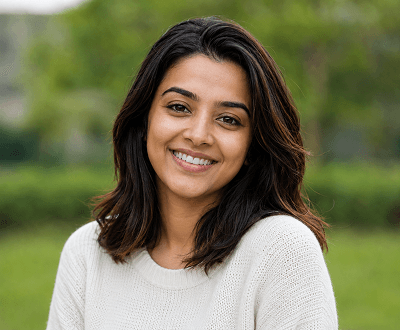
Subtle brightening
Light AI teeth whitening removes mild discolouration and adds subtle brightness. Results look naturally enhanced—perfect for professional profiles where authenticity matters.
Read teeth whitening guide
Professional whitening
Stronger AI teeth brightening removes deeper staining and delivers polished, confident smile. Perfect dental whitening appearance from one portrait upload.
See professional teeth whitening examples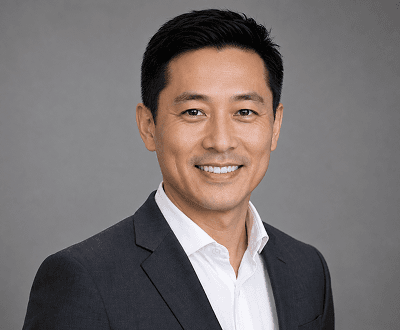
LinkedIn & headshots
Professional teeth brightening improves LinkedIn photos, resume headshots, business profiles, and company bios with naturally polished smiles.
View professional portrait use cases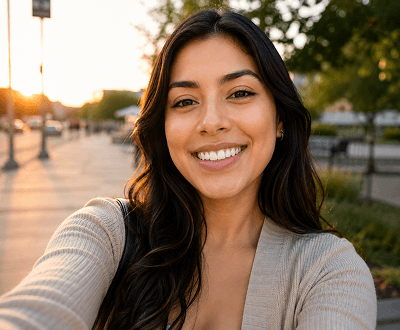
Social media selfies
Upload casual selfies and instantly get professionally whitened teeth without affecting face, skin, or background.
See social media whitening examples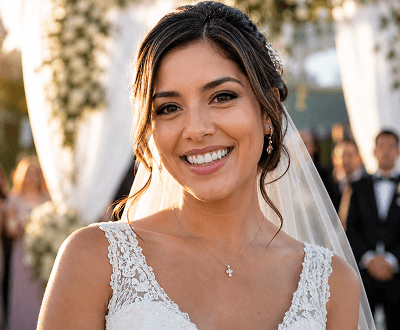
Event & weddings
AI teeth whitening enhances group photos, wedding portraits, and event pictures quickly. No manual retouching needed—automatic smile brightening.
View event photography examples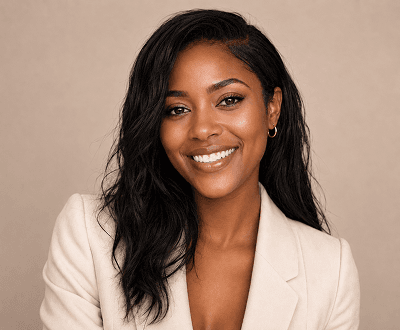
Commercial & fashion
Batch teeth brightening for model portfolios, fashion lookbooks, and brand campaigns. Consistent professional smile enhancement across multiple photos.
See commercial photography examplesProfessional Teeth Whitening Workflows
From social profiles to professional shoots—AI teeth whitening offers flexible workflows for any portrait type, whether personal or professional teeth brightening needs.
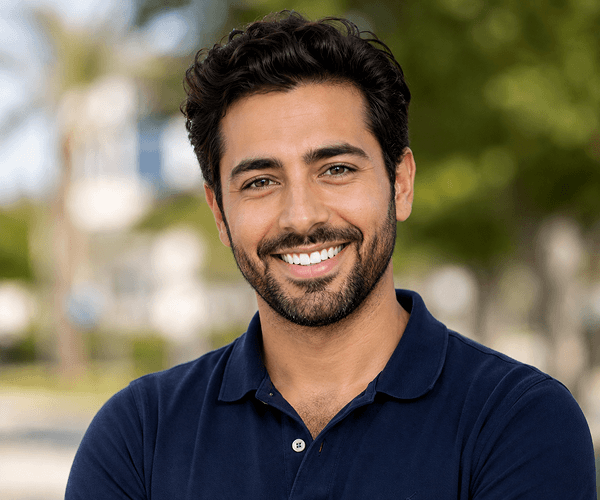
01 / Profile Photos
Upload a profile photo and AI professionally whitens the teeth naturally, keeping skin tone, lighting, and background exactly as they were. Fast, clean smile improvement for LinkedIn, social, and bio photos without any editing skills required.

02 / Professional Headshots
Add professional teeth whitening to headshots for resumes, business listings, team pages, and corporate photography. AI removes discolouration and brightens evenly whilst keeping the portrait looking professional and natural.
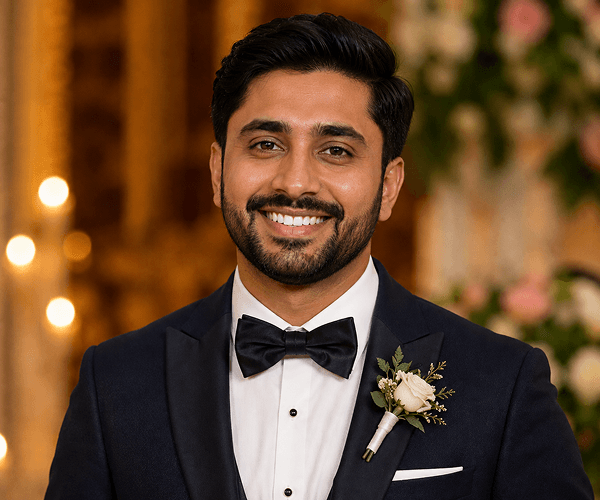
03 / Event & Wedding Photos
Quickly enhance teeth in wedding photos, event portraits, group images, and celebration pictures. Upload the photo, generate, and download naturally whitened smiles without any manual retouching required.
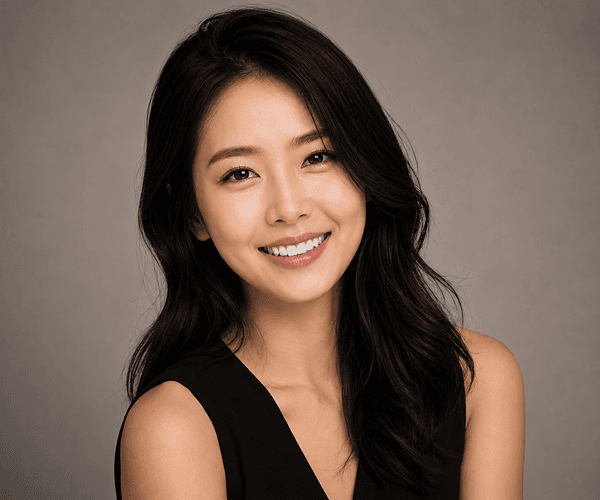
04 / Fashion & Model Photography
Whiten teeth across model portfolios, campaign portraits, fashion lookbooks, and brand photography with consistent professional finishing. Upload and generate—no expensive manual Photoshop retouching needed.
Real-World Teeth Whitening Applications
Professionals, photographers, creators, and individuals use AI Teeth Whitening to enhance portraits quickly and affordably without costly dental visits or professional retouching.
Start Whitening Teeth NowProfessional teeth brightening for LinkedIn photos, social profiles, dating apps, and bio images. Get a naturally polished smile instantly.
Read social media whitening guideApply consistent teeth whitening retouching across portrait batches without expensive manual Photoshop editing for every client.
See all portrait featuresEnhance smiles in wedding portraits, event photos, group pictures, and celebration images quickly with professional teeth whitening.
View event photography use casesPolish selfies, reels thumbnails, TikTok videos, YouTube thumbnails, and content photos with naturally bright teeth before publishing or going live.
Browse creator whitening guidesSimple 3-Step Workflow
From upload to download—professional teeth whitening in minutes. Upload any portrait, choose whitening intensity, and get professional smile enhancement results instantly.
Choose your own portrait photo to upload, or select a demo image to instantly preview professional teeth whitening results.
Optionally describe your desired whitening intensity—subtle brightening, moderate whitening, or bright white. Or leave blank to let AI whiten naturally.
Review the professionally whitened teeth result and download the enhanced portrait ready to share, publish, or use.
Related Teeth Whitening Resources & Guides
Expert guides and tools to help you get professional teeth whitening results from portrait photos.
In-depth guides on teeth brightening techniques, whitening intensity levels, and portrait retouching with AI Teeth Whitening.
Explore all portrait editing features—teeth whitening, background removal, upscaling, skin retouching, and smile enhancement.
See how photographers, professionals, and influencers use AI Teeth Whitening in their portrait workflow.
Complement teeth whitening with AI face enhancement for polished, professional headshots and portrait results.
Choose the perfect credit plan for your portrait teeth whitening volume. Flexible options for all users.
Learn how to upscale low-resolution portraits before or after teeth whitening for sharper, more professional results.
Frequently Asked Questions
Comprehensive answers to common questions about professional teeth whitening, teeth brightening, and smile enhancement with AI.
AI Teeth Whitening is a free online portrait teeth whitening and brightening tool that automatically detects and whitens teeth in any portrait photo. Simply upload a portrait, choose optional whitening intensity using text prompts, and the AI delivers professional smile enhancement results in seconds. No editing skills or Photoshop knowledge required.
Yes, AI Teeth Whitening is free to start. New accounts receive 15 free signup credits at no cost—no credit card required. Each teeth whitening generation uses a small number of credits. When you need more portrait edits, you can purchase affordable additional credit packs.
No, prompts are completely optional. You can upload a portrait and generate immediately—the AI will whiten teeth naturally by default. If you want specific whitening intensity (subtle brightening, moderate white, or bright white smile), you can add a short text prompt to guide the result.
Each teeth whitening generation uses a small number of credits from your account. Start with 15 free credits included with signup. After that, affordable credit packs are available. The more credits you purchase at once, the lower the per-generation cost.
No. AI Teeth Whitening focuses exclusively on the teeth. Skin tone, facial features, lighting, expressions, and background remain completely preserved and unchanged. Only the teeth whitening is applied.
Any clear portrait showing the teeth works well—headshots, selfies, event photos, professional portraits, LinkedIn photos, wedding pictures, and model photography all produce excellent teeth whitening results. Better lighting and image quality produce sharper whitening results.
Yes. Add an optional text prompt to specify whitening intensity—for example, 'subtle brightening,' 'moderate whitening,' or 'bright white smile.' The AI will adjust the teeth whitening effect accordingly to match your preference.
AI Teeth Whitening supports JPG, PNG, WEBP, and animated GIF file formats. Maximum file size is 8MB, which supports high-quality portrait photos and professional headshots.
Yes. Portrait photos you whiten with AI Teeth Whitening can be used for commercial purposes, including professional headshots, LinkedIn profiles, business listings, event photography, model portfolios, and client deliverables—with appropriate model releases where required.
Yes. All prompts are screened by our content moderation system before generation. Prompts that violate our Acceptable Use Policy are automatically blocked.
You can generate as many teeth whitening photos as your credit balance allows. Start with 15 free credits. Each whitening generation uses a small number of credits. Purchase additional packs to whiten more portraits.
Absolutely. Professional photographers, studios, and retouchers use AI Teeth Whitening to efficiently whiten teeth across portrait batches. It's perfect for wedding photography, event coverage, headshot sessions, and model photography retouching.
Ready to Get a Whiter, Brighter Smile?
Get 15 free credits—no credit card or signup required. Whiten unlimited portrait photos, control whitening intensity with text prompts, and download professionally brightened smiles ready to share.