
Upload or paste image URLs
Bring images two ways—directly upload from your device or paste an image URL to start generating without downloading. Works with all common formats including JPG, PNG, WEBP, and GIF.
Upload any image or paste a URL, select your language and word count, and let AI instantly generate a detailed, ready-to-use text prompt. Perfect for reverse-engineering AI art, writing descriptions, and building datasets.
Image to Prompt Tool
Image to Prompt is an AI-powered web tool that analyses uploaded images or image URLs and generates detailed, structured text prompts. It uses advanced computer vision to understand composition, lighting, style, colours, mood, and context, then writes comprehensive descriptions optimised for AI image generators, content workflows, and dataset annotation.
Image to Prompt is a web-based AI tool that converts images and photos into detailed, structured text prompts. Supports multiple languages, customisable word count, and instant export for creative workflows, AI training, and content creation.
Bring images two ways—directly upload from your device or paste an image URL to start generating without downloading. Works with all common formats including JPG, PNG, WEBP, and GIF.
Get prompts in English, Spanish, French, German, Arabic, Portuguese, Chinese, Japanese, and more. Perfect for global teams, multilingual workflows, and international AI image generation.
Set your target word count and the AI generates a prompt that fits precisely. Short prompts for quick references, detailed ones for complex creative workflows—you decide the length.
Image to Prompt Tool
Use Image to Prompt to convert any photo into a structured text description. Upload a file, enter a URL, pick your language and word count, and get a ready-to-use prompt for AI generators, content workflows, and dataset annotation. Learn more about pricing and credit options for higher volume.
Image to Prompt Features
Convert any image into a detailed text prompt with precise control over language, length, tone, and detail level.
Bring images two ways—directly upload from your device or paste an image URL to start generating without downloading. Works with all common formats including JPG, PNG, WEBP, and GIF.
Explore all AI image toolsGet prompts in English, Spanish, French, German, Arabic, Portuguese, Chinese, Japanese, and more. Perfect for global teams, multilingual workflows, and international AI image generation.
See all AI editing featuresSet your target word count and the AI generates a prompt that fits precisely. Short prompts for quick references, detailed ones for complex creative workflows—you decide the length.
Learn about image quality optimisationAI analyses composition, lighting, colours, textures, mood, and style to write detailed prompts that capture what makes your image unique. Perfect for reverse-engineering AI art or understanding visual styles.
Discover more AI capabilitiesInstantly copy your generated prompt to use with Midjourney, DALL-E, Stable Diffusion, or any AI image generator. Also works for documentation, image descriptions, dataset annotation, and content creation.
See AI image generation use casesGenerate prompts from portraits, landscapes, product photography, illustrations, interior design, fashion, architecture, and more. AI adapts to different visual content automatically.
Explore image preparation workflowsImage to Prompt Examples
From professional portraits to product shots to landscapes, Image to Prompt captures visual detail and converts it into ready-to-use prompts. Each example shows how AI visual analysis works.
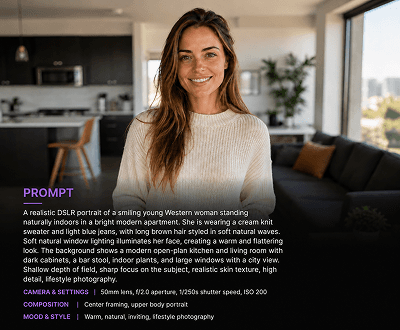
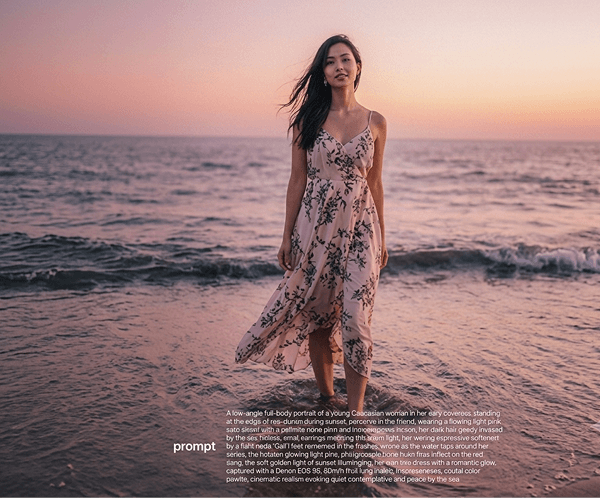
Portrait
Upload a portrait and Image to Prompt analyses facial features, expression, lighting, background, and styling to generate a complete visual description. Perfect for recreating looks or understanding portraiture techniques.
See more AI analysis tools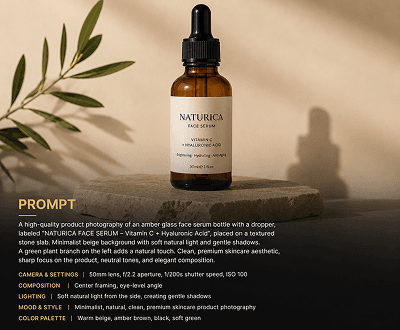
Product
Paste a product photo URL and Image to Prompt breaks down materials, colours, dimensions, styling, and context. Great for ecommerce teams, retailers, and product photography workflows.
Discover product imaging use cases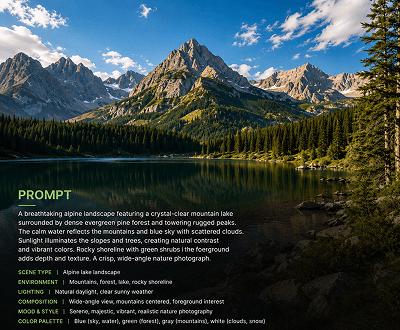
Landscape
Upload a landscape or outdoor photo and Image to Prompt writes structured prompts covering environment, weather, lighting, composition, mood, and visual style. Ideal for creative reference and visual understanding.
Browse AI image guides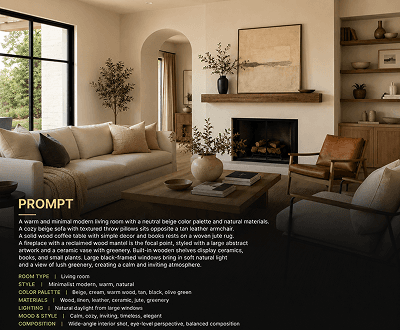
Interior
Upload interior design or room photos and get structured prompts describing furniture, layout, lighting, style, colour palette, and architectural details. Perfect for design reference and brief generation.
Explore design workflow tools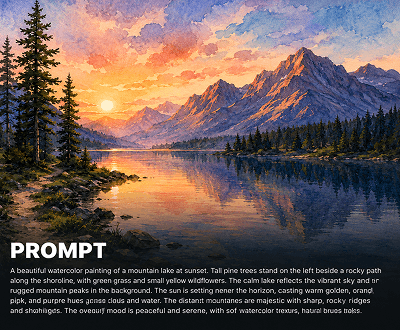
Art
Upload digital art, paintings, or illustrations and Image to Prompt breaks down technique, style, medium, colour theory, composition, and mood. Excellent for understanding artistic styles and reverse-engineering visual approaches.
See creative workflow use cases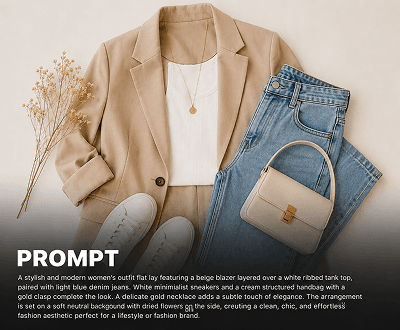
Fashion
Upload fashion photos and Image to Prompt describes outfit, fabrics, styling details, colours, mood, and shoot setting. Perfect for fashion briefs, trend analysis, and recreating looks with AI.
Explore fashion and style guidesImage to Prompt Workflow
AI visual analysis that adapts to your process. Whether you need quick descriptions, dataset annotation, or reverse-engineered prompts, Image to Prompt integrates seamlessly.
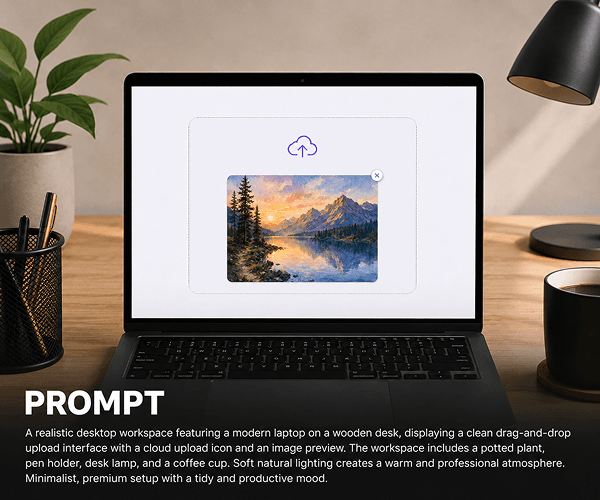
STEP 1 / IMAGE INPUT
Choose your input method. Upload directly from your device for privacy and speed, or paste image URLs for remote images. No downloads needed, just instant analysis.
STEP 2 / CUSTOMISE OPTIONS
Customise your output before generating. Pick from multiple languages for global workflows. Set exact word count to control prompt length from concise to detailed.
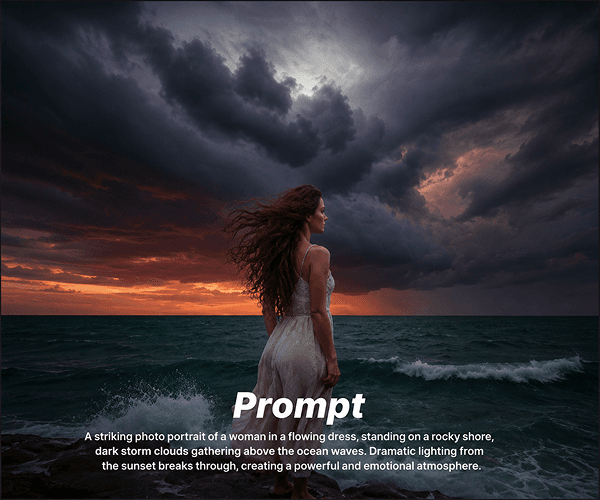
STEP 3 / GENERATE & COPY
Click generate and the AI analyses your image within seconds. Copy the prompt with one click and use it anywhere—AI generators, documentation, workflows, datasets, everything.
Image to Prompt Use Cases
Used by creative professionals, AI developers, content teams, and anyone who needs accurate image understanding and structured descriptions.
Start converting imagesAnalyse existing AI-generated images to understand what prompt could have created them. Perfect for studying style, composition, and technique from other artists' work.
Explore visual style analysisGenerate alt text, accessibility descriptions, and captions in multiple languages for global websites, documents, and content. Essential for international SEO and accessibility.
See content strategy toolsCreate structured text descriptions for image datasets used in AI model training, computer vision projects, and machine learning pipelines. Streamline annotation workflows.
Explore AI training workflowsQuickly describe reference images for briefs, generate social media captions, create product descriptions, or document visual inspiration for design and marketing teams.
See content creation toolsGenerate detailed product descriptions, SEO-friendly alt text, and catalog metadata from product photos. Speed up content production and improve search visibility.
Explore product imaging toolsDocument research findings, laboratory images, and visual evidence with structured AI-generated descriptions. Create searchable, accessible archives of visual content.
Browse research workflow guidesHow it works
Three simple steps from image to ready-to-use prompt. Fast, accurate, and designed for teams.
Add your image by uploading directly from your device for quick processing, or paste an image URL to analyse remote images. Both methods are instant and secure.
Choose your output language from our supported list and enter how many words your prompt description should be. This controls both accuracy and length.
Click generate and the AI will analyse your image using advanced visual understanding. Copy the result instantly and use it anywhere—with AI generators, in documentation, for datasets, or in content workflows.
Learn more about Image to Prompt
Get started quickly and understand how to integrate Image to Prompt into your workflow.
Explore all editing tools including background removal, object editing, upscaling, enhancement, and the complete Image to Prompt workflow.
See credit pack options, generation costs, free credits on signup, and choose the right plan for your volume needs.
Learn how upscaling improves source image quality before analysis, ensuring more accurate and detailed prompt generation.
Clean up image backgrounds first for cleaner analysis. Perfect for products, portraits, and subjects where focus matters.
Browse complete tutorials, best practices, and workflows for image analysis, AI generation, and content creation.
See how creative professionals, agencies, and teams use AI prompts for workflows, training, and content production.
Frequently Asked Questions
Everything you need to know about using Image to Prompt for your workflow.
Image to Prompt is an AI-powered web tool that analyses uploaded images or image URLs and generates detailed, structured text prompts. It uses advanced computer vision to understand composition, lighting, style, colours, mood, and context, then writes comprehensive descriptions optimised for AI image generators, content workflows, and dataset annotation.
Upload an image or paste an image URL, select your output language and target word count, then click generate. The AI analyses your image using visual understanding technology, extracting details about subject, style, lighting, mood, composition, and context. The AI then writes a detailed, structured prompt that matches your word count. Copy and use the prompt anywhere.
Yes. You can either upload an image directly from your device or paste a direct image URL. Both methods work instantly. URL input is perfect for remote images, stock photos, or when you don't want to download files first.
The tool supports multiple languages including English, Spanish, French, German, Arabic, Portuguese, Chinese, Japanese, and more. Select your preferred language before generating and the AI will write your full prompt description in that language.
Yes. Enter your target word count before generating and the AI will write a prompt that matches your specified length. This works for short prompts (50 words) or longer, detailed descriptions (500+ words).
Image to Prompt supports JPG, PNG, WEBP, and GIF uploads up to 8MB. Works with any image type including portraits, landscapes, products, illustrations, interior design, fashion, architecture, and more.
Use the generated prompts with any AI image generator like Midjourney, DALL-E, or Stable Diffusion. Also perfect for writing image descriptions, creating alt text, building datasets, annotating images for training, creating product descriptions, briefing designers, and speeding up content workflows.
Yes, you get 15 free credits on signup. Each prompt generation uses one credit. You can upgrade to credit packs to continue generating prompts. See our pricing page for credit pack options and costs.
Image to Prompt uses advanced AI visual understanding to analyse composition, lighting, style, colours, mood, and context. The prompts are detailed, structured, and accurate enough for use with AI image generators and professional workflows. Quality improves with higher resolution images and clearer subjects.
Absolutely. Upload an existing AI-generated image and Image to Prompt will analyse it to understand what prompt could have created it. Perfect for learning style, studying composition, and understanding other artists' techniques.
Image to Prompt is currently available as a web tool. For bulk processing or API access needs, contact our sales team at support@aimageditor.com to discuss enterprise options.
Your uploaded images and generated prompts are processed securely. See our privacy policy for complete details on data handling, retention, and security practices.
Ready to convert images?
Upload a photo, paste a URL, choose your language and word count, and get your ready-to-use prompt in seconds. 15 free credits included with signup.