
Fix blinks in group photos instantly
Rescue group shots when one person blinks. This closed eyes fixer corrects the affected eyes precisely whilst leaving everyone else untouched, so you never lose a perfect moment.
No more ruined photos from blinked eyes. Open Eyes AI uses intelligent AI to naturally open closed, blinked, or half-open eyes in portraits, group photos, and headshots—whilst preserving skin, lighting, and background. Get professional results in seconds without retaking the shot.
How Open Eyes AI Works
Open Eyes AI is an intelligent web-based AI eye correction tool that automatically detects and naturally opens closed, blinked, or partially open eyes in portrait photos. It preserves all other facial features, skin tone, lighting, and background whilst focusing exclusively on eye correction.
Open Eyes AI is an advanced web-based AI tool for realistic eye-opening corrections on portrait photos, group shots, and professional headshots.
Rescue group shots when one person blinks. This closed eyes fixer corrects the affected eyes precisely whilst leaving everyone else untouched, so you never lose a perfect moment.
Correct drooping, tired, or partially open eyes that make portraits look unflattering. The AI eye retouching intelligently opens them to match natural proportions and expression.
Advanced AI eye correction technology preserves natural iris colour, pupil dilation, and eye shape. Results match your unique eye characteristics perfectly.
How Open Eyes AI Works
Simply upload any portrait with closed or blinked eyes to this advanced AI eye correction tool. Our intelligent algorithm automatically detects the eye area and generates a naturally open-eyed version whilst preserving all facial features, skin tone, and background details. Add an optional prompt to guide the eye appearance—or let the AI choose the perfect natural look. Need more generations? Check ourflexible pricing and credit plans to top up your account.
Core Capabilities
From fixing a single blink in critical moments to correcting tired or partially closed eyes, Open Eyes AI delivers precise, natural-looking corrections that enhance your best portraits.
Rescue group shots when one person blinks. This closed eyes fixer corrects the affected eyes precisely whilst leaving everyone else untouched, so you never lose a perfect moment.
See more eye correction use casesCorrect drooping, tired, or partially open eyes that make portraits look unflattering. The AI eye retouching intelligently opens them to match natural proportions and expression.
Explore all editing featuresAdvanced AI eye correction technology preserves natural iris colour, pupil dilation, and eye shape. Results match your unique eye characteristics perfectly.
Discover face enhancement toolsThis portrait editor focuses exclusively on eye correction. Skin texture, facial features, lighting, background, and overall composition remain pristine and original.
Learn about quality enhancementWant a specific eye appearance? Add a text prompt to guide the AI eye correction tool towards your desired look—wide, natural, expressive, or any style you prefer.
Explore prompt-based editingWhether editing professional headshots, casual photos, wedding shots, or outdoor portraits, this blink correction AI delivers studio-quality eye corrections consistently.
Try professional photo enhancementBefore & After Results
See how Open Eyes AI transforms portraits with closed, blinked, or tired-looking eyes into naturally alert photos—fixing only the eyes whilst preserving every other detail.
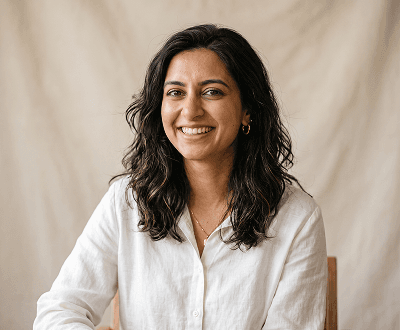
Blink Correction
One unfortunate blink doesn't have to ruin a perfect moment. Upload the portrait and this AI eye correction tool opens the closed eye naturally whilst preserving expression, skin tone, and background completely.
See all eye correction features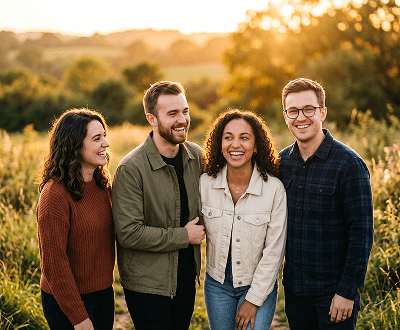
Group Photos
The perfect group shot ruined by one blink? Fix it instantly. This closed eyes AI tool corrects only the affected person without retouching anyone else or changing the background.
Explore more eye correction use cases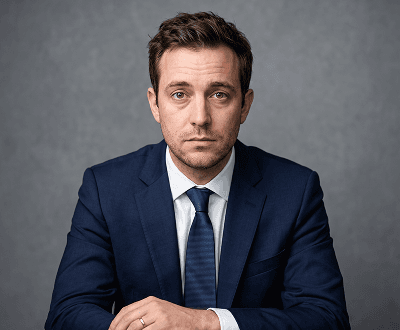
Tired Eyes
Correct droopy, half-open, or tired-looking eyes that make a portrait appear unflattering. This blink correction AI opens them to the perfect degree whilst maintaining natural proportions.
Read AI portrait enhancement guides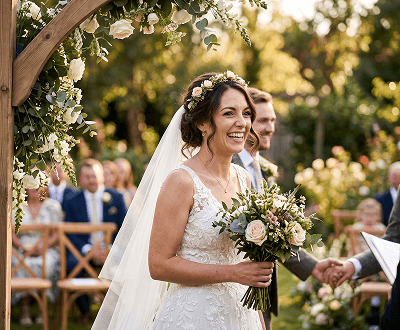
Wedding Photos
Don't let a single blink ruin once-in-a-lifetime moments. Open Eyes AI restores naturally open eyes in wedding, engagement, graduation, and event portraits instantly.
Use eye correction for special events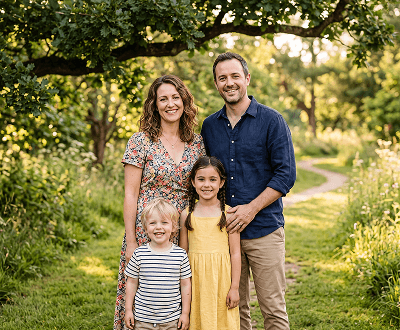
Family Photos
Children and subjects move constantly during shoots. Fix closed, mid-blink, or half-open eyes in family photos so every shot becomes the keeper you wanted.
See family photo editing solutions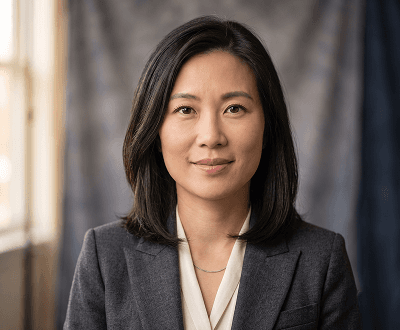
Professional Headshots
A blink in a professional headshot usually means reshooting. Save time and money with this AI eye correction tool—fix closed eyes whilst keeping lighting, background, and expression perfect.
Try professional headshot enhancementUse Cases
Whether it's a professional headshot, family gathering, or special event, Open Eyes AI delivers instant, natural eye corrections for any portrait type.
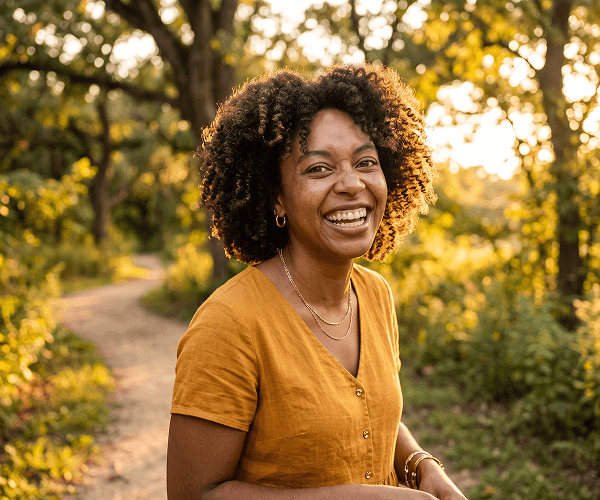
01 / Single Portraits
Upload a portrait where the subject has blinked or closed their eyes. Open Eyes AI automatically detects the eye area and generates a naturally open-eyed version whilst preserving all facial features, skin tone, and background.
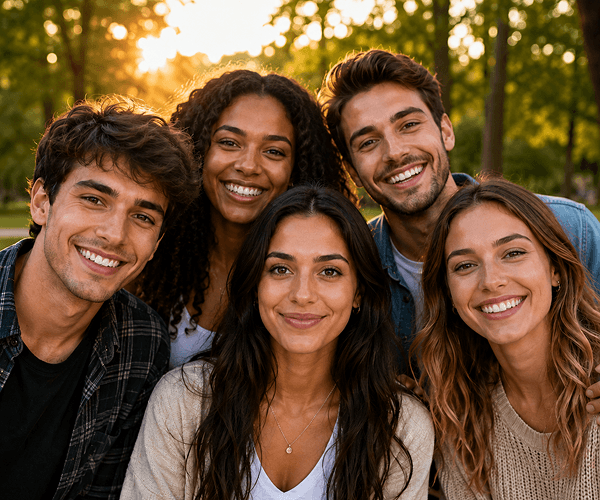
02 / Group Photos
Perfect group photo ruined by one person's blink? Fix it instantly. This closed eyes correction tool targets the affected person's eyes precisely without retouching anyone else or altering the background.
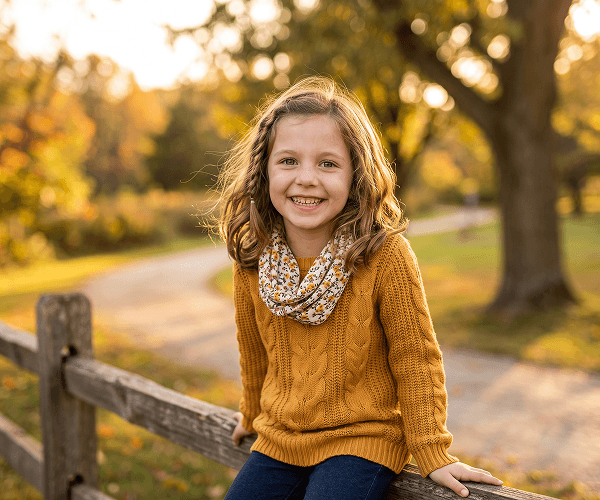
03 / Professional Headshots
A half-blink or tired-looking eye ruins professional headshots. This AI eye correction tool delivers studio-quality open-eye corrections suitable for LinkedIn profiles, CVs, and business photos.
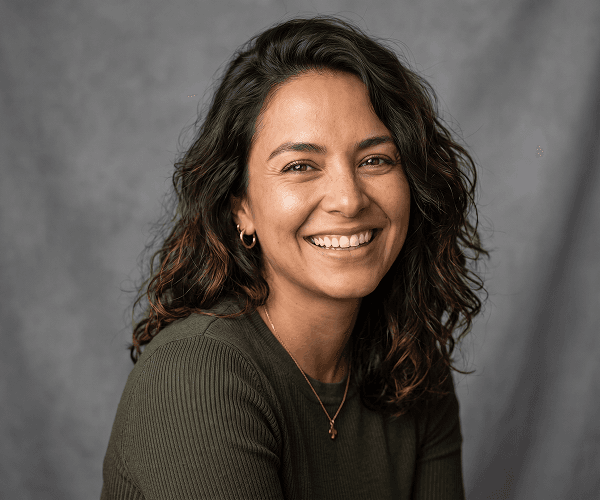
04 / Creative Direction
Want specific eye characteristics? Add an optional text prompt to guide this eye correction AI towards your desired look—whether wide, natural, expressive, or any other style preference.
Applications
Open Eyes AI is ideal for photographers, families, and professionals who need to fix blinked eyes, tired looks, or half-closed eyes without reshooting.
Start fixing closed eyesFix blinked eyes in family portraits, weddings, graduations, and events you can't reshoot. Save precious moments.
See all eye correction use casesCorrect blinks and tired eyes in LinkedIn profiles, business headshots, CV photos, and professional portraits instantly.
Explore professional photo enhancementWhen one person blinks in an otherwise perfect group shot, use this blink correction AI to fix just their eyes without retaking the photo.
Browse eye correction applicationsEnsure your profile photo always shows alert, naturally open eyes for social media, dating apps, and online portfolios.
Explore AI image enhancement toolsGetting Started
Three simple steps to naturally correct closed, blinked, or tired eyes in any portrait.
Select a portrait where the subject's eyes are closed, blinked, or partially open. Upload JPG, PNG, WEBP, or GIF files up to 8MB to the eye correction tool.
Describe the eye appearance you want, such as 'wide open,' 'natural,' or 'expressive.' Skip this step and the AI will generate naturally open eyes automatically based on the portrait.
Review the AI eye correction result and download when satisfied. Your corrected portrait with naturally open eyes is ready to share immediately.
Learn More
Discover guides, features, and tools to enhance your portrait editing workflow and master AI-powered corrections.
Explore eye correction, background removal, upscaling, face enhancement, and other portrait editing tools in one platform.
See credit packages, generation costs, and subscription options for continuous editing at any volume.
Learn professional retouching techniques to improve skin, features, and overall portrait quality alongside eye corrections.
Master portrait optimisation for LinkedIn, business profiles, and professional networking photos.
Browse comprehensive tutorials covering portrait corrections, background edits, and prompt-based AI image creation.
FAQ
Everything you need to know about fixing closed eyes with AI, including capabilities, pricing, and best practices.
Open Eyes AI is an intelligent web-based AI eye correction tool that automatically detects and naturally opens closed, blinked, or partially open eyes in portrait photos. It preserves all other facial features, skin tone, lighting, and background whilst focusing exclusively on eye correction.
Open Eyes AI uses advanced machine learning to analyse portrait photos, identify closed or blinked eyes, and generate realistic open-eye corrections. The AI matches natural eye colour, pupil size, and shape based on the existing portrait, ensuring corrections look authentic and unedited.
No, prompts are completely optional. The AI automatically generates naturally open eyes based on the portrait features. You can add a text prompt if you want to guide the eye style—such as 'wide open,' 'natural,' or 'expressive'—but it's not required.
No. Open Eyes AI focuses exclusively on eye correction. Facial features, skin texture, complexion, lighting, shadows, and background remain completely unchanged from the original photo. Only the eye area is modified.
Yes. Open Eyes AI can correct closed or blinked eyes in group photos by targeting specific individuals. The tool modifies only the affected person's eyes whilst leaving everyone else and the background completely untouched, making it perfect for group shots where one person blinked.
Open Eyes AI supports JPG, PNG, WEBP, and GIF file formats. Images can be up to 8MB in size. These formats ensure compatibility with photos from any camera, smartphone, or image source.
Most portraits are corrected in seconds, typically 10-30 seconds depending on file size and server load. You'll see instant results and can download your corrected photo immediately.
Yes. All text prompts are screened automatically before generation using our content moderation system. Prompts that violate the Acceptable Use Policy are blocked to ensure safe, appropriate eye corrections.
Yes, you retain full rights to use corrected photos for personal, commercial, and business purposes. See our Terms of Service and licensing agreements for complete details on usage rights.
Open Eyes AI specialises in natural, realistic eye correction with a focus on blink fixes and tired eye corrections. Unlike general photo editors, this tool uses AI to intelligently match natural eye characteristics, ensuring corrections look authentic without visible editing artefacts.
New users receive 15 free credits on signup. Each image correction typically costs 1-2 credits depending on complexity. This allows most users to try 7-15 corrections free. Purchase additional credits on our pricing page as needed.
Yes. You can download multiple variations of the same portrait by submitting it again with different prompts or letting the AI generate new variations. Each variation costs credits, allowing you to find the perfect correction.
Ready to fix your photos?
No more ruined photos from blinks or tired eyes. Upload, correct, and download in seconds—with 15 free credits to get started today.