
AI Face Sharpening & Facial Detail Recovery
AI Face Enhancer automatically restores sharp facial focus, eye clarity, eye details, and overall facial definition whilst preserving natural skin texture and realistic appearance.
Transform any portrait with AI Face Enhancer—instantly sharpen facial details, smooth skin naturally, improve lighting, and remove blemishes. Professional-quality results in one click. Perfect for headshots, social media profiles, model photos, and creative projects. No editing skills needed.
AI Face Enhancer Online
AI Face Enhancer is a free online tool that automatically enhances portraits with AI. Simply upload a photo or select a demo image, hit generate, and AI automatically sharpens facial details, smooths skin, improves lighting, removes blemishes, and polishes the entire portrait for professional-quality results.
AI Face Enhancer is a web-based AI tool that automatically sharpens faces, smooths skin, and improves portrait lighting and colour from a single upload.
AI Face Enhancer automatically restores sharp facial focus, eye clarity, eye details, and overall facial definition whilst preserving natural skin texture and realistic appearance.
AI Face Enhancer automatically reduces uneven skin tones, blemishes, spots, redness, and noise whilst keeping portraits realistic, flattering, and natural-looking.
AI Face Enhancer automatically brightens faces, adjusts shadow detail, balances exposure, and creates richer, more vibrant tones for social, profile, and ecommerce portraits.
AI Face Enhancer Online
Upload any portrait or select a demo image, then hit generate and AI Face Enhancer automatically sharpens faces, smooths skin, improves lighting, removes blemishes, and enhances facial detail. Each enhancement uses credits, and new accounts receive 15 free credits on our affordable credit packs & pricing page.
Face Enhancement Features
No prompts or manual editing needed. AI Face Enhancer automatically enhances every aspect of your portrait with intelligent face sharpening, skin refinement, lighting correction, and detail restoration.
AI Face Enhancer automatically restores sharp facial focus, eye clarity, eye details, and overall facial definition whilst preserving natural skin texture and realistic appearance.
See AI face enhancer use casesAI Face Enhancer automatically reduces uneven skin tones, blemishes, spots, redness, and noise whilst keeping portraits realistic, flattering, and natural-looking.
Explore AI face enhancer featuresAI Face Enhancer automatically brightens faces, adjusts shadow detail, balances exposure, and creates richer, more vibrant tones for social, profile, and ecommerce portraits.
Read the AI background remover guideAI Face Enhancer automatically creates polished, professional headshots and corporate profiles with consistent lighting, sharp facial details, and studio-quality results.
Explore the AI image upscaler guideAI Face Enhancer automatically removes spots, redness, acne, scars, and skin imperfections whilst keeping the portrait looking natural and professional-ready for publication.
See AI face enhancer use casesAI Face Enhancer automatically sharpens eye clarity, enhances expression depth, increases eye brightness, and restores fine facial details for more impactful portraits.
Explore AI face enhancer featuresBefore and after portraits
See how AI Face Enhancer automatically sharpens facial features, smooths skin, restores detail, and improves portrait clarity from a single upload.
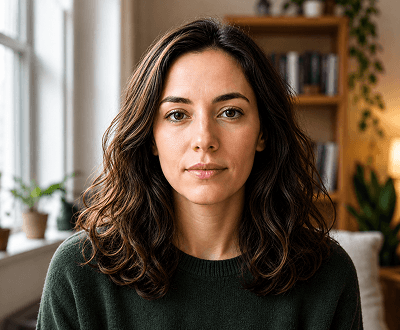
Facial detail restoration
Upload a blurry or low-quality portrait and AI Face Enhancer reconstructs eyes, lips, and skin texture — delivering a sharp, natural-looking result in seconds.
Explore AI face enhancer features
Skin smoothing
AI Face Enhancer gently reduces blemishes, wrinkles, and imperfections whilst keeping skin texture realistic — no plastic finish, no heavy filters.
Browse AI image editing guides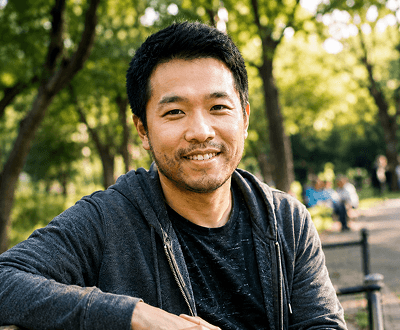
Portrait sharpening
Low-resolution or pixelated portraits are automatically upscaled and sharpened — AI Face Enhancer recovers facial clarity and edge definition without artefacts.
Read the AI image upscaler guide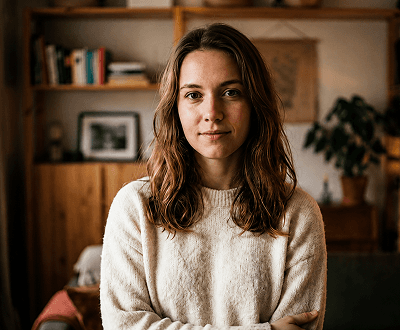
Lighting correction
Upload a poorly lit portrait and AI Face Enhancer balances exposure, brightens shadows, and delivers even, flattering light across the face.
View AI face enhancer features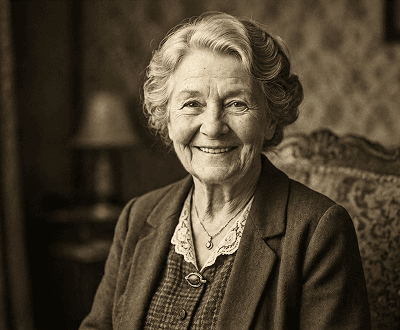
Old photo restoration
Faded, scanned, or damaged portrait photos are automatically repaired — AI Face Enhancer recovers facial structure and fine detail from degraded images.
See AI face enhancer use cases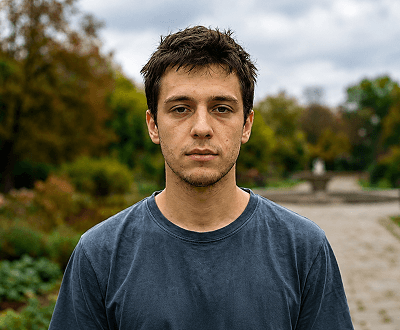
Colour and tone enhancement
AI Face Enhancer automatically corrects colour casts, refines skin tones, and enriches portrait colours — producing a polished, professional-quality result.
Explore AI face enhancer featuresAI Face Enhancement Workflows
AI Face Enhancer automatically improves facial details, sharpness, skin quality, lighting, and portrait clarity to create professional-looking results in seconds.

01 / Face Sharpening
AI Face Enhancer automatically detects blurry facial features and restores eyes, skin texture, hair strands, and fine details whilst maintaining a natural appearance.

02 / Skin Enhancement
AI Face Enhancer improves skin appearance by reducing blemishes, uneven tones, and imperfections whilst preserving realistic facial texture and detail.
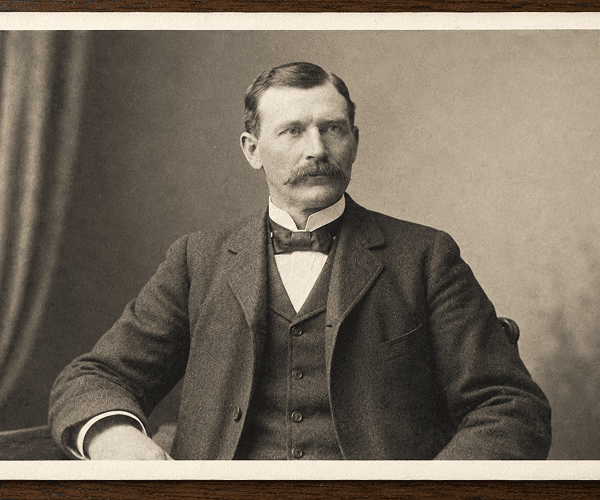
03 / Face Restoration
AI Face Enhancer restores faded, pixelated, and low-resolution portraits by rebuilding facial details and improving overall image quality.

04 / Portrait Retouching
Transform ordinary portraits into polished, professional-quality images with improved lighting, facial clarity, skin tone balance, and enhanced facial features.
Popular Use Cases
Perfect for professionals, content creators, photographers, HR teams, ecommerce businesses, and anyone needing automatic, professional-quality portrait enhancement.
Start Enhancing Portraits FreeInstantly enhance professional headshots with sharper facial details, better lighting, and polished appearance. Perfect for corporate profiles and LinkedIn photos.
Learn more about AI Image EditorEnhance profile pictures, content thumbnails, and social media portraits automatically. Get polished results for Instagram, TikTok, YouTube, and more.
Explore all image editing featuresUpload model portraits and AI Face Enhancer automatically improves lighting, skin tone, texture, and sharpness for lookbooks, catalogues, and advertising.
See more face enhancer use casesAutomatically enhance portrait product photos, team photos, and people-focused ecommerce images with professional lighting and facial clarity.
Browse AI editing guidesRestore faded, damaged, or low-quality old portraits automatically. AI Face Enhancer recovers lost detail and improves clarity for cherished family photographs.
Explore the AI image upscaler guideStep-by-Step Process
Get professional portrait enhancement in minutes with no editing skills required. From portrait photo to enhanced result in just 3 steps.
Upload any JPG, PNG, WEBP, or GIF portrait up to 8MB, or select a built-in demo image to see AI Face Enhancer in action instantly.
Click generate and AI Face Enhancer automatically analyses and enhances skin, sharpness, lighting, facial details, and overall portrait quality.
Preview your enhanced portrait and download the polished, professional-quality result. Generate multiple versions as needed.
Helpful Resources
Tips, guides, and resources to master AI portrait enhancement and use professionally-enhanced images in your creative and business workflows.
Compare AI face enhancement, background removal, portrait retouching, upscaling, and 30+ other AI editing tools in one platform.
Affordable credit options and pricing tiers for personal use, professional workflows, and high-volume portrait enhancement projects.
Learn how to combine enhanced portraits with clean backgrounds for professional social media and business photos.
Understand how upscaling improves portrait resolution before enhancement for better quality and sharper results.
Browse comprehensive tutorials for face retouching, portrait workflows, batch enhancement, and professional photography.
See real-world applications: headshots, social profiles, ecommerce photos, model portfolios, and old photo restoration.
FAQ
Comprehensive answers to common questions about portrait enhancement, face retouching, supported files, and professional workflows.
AI Face Enhancer is a free online tool that automatically enhances portraits with AI. Simply upload a photo or select a demo image, hit generate, and AI automatically sharpens facial details, smooths skin, improves lighting, removes blemishes, and polishes the entire portrait for professional-quality results.
AI Face Enhancer uses advanced AI algorithms to analyse your portrait and automatically detect areas needing enhancement. It sharpens facial features, corrects skin tone, balances lighting, removes imperfections, and improves overall clarity whilst preserving a natural appearance.
No. AI Face Enhancer works completely automatically. Simply upload your portrait or select a demo image, hit generate, and the AI handles all enhancement decisions on its own—no prompts or manual input required.
Yes. AI Face Enhancer can automatically sharpen facial details, improve clarity, restore lost definition, and enhance overall quality of low-resolution, blurry, or pixelated portrait images.
AI Face Enhancer automatically sharpens facial details, smooths and refines skin, removes blemishes and imperfections, improves lighting and exposure, corrects colour and skin tone, and enhances eye clarity and facial features.
AI Face Enhancer supports JPG, PNG, WEBP, and GIF uploads up to 8MB. Works with any portrait photo including headshots, social media pictures, and model images.
Perfect for professional use. AI Face Enhancer delivers studio-quality enhancement for corporate headshots, LinkedIn profiles, model portfolios, and professional business photography.
Yes. Ecommerce teams use AI Face Enhancer to automatically enhance product portraits, people photos, and catalogue images with professional lighting and facial clarity.
Each portrait enhancement uses 10 credits. New accounts receive 15 free signup credits allowing you to enhance at least one portrait. Additional affordable credit packs available for more enhancements.
Yes, completely free to start. New accounts receive 15 signup credits allowing you to try portrait enhancement at no cost. No credit card required. Additional credits available at low cost.
Ready to Enhance Your Portraits?
Get started with 15 free credits. No credit card required. Enhance any portrait with sharper facial details, smoother skin, better lighting, and professional-quality results. Join 50,000+ professionals and creators using AI portrait enhancement for headshots, social media, ecommerce, and creative projects.