Why Finding the Best AI for Portrait Editing Matters More Than Ever in 2026
If you have ever spent an hour manually dodging and burning a headshot only to end up with blotchy skin and a halo around the hair, you already know why the best AI for portrait editing has become the most searched creative tool category of 2026. Portrait retouching used to demand Photoshop mastery, a steady hand, and expensive subscriptions. Today, a single text prompt can smooth skin, reshape lighting, swap backgrounds, and upscale resolution — all in under ten seconds.
The short answer: the best AI for portrait editing in 2026 is a browser-based, prompt-driven platform that combines dedicated retouching models with generative fill, background replacement, and one-click upscaling. AI Image Editor delivers exactly that with 200+ text-prompt tools, no downloads, and a free tier that covers most everyday and professional use cases. Below, we break down what makes a portrait AI tool genuinely great, compare the leading options, and walk through a real editing workflow so you can decide which tool earns a permanent spot in your creative stack.
What Makes the Best AI for Portrait Editing — A 2026 Buyer's Checklist
Not every AI that claims to edit portraits actually understands faces. The tools that earn the title of best AI for portrait editing share a specific set of capabilities. Here is what to look for:
Forget Photoshop, Try This Free & Unlimited AI Photo Editing Software - AI Ease
by AI Tools Spot
- Faithful skin texture preservation. The AI should smooth blemishes and even tone without turning skin into plastic.
- Accurate facial landmark detection. Eyes, lips, nose, and jawline must stay anatomically correct after any adjustment.
- Lighting-aware retouching. Shadows and highlights should be relighted consistently, not painted over.
- Hair and edge precision. Flyaway strands and complex edges must survive background swaps cleanly.
- Batch processing. Ecommerce sellers and photographers need to edit dozens of portraits at once.
- No download required. Browser-based tools save time and work on any device.
- Transparent pricing. Free tiers should be genuinely usable, not a five-credit trap.
Keep this checklist beside you as we compare tools. If a platform fails more than two of these points, it is not the best AI for portrait editing — it is just a marketing headline.
Top AI Portrait Editing Tools Compared in 2026
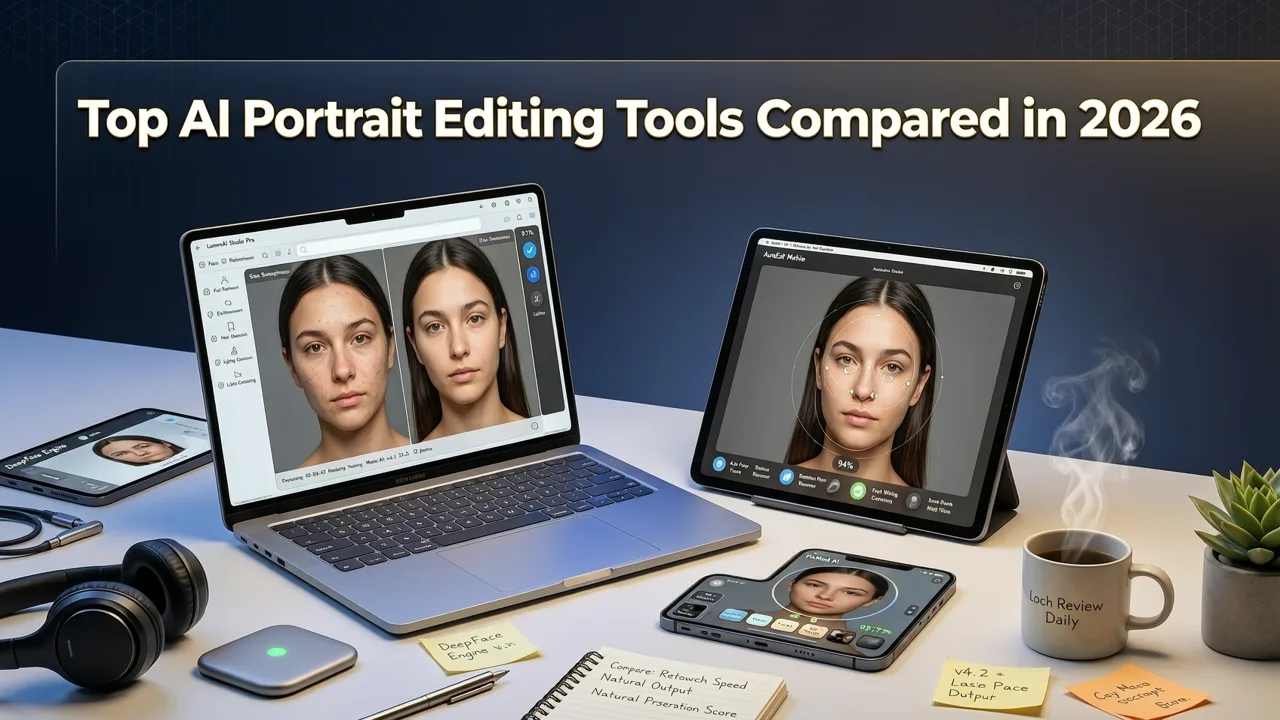
The portrait AI market has matured considerably since 2024. Below is a side-by-side comparison of the most relevant platforms available to everyday users, creators, and ecommerce sellers this year.
| Tool | Best For | Key Portrait Features | Free Tier | Learning Curve |
|---|---|---|---|---|
| AI Image Editor | All-in-one creators & ecommerce | 200+ prompt tools, skin retouch, background swap, upscaling, generative fill | Generous free tier | Very low — prompt-based |
| Adobe Photoshop (Generative Fill) | Professional retouchers | Industry-standard precision, layer-based editing | Paid subscription only | High |
| Lensa AI | Mobile selfie enhancement | One-tap beauty modes, avatar generation | Limited free; subscription for full features | Very low |
| Facetune | Casual selfie editing | Manual sliders for skin, teeth, eyes | Limited free; in-app purchases | Low |
| Remini | Photo restoration & upscaling | AI sharpening, old photo repair | Ad-supported free tier | Very low |
| PortraitPro | Studio photographers | 3D face modeling, lighting relight | Paid license | Moderate |
As the table shows, most dedicated portrait apps excel at one thing — selfies, restoration, or manual sliders — but fall short when you need a full editing pipeline. AI Image Editor stands out because it consolidates every portrait task into a single prompt-driven workflow.
How AI Image Editor Works as the Best AI for Portrait Editing
AI Image Editor is not a single algorithm. It is a suite of specialized models orchestrated through a unified prompt interface. When you upload a portrait and type something like "smooth skin, brighten eyes, replace background with a soft studio gradient," three separate AI systems activate in sequence:
- Semantic segmentation identifies skin, hair, eyes, lips, clothing, and background regions with pixel-level accuracy.
- Retouching models apply texture-preserving smoothing, blemish removal, and tonal correction only to the detected regions.
- Generative fill reconstructs or replaces background areas using context-aware diffusion, matching lighting and perspective to the subject.
The result is a polished portrait that looks like it came from a professional retoucher, not a filter. You can read more about how the generative component works in our AI Image Editor Generative Fill Tool guide.
Step-by-Step: Editing a Portrait in Under 60 Seconds
- Upload your photo — drag and drop or paste from clipboard.
- Type your prompt: for example, "even skin tone, remove blemishes, soften jawline shadows, add warm golden-hour lighting."
- Select the output resolution. For social media, 1080p is sufficient; for print, choose the upscale option.
- Click generate. Results appear in seconds.
- Download, or continue refining with additional prompts on the same image.
There is no layer mask to paint, no clone stamp to adjust, and no subscription gate mid-edit. That simplicity is why creators consistently rank it as the best AI for portrait editing when speed and quality both matter.
Portrait Editing Use Cases That Benefit Most from AI in 2026
Different users need different things from portrait AI. Here is how the leading use cases map to specific features inside AI Image Editor.
Ecommerce Product & Model Photography
Online sellers need consistent, clean model shots across hundreds of SKUs. AI Image Editor handles background removal and replacement in bulk, swaps distracting environments for branded studio backdrops, and ensures skin tones stay natural under varied lighting conditions. The time savings are dramatic — what used to take a retoucher ten minutes per image now takes seconds.
Social Media Content Creators
Influencers and content creators need scroll-stopping portraits that still look authentic. The prompt interface lets you experiment freely: "add subtle film grain," "give me a cinematic teal-and-orange grade," or "place me in a Parisian café at sunset." Each variation renders in seconds, so you can A/B test thumbnails before posting.
Professional Photographers & Studios
Even experienced retouchers use AI to accelerate the tedious parts of a workflow. Batch skin smoothing, stray hair cleanup, and background extension are all tasks where AI saves hours per shoot. For final resolution, the AI image upscaler ensures deliverables meet print and large-format requirements.
Everyday Users & Families
Not every portrait edit is commercial. Parents fixing group photos, travelers enhancing vacation shots, and anyone who wants to look their best on a video call benefit from one-tap retouching that preserves their actual appearance rather than replacing it with an AI-generated face.
Common Portrait Editing Mistakes AI Helps You Avoid
Even well-intentioned manual editing can introduce problems that viewers notice immediately, even if they cannot name them. Here are the most common issues and how the best AI for portrait editing addresses each one:
- Over-smoothed skin. Traditional blur filters destroy pore texture. AI retouching models preserve micro-texture while removing blemishes.
- Halo artifacts around hair. Poor segmentation leaves a glowing outline. Semantic segmentation models in 2026 handle flyaway strands with sub-pixel accuracy.
- Mismatched lighting after background swaps. Generative fill analyzes the subject's existing light direction and recreates shadows accordingly.
- Inconsistent color across a batch. Prompt-based editing applies the same instructions uniformly, eliminating the drift that happens when you edit manually over a long session.
- Uncanny valley faces. Cheap AI tools warp proportions. The best systems enforce anatomical constraints so faces remain recognizable and natural.
How AI Portrait Editing Aligns With Responsible AI Practices
Portrait editing AI carries real ethical responsibilities. The best platforms follow guidelines similar to those outlined in Google's AI responsibility principles — transparency about what is AI-generated, safeguards against non-consensual manipulation, and respect for user privacy. AI Image Editor processes images in-session without storing them permanently, and the platform is designed for users to enhance their own photos and authorized commercial content.
For developers and technical users interested in how these models are built, OpenAI's documentation offers useful context on diffusion model architecture and safety fine-tuning approaches that underpin modern portrait AI.
Pricing Reality: What "Free" Actually Gets You in 2026
Many portrait AI tools advertise free access but restrict exports, watermark results, or cap you at five images. AI Image Editor takes a different approach. The free tier lets you upload, prompt, preview, and download a meaningful number of edits without a credit card. For high-volume users — ecommerce catalogs, agencies, studios — paid plans unlock batch processing, priority rendering, and higher resolution outputs.
If you are evaluating whether to switch from a subscription-based desktop tool, consider this: the best free generative fill alternative guide breaks down exactly where free options succeed and where they start charging. The same logic applies to portrait editing — test the free tier on your real workflow before committing.
Tips for Writing Better Portrait Editing Prompts
The quality of your AI portrait edit depends heavily on how clearly you describe what you want. Here are practical prompt-writing tips that consistently produce better results:
- Be specific about skin. Instead of "fix skin," try "smooth blemishes while preserving natural pore texture and freckles."
- Describe lighting direction. "Add soft rim light from the upper left" gives the AI more information than "make it look professional."
- Name the background explicitly. "Replace background with a blurred warm-toned bokeh studio backdrop" produces more consistent results than "nice background."
- State what to preserve. "Keep facial proportions and expression unchanged" prevents unwanted structural shifts.
- Iterate in layers. Start with skin and lighting, then refine background and color grade in a second prompt pass.
Prompt writing is a skill that improves with practice. The more you experiment, the faster you will develop an intuition for which descriptions produce the results you want.
Why AI Image Editor Is the Best AI for Portrait Editing in 2026
After comparing tools across features, pricing, ease of use, and output quality, AI Image Editor earns the top position for most users for three reasons:
- Breadth. With 200+ prompt-driven tools covering retouching, background replacement, upscaling, and generative fill, you never need to leave the platform.
- Speed. Browser-based rendering delivers results in seconds, not minutes.
- Accessibility. No design skills, no downloads, no steep learning curve. If you can type a sentence, you can edit a portrait.
Whether you are a content creator polishing thumbnails, an ecommerce seller standardizing model photography, or simply someone who wants their family photos to look their best, the best AI for portrait editing is the one that fits your workflow — and in 2026, that tool is a prompt away.
Final Thoughts
Portrait editing in 2026 is no longer a bottleneck. The best AI for portrait editing combines anatomical precision, texture-aware retouching, and generative flexibility into a workflow that anyone can use. AI Image Editor brings all of those capabilities together in a single, fast, free-to-start platform built for creators, sellers, marketers, and everyday users around the world.
Ready to see the difference for yourself? Upload a portrait, type your first prompt, and experience what modern AI retouching can do in seconds.